AlternativesUpdated
Best Framer Alternatives in 2026
Looking for a Framer alternative? While Framer excels at animated, design-forward websites, many users need an app rather than a site, or different pricing.
 Fabricate CloudFabricate
Key takeaways
- Framer is a design-forward website builder known for animations and micro-interactions; it is built for sites rather than applications.
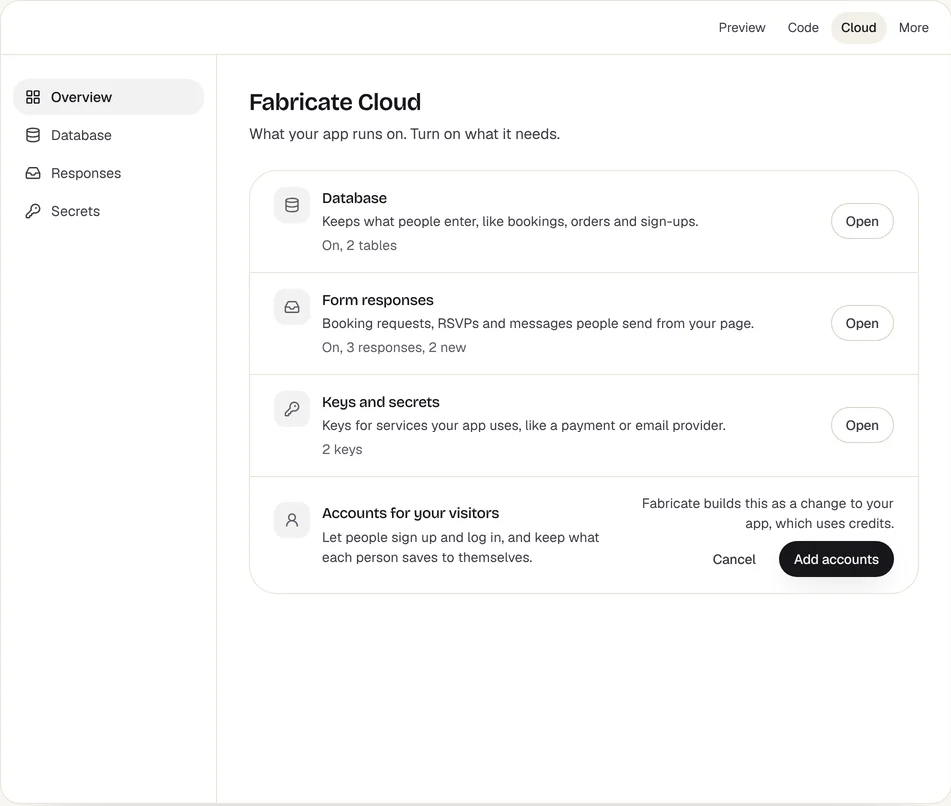
- Fabricate generates complete applications with a database, sign-in and a backend, which a site builder is not built for.
- For portfolios and marketing sites where visual impact is paramount, Framer produces exceptional results.
- Framer's paid site plans start at $15 a month, or $10 billed yearly. Credits pay for AI work, building the app and, on Pro and Max, the AI inside it; serving the published app is part of the plan.
- Teams that need both a polished site and a working app can use Framer for the marketing site and an app builder for the product.
Why Are Designers Seeking Framer Alternatives?
Pricing Concerns
Framer can get expensive for multiple projects or client work.
Sites, Not Apps
Built for marketing sites and their CMS, rather than for apps where people sign in and save their own data.
Performance
Heavy animations can impact page speed and SEO.
Learning Curve
The component-based system takes time to master.
Compare at a glance
Fabricate beside Framer, feature by feature.
- Design
- Fabricate
- From a description, changed by asking
- Framer
- A visual editor with animations
- Full-Stack Apps
- Fabricate
- Yes
- Framer
- No
- Data
- Fabricate
- The app's own SQLite tables
- Framer
- A CMS, 10 collections on the free plan
- Free Plan
- Fabricate
- Build and publish; 1 app online for 30 days
- Framer
- Publishes to a Framer address
- Paid Plans From
- Fabricate
- $25 a month
- Framer
- $15 a month (Basic), $10 billed yearly
Fabricate
We make thisBest for: Complete applications
AI-powered builder for complete applications, with a database and sign-in built in.
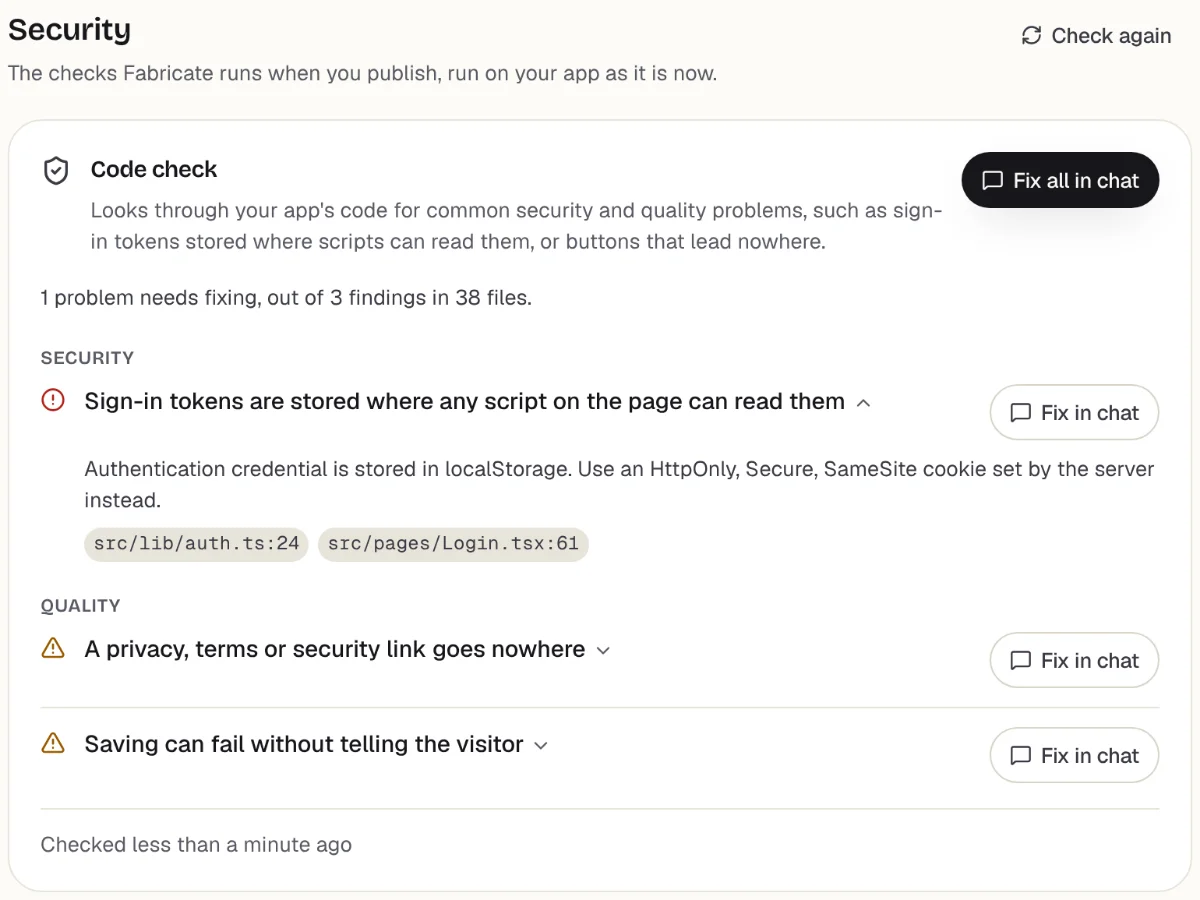
Checks before you publish
What it does well
- Full-stack apps
- AI-powered
- Database & auth
- Rebuilds a site from its address
- Paid plans from
- $25 a month
- 350 credits a month on Pro
- Free plan
- 60 credits
- A month, to build and publish
- A live app
- Every plan
- Publishing is on every plan
The other Framer alternatives
What each one does well, and the kind of project it suits best.
- Number 2
Webflow
Best for: Marketing sites
Powerful visual builder with extensive design control.
- Design control
- CMS
- Interactions
- Number 3
Wix
Best for: Simple sites
Easy drag-and-drop builder for simple websites.
- Easy to use
- Templates
- Affordable
- Number 4
Squarespace
Best for: Portfolios
Beautiful templates for portfolios and businesses.
- Templates
- Easy
- All-in-one
- Number 5
Figma Sites
Best for: Designers
Turn Figma designs into websites.
- Figma integration
- Design-first
- Number 6
Carrd
Best for: Landing pages
Ultra-simple one-page websites.
- Simple
- Cheap
- Fast
- Number 7
Readymag
Best for: Creative portfolios
Design-focused platform for creative portfolios.
- Creative
- Visual
- Unique layouts
Framer vs AI App Builders: Animation Excellence vs Full-Stack Capability
Framer has carved out a unique position in the website builder market by prioritizing design quality and animation capabilities above all else. Websites built with Framer look distinctive: smooth scroll animations, creative page transitions, and micro-interactions that feel polished and intentional. For designers and creative agencies, this visual quality is a primary differentiator.
The limitation is that Framer is a site builder. Its CMS holds content, but user accounts, records that belong to each user and server-side logic are outside what it is built for, and adding them means third-party services, which quickly adds complexity and cost.
AI app builders like Fabricate take the opposite approach, generating complete applications where every part is connected and working. The UI may not have Framer's level of animation polish, but data persists, users can sign in and the backend responds to requests.
For teams that need both design excellence and application functionality, the most effective approach is often to use both tools for their respective strengths. Framer for the marketing site, Fabricate for the actual product.
Beyond a Framer Site
This needs user accounts, a product database, Stripe subscriptions, delivery tracking and admin dashboards, which a site builder is not built for. Fabricate generates the platform with its backend, with Stripe Checkout on Pro and Max, starting with a test account created in one click or existing keys.
Build free. No card needed.
Frequently asked questions
- Is Framer better than Webflow?
- Framer is known for animation and design polish, Webflow for its CMS and site structure. For an application rather than a site, an app builder such as Fabricate, which we make, fits better than either.
- What is the cheapest Framer alternative?
- For a site, Framer's own free plan puts it online at a Framer address, and its Basic plan is $15 a month, or $10 billed yearly. For an app with a database, Fabricate's Free plan builds and publishes with no card needed.
- Can I build apps with Framer?
- Framer is designed for marketing websites and portfolios, with a CMS for content. For an application where people sign in and save their own data, an app builder fits better: Fabricate generates the screens, a database, sign-in and the server code from a description.
Sources
The pages this guide quotes, each with the day it was read.
- framer.com/pricing (opens in a new tab), checked
- fabricate.build/pricing, from our live plans
About this guide
Written by the Fabricate team. Fabricate is our product, so it is first on this page and marked "We make this". Each tool, ours or not, says who it suits best.
Each tool's card lists the pages we read about it and the day we read them. We compared the tools from their own pricing pages and documentation, not by signing up for them. Spotted something out of date? Write to info@fabricate.build.
Related guides
All alternatives- Webflow AlternativesThe visual builder Framer is most often weighed against, compared feature by feature.Alternatives
- Framer vs WebflowFramer against Webflow, compared on plans, CMS and code.Compare
- Best AI Website BuildersRanked comparison of the top AI website building tools.Best list
- AI Website Builder FeaturesComplete guide to what AI website builders can generate.Guide
- Text to Website TechnologyHow natural language prompts become functional websites.Guide
- Framer pricing, explainedFramer's plans, what its AI credits buy, and what editors and bandwidth add.Pricing guide
Related pages
Wix Alternatives
Looking for a Wix AI alternative? Wix AI builds you a Wix site. Compare the AI builders that generate an application cod...
Read moreSquarespace Alternatives
Looking for Squarespace alternatives with AI? Compare modern AI builders that create custom applications beyond template...
Read moreFramer vs Webflow
Compared side by side from each tool's own pages.
Read moreAll AI App Builder Alternatives
Compare every alternative we have reviewed, side by side.
Read moreAI App Builder
Describe your app and get a frontend, database, logins and a live URL in minutes.
Read more