Build a blog website
You can build a blog website without writing code: describe what you write about and the look you want, and Fabricate builds a working site with your posts, categories and tags, a search, an about page, and a page only you can sign in to where you write, edit and publish posts yourself, without going back to the chat.
Posts are saved in the blog's own database. Try it with a test post first, then ask for changes in the same chat.
- Free plan: 60 credits a month
- No card needed
- Live link included
From one message to a blog
Then try it yourself and ask for changes in the same chat until it fits.
You write: A blog about slow living and small homes. The home page shows the newest posts with a photo, the title and a short summary. Posts have categories and tags, and there is a search and an about page. Only I can sign in, to a page where I write, edit and publish posts with images, save drafts and set a publish date. Use a calm, readable layout. Make it easy to use on a phone.
 Fabricate
I built your blog: a home page of the newest posts, categories, tags, a search and an about page, and a page only you can sign in to where you write, edit and publish posts with images, save drafts and set a publish date. Write a test post in the preview.
Then ask for changes, such as
- Add a sign-up form for readers
- Add related posts
- Use a serif font for posts
A whole new app usually takes about 20 to 35 credits.
Broadsheet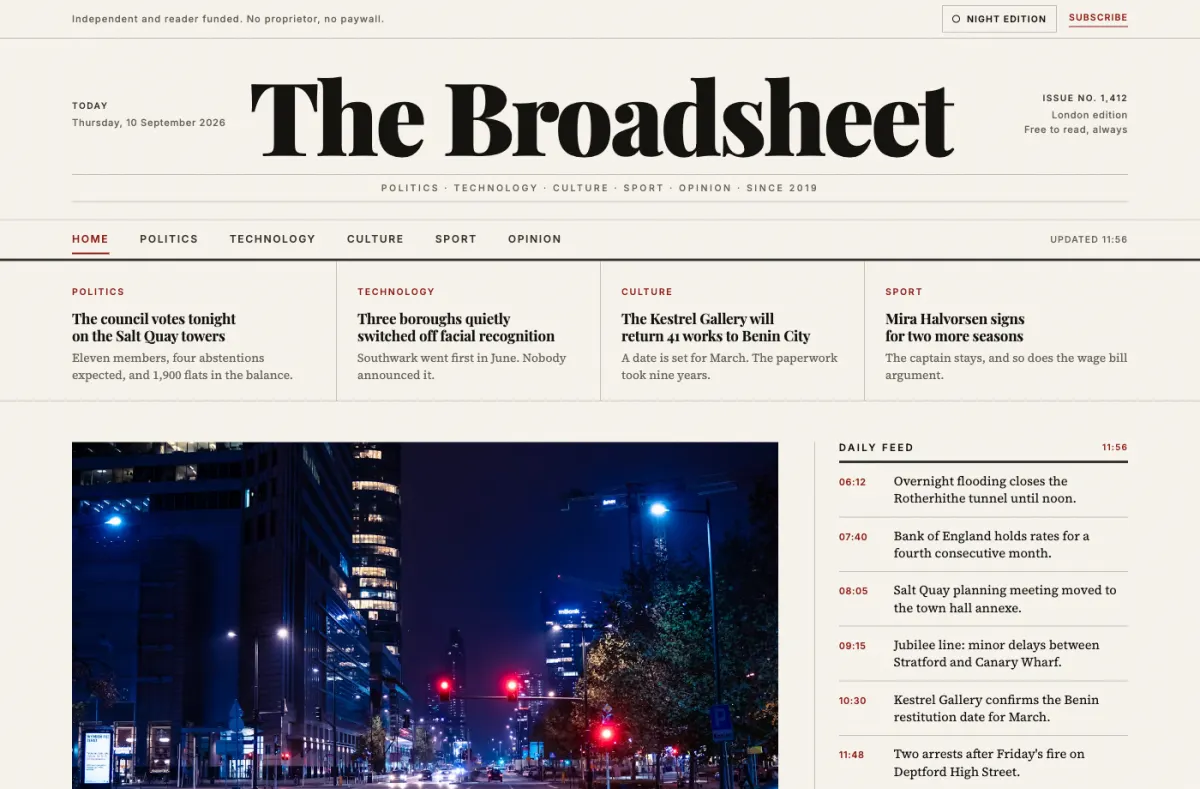
Who builds a blog
Writers and journalists
Essays and reporting in a reading layout of your own.
Businesses
News, guides and updates that answer what customers ask.
Travel and food bloggers
Stories with photos, by place or by recipe.
Clubs and schools
News and reports for members and parents.
What your blog comes with
An editor for you
A page only you sign in to, where you write, edit and publish posts and set a publish date.
Categories and tags
Posts grouped by topic, with a page for each category.
Search
Readers search every post by word, title or tag.
A reading layout
Clear type, a contents list on long posts and a time to read.
Photos in posts
Images in posts, uploaded from your editor.
Comments
Ask for comments from signed-in readers, which you can hide.
In short
- A blog with posts, categories, tags, search and an editor only you can open can be built from a plain-English description
- You write and publish posts from your own editor without going back to the chat
- Newsletters and imports from WordPress or other platforms are not built in
What goes into a blog built with Fabricate
Blog platforms are easy to start, but blogs on them tend to look related, and the bigger ones come with plugins, themes and settings to keep up to date. A blog built with Fabricate is your own small web app, from your description of what you write about and how it should read.
Writing: a page only you can sign in to, with an editor for the title, the text, images and a category, drafts, and a publish date. Posts are saved in the blog's own database, so you write without going back to the chat; the design itself changes by asking in the chat.
Reading: a home page of recent posts, categories and tags, a search, a reading layout with a contents list on long posts, and an about page. Ask for comments from signed-in readers, related posts at the end of each post, or a sign-up form whose addresses arrive under Responses once the blog is published. On Pro and Max, ask for members-only posts with a paid membership through your own Stripe account.
What is not built in: sending newsletters, and importing posts from WordPress or another platform. Under More > SEO & AI search you can see what search engines read on your live blog and change its title and description.
Blogs you can start from
Choose one and the builder opens with its description filled in. Change any word before you build.
- Personal blogPosts, categories and an editor only you sign in to.
- Business blogGuides and news that answer what customers ask.
- Recipe blogRecipes with ingredients, steps and a print view.
- Club newsNews and match reports for members and parents.
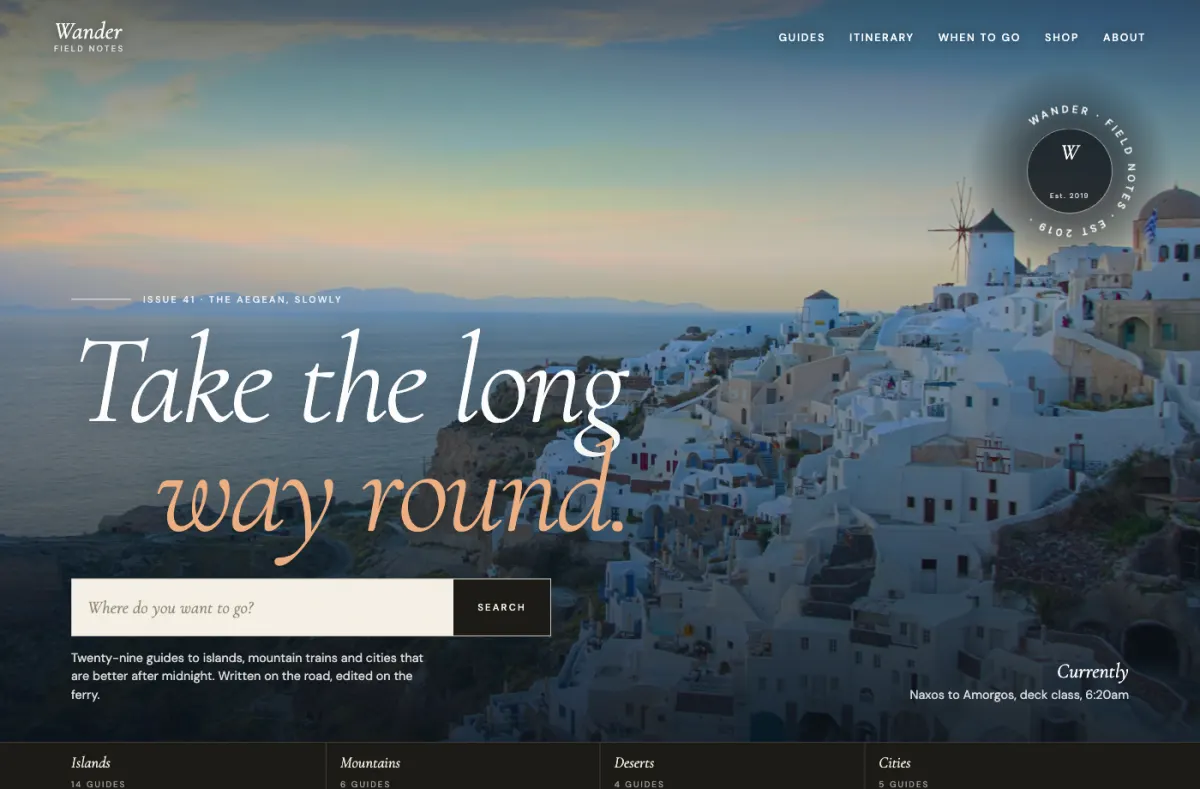
Or start from a template
Wander
A travel journal where readers search stories by place and follow an itinerary day by day, ready to change into your own blog.
How to build a blog
Four steps, all in one chat.
- 1Describe your blog
What you write about, who reads it and how it should look.
- 2Write a test post
Publish a test post from your editor and read it on a phone.
- 3Ask for changes
Add a page, a field or a colour by asking in the same chat.
- 4Publish it
The live app starts with a fresh database, so your test entries stay behind.
Chat

Your app

- Free60 credits a monthBuild, preview and publish. No card needed.
- A new app20 to 35 creditsA small change is about 3 to 10 credits.
- Pro350 credits a monthA live link and your own domain. Prices are on the pricing page.
Questions about blogs
- Can I build a blog without coding?
- Yes. Describe what you write about, who reads it and how it should look, and Fabricate builds the blog and shows it working in a preview. To change something, you ask in the chat. There is no code to write or read.
- Can I write posts without the chat?
- Yes, if you ask for it: a page only you can sign in to, with an editor for the title, the text, images and a category, and a button to publish. Changes to the design itself are made by asking in the chat.
- Can readers subscribe by email?
- Readers can leave their email with a form, and once the blog is published the addresses arrive under Responses in Fabricate, with a download as a CSV file. Sending newsletters is not built in, so send them from your own email tool.
- Can I move my posts from WordPress or another blog?
- Not automatically: importing from WordPress or another platform is not built in, so you copy each post into your editor.
- Will it show up on Google?
- Publishing puts it on the web, where search engines and AI assistants look. Under More > SEO & AI search you can see what they read on your live site and change its title and description. Nobody can promise a place in search results.
- Can it use my own domain?
- Yes, on Pro and Max. On Free, a published app gets its own free address on fabricate.chat.
- What does it cost?
- You can start on Free, which includes 60 credits a month and needs no card. A whole new app usually takes about 20 to 35 credits and a small change about 3 to 10 credits. Current plans are on the pricing page.
Keep reading
Every Build page- Build a Portfolio WebsiteProjects, case studies, an about page and an enquiry form.Build it
- Build a Membership SiteMembers-only pages with paid plans through your own Stripe.Build it
- Build a Documentation SiteDocs with a sidebar, search and a page for every topic.Build it
- Build a Changelog PageRelease notes your users can read and search.Build it
- Security and SEO ChecksSee what search engines read on your live site.Feature
- Visitor AnalyticsSee who visits your app after you publish.Feature
Start your blog
Describe what you write about. Write a test post, then share the link.
Build free. No card needed.
Related pages
Build your own social media app without code
Make a social media app for your community without code: profiles, posts, a feed, likes, comments and direct messages. F...
Read moreBuild a restaurant website
Describe your restaurant and Fabricate builds a restaurant website: the menu, opening hours and table booking requests. ...
Read moreBuild an agency website
Describe your agency and Fabricate builds an agency website: case studies, services, team and a project enquiry form. Fr...
Read moreBuild a law firm website
Describe your practice and Fabricate builds a law firm website: practice areas, your lawyers, insights and an enquiry fo...
Read moreEverything You Can Build
Explore use cases, from MVPs to marketplaces.
Read moreAI App Builder
Describe your app and get a frontend, database, logins and a live URL in minutes.
Read more