Build an MVP without code
You can build an MVP without writing code: describe the problem, who it is for and the one thing a user must be able to do, and Fabricate builds a working web app with sign-up, its own database and your core screens, which you can put in front of your first users and change in the same chat as you learn.
On Pro and Max, you can see, edit and download the code, or send it to GitHub. Try it with a test account first, then ask for changes in the same chat.
- Free plan: 60 credits a month
- No card needed
- Live link included
From one message to an MVP
Then try it yourself and ask for changes in the same chat until it fits.
You write: An MVP for a tool that helps freelance designers send proposals. Users sign up with an email and a password and get a workspace. They build a proposal from sections such as scope, timeline and price, send the client a link to view it, and the client accepts it by typing their name. The dashboard shows proposals by status: draft, sent and accepted. Make it easy to use on a phone.
 Fabricate
I built your proposal tool: sign-up with a workspace for each user, proposals built from scope, timeline and price sections, a link for the client to view and accept, and a dashboard of draft, sent and accepted proposals. Try it with a test account in the preview.
Then ask for changes, such as
- Add a monthly plan through Stripe
- Add proposal templates
- Add an onboarding checklist
A whole new app usually takes about 20 to 35 credits.
Client portal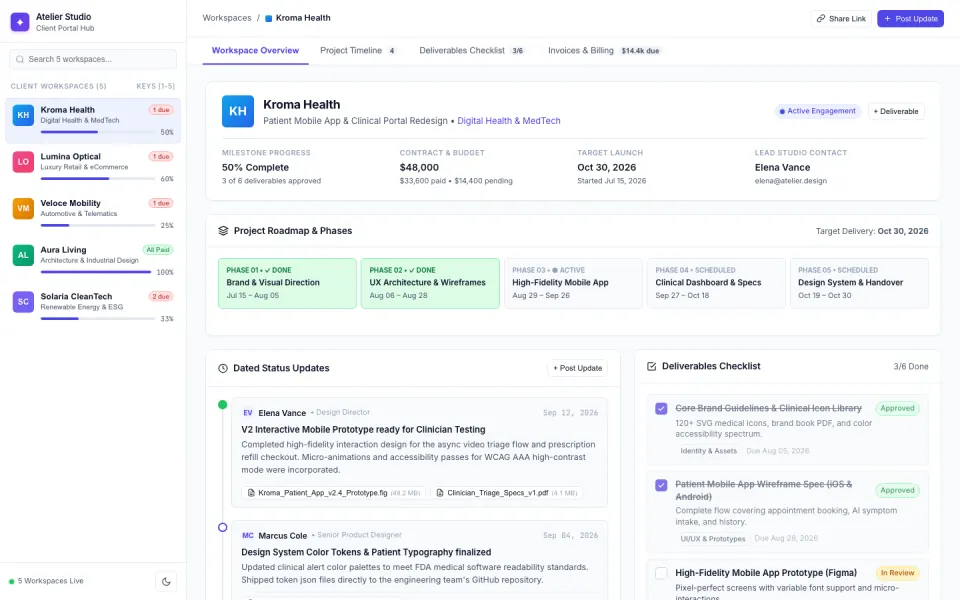
Who builds an MVP
First-time founders
A working product to show users and investors before you hire anyone.
Indie makers and side projects
A small tool or service to launch, then improve from what users say.
Product teams
A working version of a new product to test with real users before it joins the roadmap.
Agencies and freelancers
A first version for a client to try before a longer build.
What your MVP comes with
Sign-up and accounts
Users sign up with an email and a password, with roles such as user and admin.
Its own database
Every record is saved in the app's own database. Publishing gives the live app a fresh one, so test data stays behind.
Your core screens
The screens for the one job your product does, built from your description.
Payments
On Pro and Max, one-off payments and subscriptions through Stripe Checkout into your own Stripe account.
AI inside the app
On Pro and Max, the app can draft, answer, sort or summarise with AI, paid from your credits.
Your code
On Pro and Max, see, edit and download the code, or send it to GitHub.
In short
- A working MVP with sign-up, its own database and your core screens can be built from a plain-English description
- On Pro and Max, it can take payments through your own Stripe account, use AI inside the app, and give you the code
- It is a web app: App Store apps, notifications about new activity and Google sign-in are not built in
What goes into an MVP built with Fabricate
An MVP has one job: find out whether people want the thing, with as little building as possible. Mockups and landing pages test interest; a working product tests whether people use it. An MVP built with Fabricate starts from your description of the problem, the user and the one job they need done, and becomes a working web app you can put in front of them.
The product: sign-up with an email and a password, roles such as user and admin, the core screens, and every record saved in the app's own database. Ask for a dashboard, search, uploads, live updates or an onboarding checklist when you need them, in the same chat.
Charging and learning: On Pro and Max, the app can take card payments through Stripe Checkout, paid into your own Stripe account, which you connect under More > Payments. Once it is published, More > Analytics shows its visits, and a feedback form sends each answer to you under Responses in Fabricate.
When it works: On Pro and Max, you can see, edit and download the code, or send it to GitHub. On Pro and Max, you can invite people to work on the app with you, under Team in Settings. What is not built in: App Store and Google Play apps, notifications about new activity, Google or social sign-in, and payouts to other sellers.
MVPs you can start from
Choose one and the builder opens with its description filled in. Change any word before you build.
How to build an MVP
Four steps, all in one chat.
- 1Describe your product
The problem, who it is for and the one job they must be able to do.
- 2Use it like a first user
Sign up with a test account and do the core job from start to finish.
- 3Ask for changes
Add a page, a field or a colour by asking in the same chat.
- 4Publish it
The live app starts with a fresh database, so your test entries stay behind.
Chat
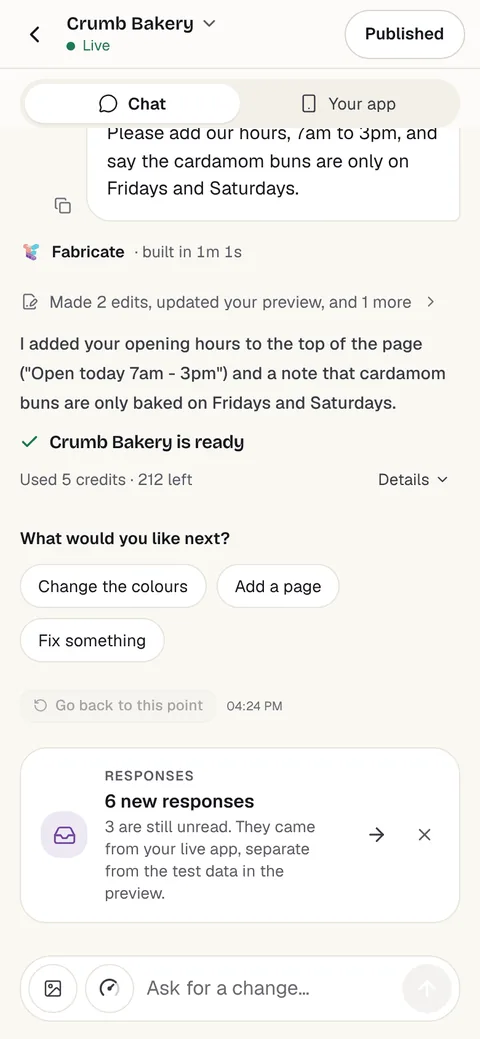
Your app
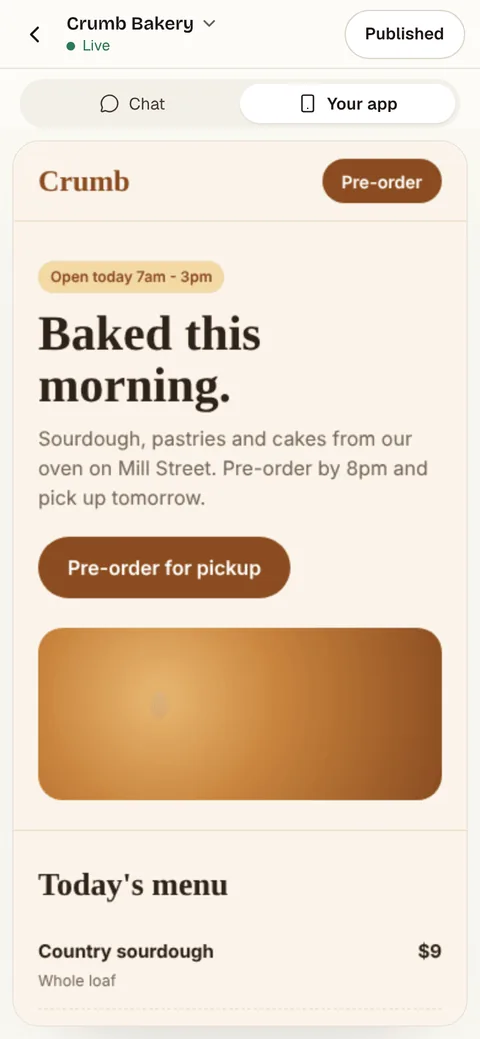
- Free60 credits a monthBuild, preview and publish. No card needed.
- A new app20 to 35 creditsA small change is about 3 to 10 credits.
- Pro350 credits a monthA live link and your own domain. Prices are on the pricing page.
Questions about MVPs
- What is an MVP builder?
- A tool for building the first working version of a product, the minimum viable product, so real users can try it before you spend months on a full build. With Fabricate you describe the product in plain English, and it builds a working web app you change by asking in the chat.
- Do I need to know how to code?
- No. You describe the app in your own words and Fabricate builds it. To change something, you ask in the chat the same way.
- Can I build an MVP for free?
- Yes. You can build it and publish it on Free, which includes 60 credits a month and needs no card. A whole new app usually takes about 20 to 35 credits.
- Is it a real app or a prototype?
- A real web app: people sign up, their data is saved in the app's own database, and it runs at its own live link once published. It is a web app: it opens from its link in any phone or computer browser, and anyone can add it to their home screen from the browser. It is not an App Store or Google Play app. Published as a phone app on Pro and Max, it can remind each person on their own phone at a time they set; notifications about new activity, such as a new message, are not built in.
- Can users pay in my MVP?
- On Pro and Max, the app can take card payments through Stripe Checkout, paid into your own Stripe account, which you connect under More > Payments. One-off payments and subscriptions both work. Fabricate takes no share of what you are paid; Stripe charges its own card fees. Payouts to other sellers are not built in.
- Can my co-founder work on it with me?
- On Pro and Max, you can invite people to work on the app with you, under Team in Settings. Each change anyone asks for is paid from your credits.
- Can I take the code elsewhere?
- On Pro and Max, you can see, edit and download the code, or send it to GitHub. A developer can then keep working on it in their own tools.
- What does it cost?
- You can start on Free, which includes 60 credits a month and needs no card. A whole new app usually takes about 20 to 35 credits and a small change about 3 to 10 credits. Current plans are on the pricing page.
Keep reading
Every Build page- Build a SaaS DashboardUsers, plans and the numbers that matter for your product.Build it
- Build an AI Startup WebsiteA launch page, a working demo and a waitlist.Build it
- Build a Waitlist PageA launch page that collects sign-ups before you open.Build it
- App Ideas to BuildIdeas for apps you can build from one description.Guide
- PaymentsCard payments in your app through your own Stripe account.Feature
- AuthenticationSign-up, sign-in and private data for your app's users.Feature
Start your MVP
Describe the one job your product does. Try it as a first user, then share the link.
Build free. No card needed.
Related pages
Build a directory website
Describe your listings and Fabricate builds a directory website: categories, search, listing pages and listing requests....
Read moreBuild an internal tool for your team
Describe the job and Fabricate builds an internal tool: forms, lists, approvals and dashboards behind a staff sign-in. F...
Read moreBuild a marketplace website
Describe what people buy and sell and Fabricate builds a marketplace: seller sign-up, listings, search and buyer message...
Read moreBuild a blog website
Describe your blog and Fabricate builds a blog website: posts, categories, search and an editor only you can open. Free ...
Read moreEverything You Can Build
Explore use cases, from MVPs to marketplaces.
Read moreAI App Builder
Describe your app and get a frontend, database, logins and a live URL in minutes.
Read more