Build a marketplace website
You can build a marketplace without writing code: describe what people list and how buyers and sellers meet, and Fabricate builds a working web app with seller sign-up, listings with photos, a search with filters and messages between buyers and sellers, and on Pro and Max card payments into your own Stripe account.
Paying sellers their share of a sale is not built in, so it suits a marketplace where buyers contact or book sellers, or where sellers pay you to list. Try both sides with test accounts first.
- Free plan: 60 credits a month
- No card needed
- Live link included
From one message to a marketplace
Then try it yourself and ask for changes in the same chat until it fits.
You write: A marketplace for second-hand furniture in my city. People sign up with an email and a password and list items with photos, a price, a condition and their area. Buyers search and filter by category, price and area, save favourites, and message the seller about a listing; both see the conversation live. Sellers mark an item as sold. I can remove listings and members. Make it easy to use on a phone.
 Fabricate
I built your furniture marketplace: sign-up, listings with photos, a price, a condition and an area, a search with filters, favourites, live messages between buyer and seller, a sold button, and your view to remove listings and members. Sign in as a test seller and a test buyer in the preview.
Then ask for changes, such as
- Add seller profiles
- Approve listings before they show
- Add a featured listing
A whole new app usually takes about 20 to 35 credits.
Fabricate CloudFabricate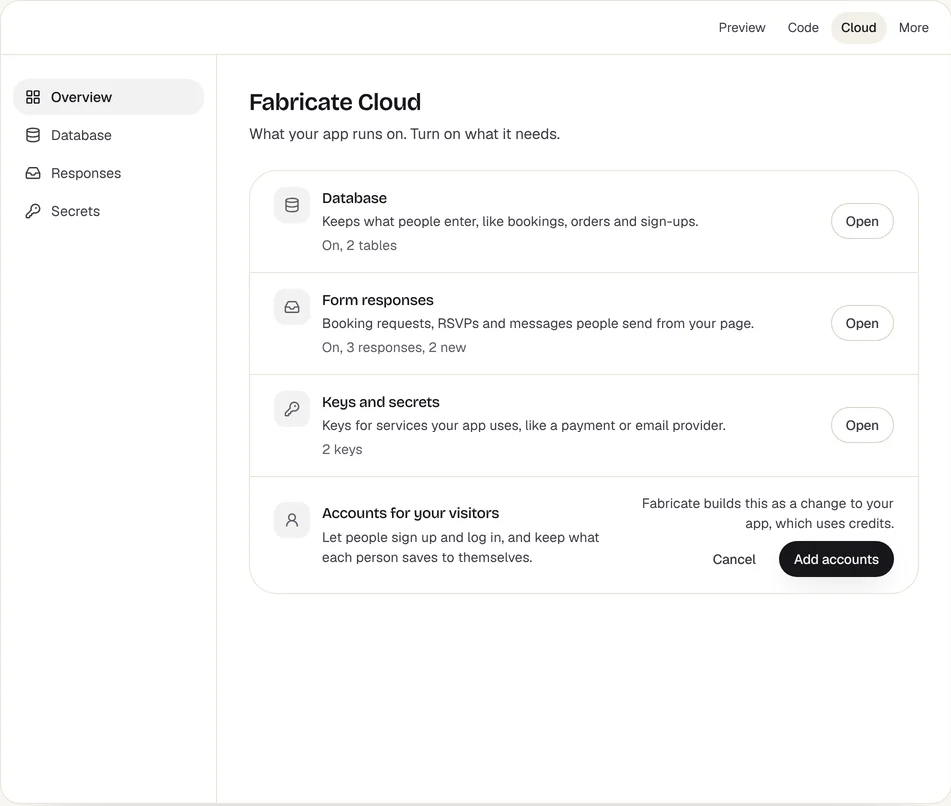
Who builds a marketplace
Local buy and sell
Second-hand goods, furniture or bikes in one town, with messages between people.
Service marketplaces
Tutors, cleaners or trades listed with prices, where customers send a request.
Rentals
Equipment, spaces or venues listed with dates and a booking request.
Founders testing a two-sided idea
A working marketplace to find out whether buyers and sellers show up.
What your marketplace comes with
Seller sign-up and listings
Sellers sign up and list items or services with photos, a price and a description.
Search and filters
Search by keyword and filter by category, price and area.
Messages
Buyers message a seller about a listing, and both see the conversation live.
Requests and bookings
A request or booking form on each listing, for services and rentals.
Seller fees
On Pro and Max, charge sellers to list or to be featured, through Stripe Checkout into your own Stripe account.
Moderation
Approve listings before they show, and remove listings and members.
In short
- A marketplace with seller sign-up, listings, search, live messages and requests or bookings can be built from a plain-English description
- On Pro and Max, sellers can pay you to list or to be featured, through Stripe Checkout into your own Stripe account
- Paying sellers their share of a sale, shipping and phone apps are not built in
What goes into a marketplace built with Fabricate
A marketplace has two sides to win at once, so the first version should be quick to make and quick to change. Marketplace platforms take a share of every sale and set the rules; building one by hand means accounts, listings and search before the first seller arrives. A marketplace built with Fabricate starts from your description of what is listed and how buyers and sellers meet.
Sellers and listings: sellers sign up, build a profile and list items, services or rentals with photos, a price and a description. Buyers search and filter, save favourites, and message a seller or send a request or booking from a listing. Ask for listings to wait for your approval, and for reviews from buyers.
Money: On Pro and Max, the app can take card payments through Stripe Checkout, paid into your own Stripe account, which you connect under More > Payments. That suits fees from sellers, such as a fee per listing, a monthly seller plan or a featured spot. Paying sellers their share of a buyer's payment is not built in, so a marketplace that takes a commission has you collect the payment and pay the seller yourself.
What is not built in: payouts to sellers, push notifications and emails about new messages, delivery and shipping, and phone apps from the App Store or Google Play. With live updates, messages between buyers and sellers appear on open screens without a refresh.
Marketplaces you can start from
Choose one and the builder opens with its description filled in. Change any word before you build.
How to build a marketplace
Four steps, all in one chat.
- 1Describe both sides
What sellers list, how buyers find it and how they get in touch.
- 2Try both sides
List an item as a test seller and message about it as a test buyer.
- 3Ask for changes
Add a page, a field or a colour by asking in the same chat.
- 4Publish it
The live app starts with a fresh database, so your test entries stay behind.
Chat

Your app

- Free60 credits a monthBuild, preview and publish. No card needed.
- A new app20 to 35 creditsA small change is about 3 to 10 credits.
- Pro350 credits a monthA live link and your own domain. Prices are on the pricing page.
Questions about marketplaces
- Can I build a marketplace without coding?
- Yes. Describe what people list, how buyers find it and how they get in touch, and Fabricate builds the marketplace and shows it working in a preview. To change something, you ask in the chat. There is no code to write or read.
- Can buyers pay sellers through the marketplace?
- Not directly. On Pro and Max, the app can take card payments through Stripe Checkout, paid into your own Stripe account, which you connect under More > Payments. That money goes to you, and paying sellers their share is not built in. Most marketplaces built with Fabricate let buyers contact or book sellers directly, or charge sellers a fee to list.
- How do I make money from it?
- On Pro and Max, charge sellers a fee per listing, a monthly seller plan or a featured spot, paid through Stripe Checkout into your own Stripe account. Taking a commission on each sale means collecting the buyer's payment and paying the seller yourself.
- Can I build an app like Etsy or Airbnb?
- You can build the parts buyers and sellers use: listings with photos, search, seller profiles, messages, and requests or bookings. What is not built in is paying sellers their share of each sale, and phone apps from the App Store or Google Play.
- Are the messages live?
- Yes, if you ask for it. Ask for live updates and new messages and posts appear on open screens without a refresh, over a connection to the app's own server. There are no push notifications or emails about new messages.
- Who can list?
- Whoever you decide: anyone who signs up, sellers you approve, or sellers with an invite code. Ask for listings to wait for your approval before they show.
- Will my test listings show up in the live app?
- No. Publishing gives the live app a fresh database of its own, so the test entries you made in the preview stay behind.
- What does it cost?
- You can start on Free, which includes 60 credits a month and needs no card. A whole new app usually takes about 20 to 35 credits and a small change about 3 to 10 credits. Current plans are on the pricing page.
Keep reading
Every Build page- Build a Directory WebsiteCategories, search, listing pages and listing requests.Build it
- Build a Job BoardJob posts, search, applications and an employer sign-in.Build it
- Build a Chat AppOne-to-one and group chats with live messages.Build it
- Build a Booking AppA booking page for customers and a schedule for you.Build it
- Build an MVPA working first version of your product to test with users.Build it
- PaymentsCard payments in your app through your own Stripe account.Feature
Start your marketplace
Describe what people list and how they meet. Try both sides, then share the link.
Build free. No card needed.
Related pages
Build a hotel website with booking requests
Describe your rooms and Fabricate builds a hotel website: rooms, prices, photos and a booking request form for each stay...
Read moreBuild a blog website
Describe your blog and Fabricate builds a blog website: posts, categories, search and an editor only you can open. Free ...
Read moreBuild a restaurant website
Describe your restaurant and Fabricate builds a restaurant website: the menu, opening hours and table booking requests. ...
Read moreBuild an agency website
Describe your agency and Fabricate builds an agency website: case studies, services, team and a project enquiry form. Fr...
Read moreEverything You Can Build
Explore use cases, from MVPs to marketplaces.
Read moreAI App Builder
Describe your app and get a frontend, database, logins and a live URL in minutes.
Read more