Build an online course platform
You can build an online course platform without writing code: describe your course, its lessons and who may take it, and Fabricate builds a working web app where students sign in, work through lessons, take quizzes and see their progress, and on Pro and Max pay for the course through Stripe Checkout into your own Stripe account.
Students and their progress are saved in the app's own database. Lessons can show videos you host on YouTube or Vimeo; Fabricate does not host video. Try it as a test student first, then ask for changes in the same chat.
- Free plan: 60 credits a month
- No card needed
- Live link included
From one message to a course platform
Then try it yourself and ask for changes in the same chat until it fits.
You write: An online course platform for my watercolour painting course. Visitors see the course page with the lesson list and buy the course once through Stripe. Students sign in with an email and a password. The course has 4 modules with 5 lessons each; every lesson has a video from my YouTube channel, written steps and a materials list. Students tick off lessons and see their progress. Make it easy to use on a phone.
 Fabricate
I built your course platform: a course page, a one-off Stripe purchase, student sign-in, 4 modules of lessons with your YouTube videos, written steps and materials lists, and progress ticks. Connect Stripe in test mode, then buy the course as a test student.
Then ask for changes, such as
- Add a quiz to each module
- Add a certificate page
- Make the first lesson free
A whole new app usually takes about 20 to 35 credits.
Fabricate CloudFabricate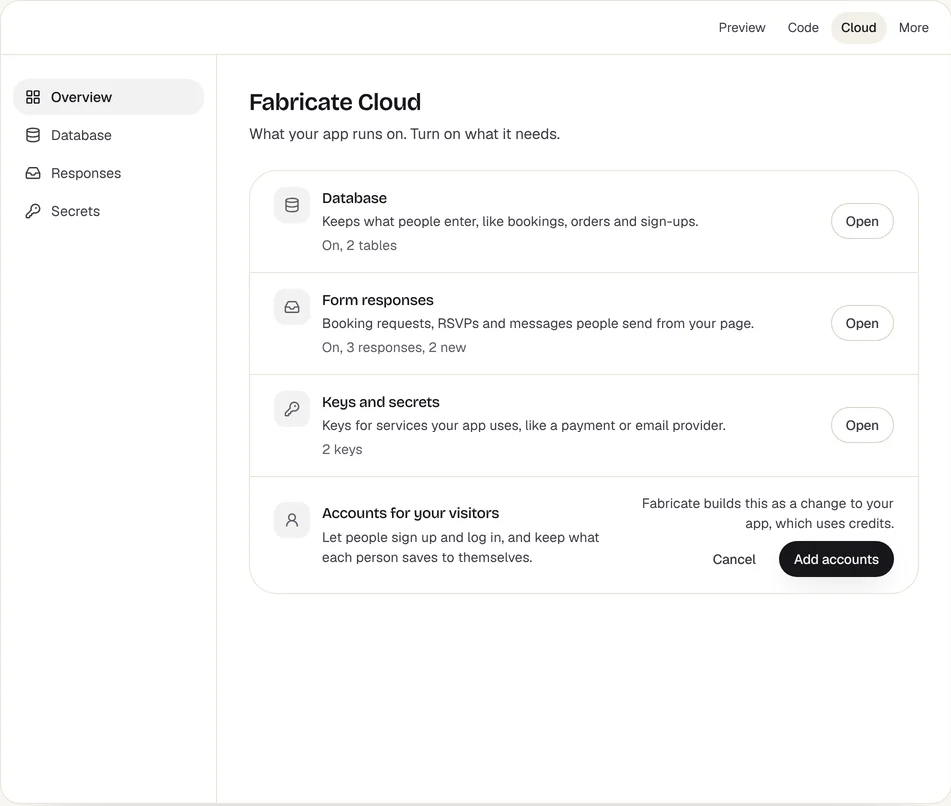
Who builds a course platform
Experts with one course
Sell a single course on your own site instead of a marketplace that sets your price.
Coaches and teachers
Lessons and homework for a cohort or a class, with each student's progress in one view.
Businesses training staff
Onboarding lessons and quizzes for new staff, behind a sign-in only they can use.
Clubs and associations
Courses for members, such as a safety course every member must pass.
What your course platform comes with
Lessons and modules
Courses split into modules and lessons, each with text, images and a video you host on YouTube or Vimeo.
Student sign-in
Students sign in with an email and a password and pick up where they left off.
Progress tracking
Lessons are ticked off as students finish them, and you see each student's progress.
Quizzes
Questions at the end of a lesson or module, marked straight away, with a pass mark if you want one.
Paid courses
On Pro and Max, one-off or monthly payments through Stripe Checkout into your own Stripe account.
A certificate page
Ask for a page with the student's name and date that they can print or save as a PDF from their browser.
In short
- A course platform with student sign-in, lessons, quizzes and progress tracking can be built from a plain-English description
- On Pro and Max, students pay through Stripe Checkout into your own Stripe account
- Fabricate does not host video: lessons show videos you host on YouTube or Vimeo, and emails to students beyond their account are not built in
What goes into a course platform built with Fabricate
Course marketplaces bring students but set the price and take a share; hosted course tools charge every month and fit every course into the same pages. A course platform built with Fabricate is your own web app: you describe the course, the lessons and how students pay, and change any of it by asking in the chat.
Lessons and progress: split the course into modules and lessons, each with text, images, a video you host on YouTube or Vimeo, and a checklist. Students sign in, see what is next and tick off lessons as they go. Ask for quizzes with a pass mark, a final test, and a certificate page they can print when they finish.
Selling it: On Pro and Max, the app can take card payments through Stripe Checkout, paid into your own Stripe account, which you connect under More > Payments. Ask for a one-off price, a monthly plan, or a free first module that leads to the paid ones. A teacher view shows each student's progress and quiz scores. On Pro and Max, the app can use AI, to draft, answer, sort or summarise, with no AI account or key of your own; each answer is paid from your credits.
What is not built in: video hosting, emails to students beyond confirming their address and resetting a password, accredited certificates, live classes, and phone apps from the App Store or Google Play. For live sessions, put a link to your video call on the lesson page.
Course platforms you can start from
Choose one and the builder opens with its description filled in. Change any word before you build.
How to build a course platform
Four steps, all in one chat.
- 1Describe your course
The modules and lessons, what each lesson shows and how students pay.
- 2Take it as a test student
Sign up, finish a lesson and take a quiz before you share the link.
- 3Ask for changes
Add a page, a field or a colour by asking in the same chat.
- 4Publish it
The live app starts with a fresh database, so your test entries stay behind.
Chat

Your app

- Free60 credits a monthBuild, preview and publish. No card needed.
- A new app20 to 35 creditsA small change is about 3 to 10 credits.
- Pro350 credits a monthA live link and your own domain. Prices are on the pricing page.
Questions about course platforms
- Can I build an online course platform without coding?
- Yes. Describe your course, its modules and lessons, and how students pay, and Fabricate builds the course platform and shows it working in a preview. To change something, you ask in the chat. There is no code to write or read.
- Can I host videos?
- Fabricate does not host video files. Each lesson can show a video you host on YouTube or Vimeo, and anyone who has that video's own link can watch it, so use the video site's privacy settings for anything you sell.
- Can I sell my course?
- On Pro and Max, the app can take card payments through Stripe Checkout, paid into your own Stripe account, which you connect under More > Payments. Ask for a one-off price or a monthly plan, and the platform opens the course once Stripe confirms the payment.
- Do students get certificates?
- If you ask for one: when a student finishes every lesson or passes the final quiz, the app shows a certificate page with their name and the date, which they can print or save as a PDF from their browser. It is not an accredited qualification.
- Can I see how students are doing?
- Yes, if you ask for it. A teacher view shows each student's finished lessons and quiz scores, with a search by name. Students see only their own progress.
- Can the app email my students?
- Not about lessons. On Pro and Max, a published app sends the emails that confirm a student's address and reset a password. Reminders, lesson emails and course news are not built in, so send them from your own email tool.
- Can I add an AI tutor?
- On Pro and Max, the app can use AI, to draft, answer, sort or summarise, with no AI account or key of your own; each answer is paid from your credits. Ask for a tutor that answers questions about a lesson, or for feedback on a written answer.
- What does it cost?
- You can start on Free, which includes 60 credits a month and needs no card. A whole new app usually takes about 20 to 35 credits and a small change about 3 to 10 credits. Current plans are on the pricing page.
Keep reading
Every Build page- Build a Membership SiteMembers-only pages with paid plans through your own Stripe.Build it
- Build an Education WebsiteSites for schools, tutors and classes, with enquiries.Build it
- Build a Coaching WebsitePrograms, session requests and a client area for coaches.Build it
- Build an Online CommunityForums, member profiles and events for your members.Build it
- Apps for TutorsLesson booking, progress notes and homework for your students.For you
- PaymentsCard payments in your app through your own Stripe account.Feature
Start your course platform
Describe your course and its lessons. Try it as a test student, then share the link.
Build free. No card needed.
Related pages
Create a job board website
Describe your jobs and Fabricate builds a job board website: job posts, search, applications and an employer sign-in. Fr...
Read moreBuild an online community platform
Describe your members and Fabricate builds an online community: member sign-in, forums, profiles, events and moderation....
Read moreBuild a hotel website with booking requests
Describe your rooms and Fabricate builds a hotel website: rooms, prices, photos and a booking request form for each stay...
Read moreBuild a fintech app without code
Describe your product and Fabricate builds a fintech app: calculators, dashboards, client portals and application forms....
Read moreEverything You Can Build
Explore use cases, from MVPs to marketplaces.
Read moreAI App Builder
Describe your app and get a frontend, database, logins and a live URL in minutes.
Read more