Build a custom CRM without code
You can build a custom CRM without writing code: describe your customers, your sales stages and who on your team uses it, and Fabricate builds a working web app with contacts and companies, a deal pipeline you drag deals across, notes on every call and meeting, and a list of follow-ups due today, all saved in the app's own database.
It uses your words for stages and fields rather than a big CRM's defaults. Try it with a few test contacts first, then ask for changes in the same chat.
- Free plan: 60 credits a month
- No card needed
- Live link included
From one message to a CRM
Then try it yourself and ask for changes in the same chat until it fits.
You write: A CRM for my sales team of 4. We sign in with an email and a password, and people join with an invite code I give them. Track contacts and companies, and deals with a value and a stage: New, Contacted, Proposal, Won and Lost. Show deals as cards on a board that we drag from one stage to the next. Each contact and deal has notes for calls, emails and meetings, newest first, and a follow-up date. The home page lists the follow-ups due today. Make it easy to use on a phone.
 Fabricate
I built your sales CRM: invite-code sign-in, contacts and companies, a board of deals in your five stages that you drag between, notes on every contact and deal, and a home page with today's follow-ups. Add a few test contacts and drag a deal across the board in the preview.
Then ask for changes, such as
- Add an import from a CSV file
- Add a won deals chart
- Add tags to contacts
A whole new app usually takes about 20 to 35 credits.
Fabricate CloudFabricate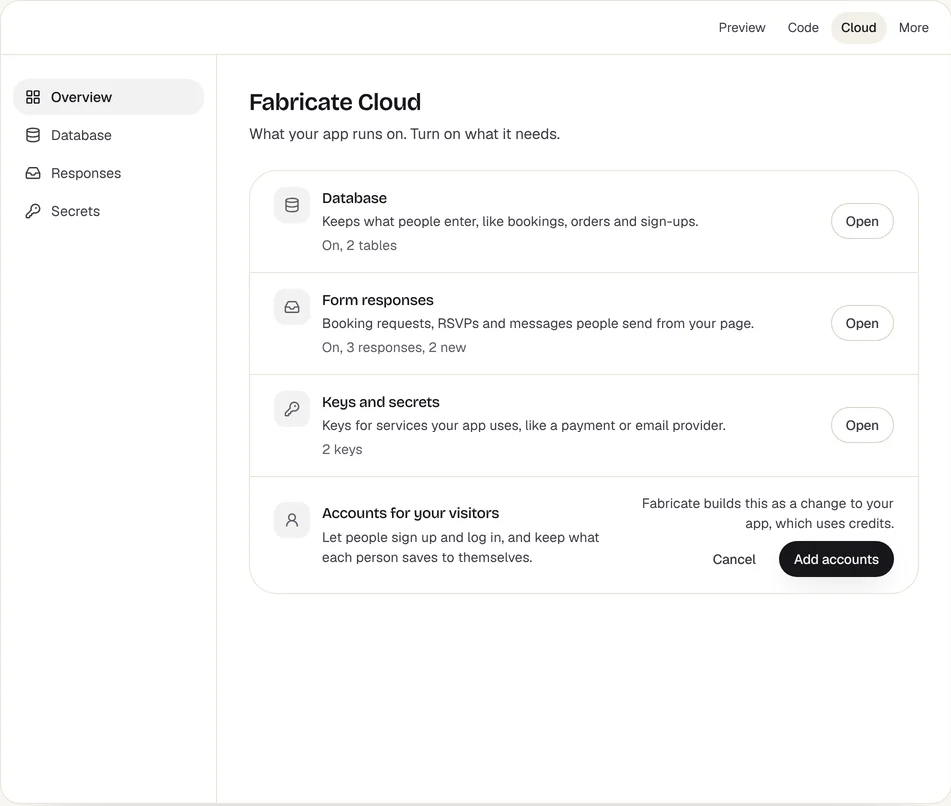
Who builds a CRM
Small sales teams
A pipeline in your own stages and fields, for a team that finds big CRMs too much.
Agencies and consultants
Leads, proposals and clients in one place, with notes on every conversation.
Service businesses
Customers, quotes and follow-ups for a trade, a studio or a shop.
Founders
The first customer list and pipeline, built around how you sell today.
What your CRM comes with
Contacts and companies
Each contact with a company, a phone, an email and your own fields, and a page with everything about them.
A deal pipeline
Deals as cards in your stages, dragged from one stage to the next, with a value on each.
Notes and activity
Log calls, emails and meetings on a contact or a deal, newest first.
Follow-ups
A follow-up date on any contact or deal, and a list of what is due today and overdue.
Search and filters
Find a contact by name, company or tag, and filter deals by stage or owner.
Team sign-in and roles
Your team signs in with an invite code. Ask for each rep to see their own deals while a manager sees all of them.
In short
- A custom CRM with contacts, companies, a deal pipeline, activity notes and follow-ups can be built from a plain-English description
- Your team signs in with an invite code, and the CRM uses your own stages and fields rather than a big CRM's defaults
- Sending email, inbox and calendar sync, and call recording are not built in; contacts can come in from a CSV file
What goes into a custom CRM built with Fabricate
Big CRMs are built for every kind of sales team at once, so a small business ends up with dozens of screens it never opens and the words of someone else's process. A custom CRM built with Fabricate starts from your description: who your customers are, the stages a deal goes through, what you need to remember about each contact, and who on your team signs in.
Records: contacts and companies with your own fields, deals with a value, a stage and an owner, and a timeline of notes on every call, email and meeting you log. Ask for a pipeline board where deals are dragged from stage to stage, a list of follow-ups due today, and a search across contacts, companies and tags.
Team and reports: your team signs in with an email and a password, and you choose who sees what, such as each rep seeing their own deals while a manager sees all of them. Ask for a dashboard with the pipeline value in each stage and the deals won this month, drawn as charts.
What is not built in: sending email from the CRM, email sequences, inbox and calendar sync, calling and call recording, and a phone app from the App Store or Google Play. Contacts can come in from a CSV or Excel file you attach, or through an import page you ask for, and on Pro and Max new enquiries from a public form can go on to Slack, Zapier, Make or a webhook.
CRMs you can start from
Choose one and the builder opens with its description filled in. Change any word before you build.
- Sales pipelineContacts, companies and deals dragged through your stages.
- Client listClients, projects and every conversation, for an agency or a consultant.
- Leads from a formA public enquiry form that adds each lead to your pipeline.
- Team CRMReps see their own deals; a manager sees every deal and the totals.
How to build a CRM
Four steps, all in one chat.
- 1Describe how you sell
Your stages, what you keep about each contact and who on your team signs in.
- 2Add test contacts
Drag a test deal across the board and log a note before you invite your team.
- 3Ask for changes
Add a page, a field or a colour by asking in the same chat.
- 4Publish it
The live app starts with a fresh database, so your test entries stay behind.
Chat

Your app

- Free60 credits a monthBuild, preview and publish. No card needed.
- A new app20 to 35 creditsA small change is about 3 to 10 credits.
- Pro350 credits a monthA live link and your own domain. Prices are on the pricing page.
Questions about CRMs
- Can I build a CRM without coding?
- Yes. Describe your customers, the stages a deal goes through and who on your team uses it, and Fabricate builds the CRM and shows it working in a preview. To change something, you ask in the chat. There is no code to write or read.
- Can I import my contacts?
- Yes. Attach the CSV or Excel export from your spreadsheet or current CRM to the chat, and every row goes into the CRM's database: the preview has them straight away, and the published app starts with them. For contacts that arrive later, ask for an import page that reads a CSV file.
- Can I turn my CRM spreadsheet into a custom CRM?
- Yes. Attach the Excel workbook or a CSV export to your first message and describe your sales stages. Fabricate builds the contact and deal tables from your columns, so the CRM starts with the fields you already keep. The sheet is not kept in sync afterwards: the CRM has its own database.
- Can it grow into more than a contact list?
- Yes. Most teams start with contacts, a pipeline and follow-ups, then add the rest in the same chat: quotes, jobs or projects for won deals, a page each client signs in to. They are linked records in one database, so a deal always shows its contact, its notes and what happened after it was won, and each person who signs in sees only what their role needs.
- Can it send emails to my contacts?
- No. The CRM keeps the record: you log the emails and calls you make from your own inbox and phone. Ask for an email button that opens your own email app with the address filled in. Email campaigns and sequences are not built in.
- Does it connect to Gmail, Outlook or my calendar?
- No. Email and calendar sync are not built in. If you ask for a public enquiry form that adds a lead, then on Pro and Max each new enquiry can also go to Slack, Zapier, Make or a webhook, under More > Connectors.
- How is it different from HubSpot or Salesforce?
- Those are full sales suites with email, calendars and many integrations built in. A CRM built with Fabricate is smaller: the records, stages and screens you describe, in your words, with your team signing in. It suits a small team that wants a simple pipeline it can change by asking; a team that needs email sequences or call recording is better served by a sales suite.
- Who can see the contacts?
- Only the people you choose, if you ask for that when you describe the app: say that only you can sign in, or that your team join with an invite code you give them. A sign-in that anyone can register for does not keep your contacts and deals private. On Free, anyone with the link can open the app itself, so keep those details behind that owner or invite-only sign-in. On Pro and Max you can make the whole app private.
- Will it work on phones?
- Yes. It is a web app: it opens from its link in any phone or computer browser, and anyone can add it to their home screen from the browser. It is not an App Store or Google Play app. Published as a phone app on Pro and Max, it can remind each person on their own phone at a time they set; notifications about new activity, such as a new message, are not built in.
- What does it cost?
- You can start on Free, which includes 60 credits a month and needs no card. A whole new app usually takes about 20 to 35 credits and a small change about 3 to 10 credits. Current plans are on the pricing page.
Keep reading
Every Build page- Build a Client PortalA sign-in for clients to see their own updates, files and invoices.Build it
- Build an Invoice AppClients, numbered invoices and paid and overdue totals.Build it
- Build a Project Management AppProjects, tasks and a board your team drags tasks across.Build it
- Build an Internal ToolForms, lists and approvals behind a staff sign-in.Build it
- Apps for Real Estate AgentsListings, viewings and buyer enquiries in one app.For you
- DatabaseHow each app stores its data in its own built-in SQLite database.Feature
- Airtable AlternativesSpreadsheet-databases, portals and apps for a base that has outgrown Airtable.Alternatives
Start your CRM
Describe how you sell in your own words. Try it with test contacts, then invite your team.
Build free. No card needed.
Related pages
Build a directory website
Describe your listings and Fabricate builds a directory website: categories, search, listing pages and listing requests....
Read moreBuild a booking app without code
Describe your services and hours and Fabricate builds a booking app: clients pick a free time, you manage every booking....
Read moreBuild an online ordering app for your business
Describe what you sell and Fabricate builds an ordering app: customers order online and you see every order. Free to sta...
Read moreBuild your own work order app
Build your own work order app: customers send requests, you assign work orders, and your team signs in to see its jobs o...
Read moreEverything You Can Build
Explore use cases, from MVPs to marketplaces.
Read moreAI App Builder
Describe your app and get a frontend, database, logins and a live URL in minutes.
Read more