Build a self-service customer portal
You can build a customer portal without writing code: describe what your customers come to you for, and Fabricate builds a working web app where each customer signs in to check their orders and invoices, reorder, read your help articles and open a support request they can follow to solved, while your team sees every request in one place.
Customers join with an invite code you give them or their company, or look up one order with its number and their email. Try it with two test customers first, then ask for changes in the same chat.
- Free plan: 60 credits a month
- No card needed
- Live link included
From one message to a customer portal
Then try it yourself and ask for changes in the same chat until it fits.
You write: A customer portal for my wholesale bakery supplies business. Each customer company signs in with an invite code I give them and sees only its own orders, each with the items, the delivery date, a status of received, packed, out for delivery or delivered, and the invoice with what is paid and due. Customers reorder a past order with one button. My team signs in to update order statuses. Make it easy to use on a phone.
 Fabricate
I built your customer portal: invite-code sign-in for each customer company, its own orders with items, delivery dates and statuses, invoices with what is paid and due, a reorder button on each past order, and a sign-in for your team to update order statuses. Sign in as two test customers in the preview to check each sees only its own orders.
Then ask for changes, such as
- Add support requests
- Add a pay button to each invoice
- Use our brand colours
A whole new app usually takes about 20 to 35 credits.
Dispatch desk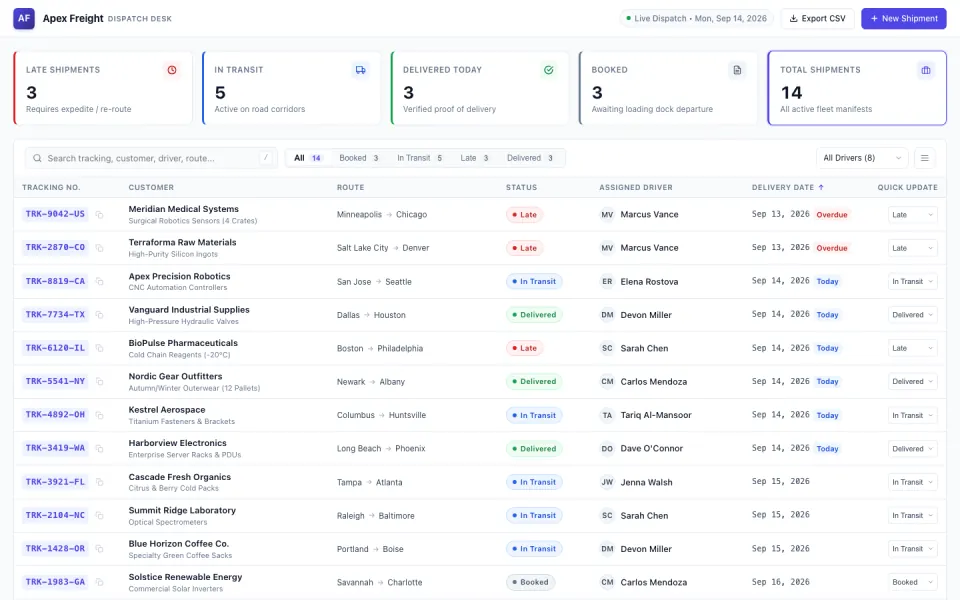
Who builds a customer portal
Wholesalers and manufacturers
Trade customers check orders, see invoices and reorder what they buy.
Software and online services
Customers open support requests and search your help articles.
Product brands
Order lookups, return requests and warranty registration for what you sell.
Subscription and rental businesses
Each customer's plan, deliveries or rentals, and the changes they ask for.
What your customer portal comes with
Customer sign-in
Each customer, or each customer company, joins with an invite code you give them and sees only their own records.
Orders and their status
Every order with what was bought, its status and a tracking number, which you or your team update.
Invoices and payments
Invoices with what is paid and due, and on Pro and Max a pay button through your own Stripe.
Support requests
Customers open a request with a subject, details and a photo, and follow your replies to solved.
Help articles and answers
Articles customers can search, and on Pro and Max an assistant that answers from them, paid from your credits.
Your team's view
Staff who join with an invite code see every open request, reply and mark it solved.
In short
- A customer portal where each customer signs in to check their orders, invoices and support requests can be built from a plain-English description
- Customers can look up one order with its number and their email, without an account
- On Pro and Max, customers pay invoices through your own Stripe account, and an assistant can answer from your help articles
- Emails to customers about changes and syncing with a store, accounting software or a help desk are not built in
What goes into a customer portal built with Fabricate
Most customer questions are the same few: where is my order, what do I owe, how do I fix this. A self-service customer portal answers them before they reach your inbox, and customer portal software usually does it inside a bigger system you would have to adopt first. A customer portal built with Fabricate starts from your description of what your customers come to you for.
What customers see: their orders with what was bought, the status and a tracking number, their invoices with what is paid and what is due, their support requests with your replies, and help articles they can search. Customers join with an invite code you give them or their company, and each record is tied to its customer, so a signed-in customer sees only their own.
What customers can do: reorder what they bought before, open a support request with a photo, register a product for its warranty, and on Pro and Max pay an invoice by card through Stripe Checkout into your own Stripe account. Staff who join with an invite code see every open request, reply and mark it solved.
What is not built in: emails or notifications to customers when something changes, a sync with your store, accounting software or help desk, single sign-on with a customer's company accounts, and phone apps from the App Store or Google Play. Orders and invoices live in the portal's own database, which you or your team keep up to date.
Customer portals you can start from
Choose one and the builder opens with its description filled in. Change any word before you build.
- Trade customer portalOrders, delivery status, invoices and reorders for each customer company.
- Support portalCustomers open support requests and follow them to solved.
- Order lookupCustomers find one order with its number and email, no account needed.
- Warranty and returnsProduct registration, return requests and their status.
How to build a customer portal
Four steps, all in one chat.
- 1Describe what customers check
What each customer sees, what they can do and who signs in.
- 2Sign in as two test customers
Check that each test customer sees only their own orders and requests.
- 3Ask for changes
Add a page, a field or a colour by asking in the same chat.
- 4Publish it
The live app starts with a fresh database, so your test entries stay behind.
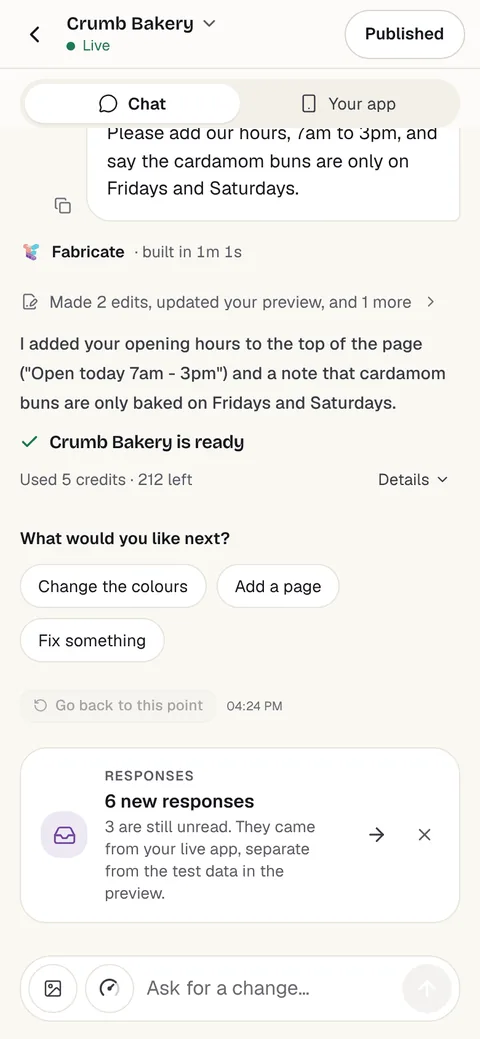
Chat
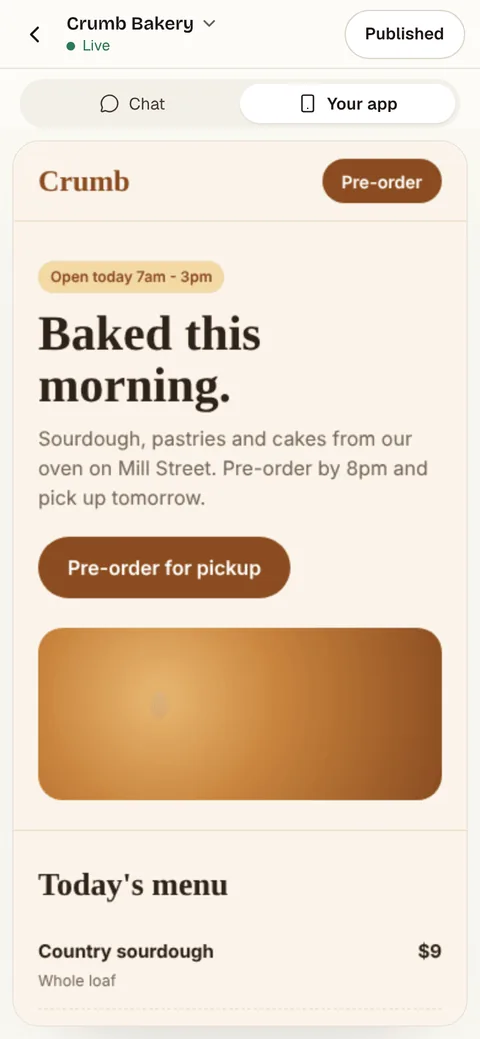
Your app
- Free60 credits a monthBuild, preview and publish. No card needed.
- A new app20 to 35 creditsA small change is about 3 to 10 credits.
- Pro350 credits a monthA live link and your own domain. Prices are on the pricing page.
Questions about customer portals
- Can I build a customer portal without coding?
- Yes. Describe what your customers come to you for, who signs in and what they can do, and Fabricate builds the customer portal and shows it working in a preview. To change something, you ask in the chat. There is no code to write or read.
- What is a self-service customer portal?
- A private website where customers sign in to answer their own questions: where an order is, what they owe, how to fix a common problem. With Fabricate you describe the portal and it builds one: customer sign-in, each customer's orders, invoices and support requests, and help articles to search.
- Can customers check an order without an account?
- Yes, if you ask for it: a lookup that takes the order number and the email it was placed with, and shows that one order and nothing else. For their full history, customers sign in.
- Do customers only see their own information?
- Yes. Each record is tied to the customer it belongs to, and the portal shows a signed-in customer only their own. Ask for invite codes so that only the customers you choose can create an account, and sign in as two test customers to check.
- Can customers pay their invoices in the portal?
- On Pro and Max, the app can take card payments through Stripe Checkout, paid into your own Stripe account, which you connect under More > Payments. Ask for a pay button on each invoice; once Stripe confirms the payment, the invoice is marked paid.
- Does it sync with my online store or accounting software?
- No. The portal keeps its own customers, orders, invoices and requests in its own database, which you or your team keep up to date, and it does not sync with a store, an ERP, accounting software or a help desk.
- Does it email customers when something changes?
- No. Emails and notifications about updates are not built in, so customers see what is new when they sign in. On Pro and Max, the live portal sends the emails that confirm an address and reset a password.
- What does it cost?
- You can start on Free, which includes 60 credits a month and needs no card. A whole new app usually takes about 20 to 35 credits and a small change about 3 to 10 credits. Current plans are on the pricing page.
Keep reading
Every Build page- Build a Client PortalA sign-in for clients to see their own updates, files and invoices.Build it
- Build an Ordering AppOrders from customers, with every order in one list.Build it
- Build an Invoice AppClients, numbered invoices and paid and overdue totals.Build it
- Build a Documentation SiteDocs with a sidebar, search and a page for every topic.Build it
- Build a CRMContacts, companies and a deal pipeline in your own stages.Build it
- Build an Internal ToolForms, lists and approvals behind a staff sign-in.Build it
- AuthenticationSign-up, sign-in and private data for your app's users.Feature
- Notion AlternativesNotes, wiki, docs and task tools, and when a Notion tracker should be an app.Alternatives
Start your customer portal
Describe what your customers come to you for. Try it with test customers, then send your first invite.
Build free. No card needed.
Related pages
Create a job board website
Describe your jobs and Fabricate builds a job board website: job posts, search, applications and an employer sign-in. Fr...
Read moreBuild an inventory management app
Describe what you stock and Fabricate builds an inventory app: products, stock levels, a low-stock list and a log of cha...
Read moreBuild your own social media app without code
Make a social media app for your community without code: profiles, posts, a feed, likes, comments and direct messages. F...
Read moreBuild a chat app without code
Describe who talks to whom and Fabricate builds a chat app: sign-in, group and one-to-one chats, and messages that appea...
Read moreEverything You Can Build
Explore use cases, from MVPs to marketplaces.
Read moreAI App Builder
Describe your app and get a frontend, database, logins and a live URL in minutes.
Read more