Create a custom event website
You can create a custom event website without writing code: describe the event, its schedule and who can come, and Fabricate builds a working web app with the event page, the schedule and speakers, a registration form with a limit on places and a guest list, and on Pro and Max tickets paid through Stripe Checkout into your own Stripe account.
Once it is live, every registration lands under Responses in Fabricate. Try it with a test registration first, then ask for changes in the same chat.
- Free plan: 60 credits a month
- No card needed
- Live link included
From one message to an event website
Then try it yourself and ask for changes in the same chat until it fits.
You write: A website for our one-day design conference in Manchester on 14 March. It has the event page with the venue and travel tips, the schedule by time and room, a page for each of our 12 speakers, and registration with two ticket types, early bird and standard, paid through Stripe, with a limit of 300 places. Only I can sign in, to see the guest list and check people in at the door. Make it easy to use on a phone.
 Fabricate
I built your conference website: the event page with the venue and travel tips, the schedule by time and room, a page for each speaker, early bird and standard tickets through Stripe with a limit of 300 places, and your guest list with a check-in view. Connect Stripe in test mode and register as a test guest.
Then ask for changes, such as
- Add a sponsors page
- Add a waiting list when it is full
- Add a countdown to the day
A whole new app usually takes about 20 to 35 credits.
Summit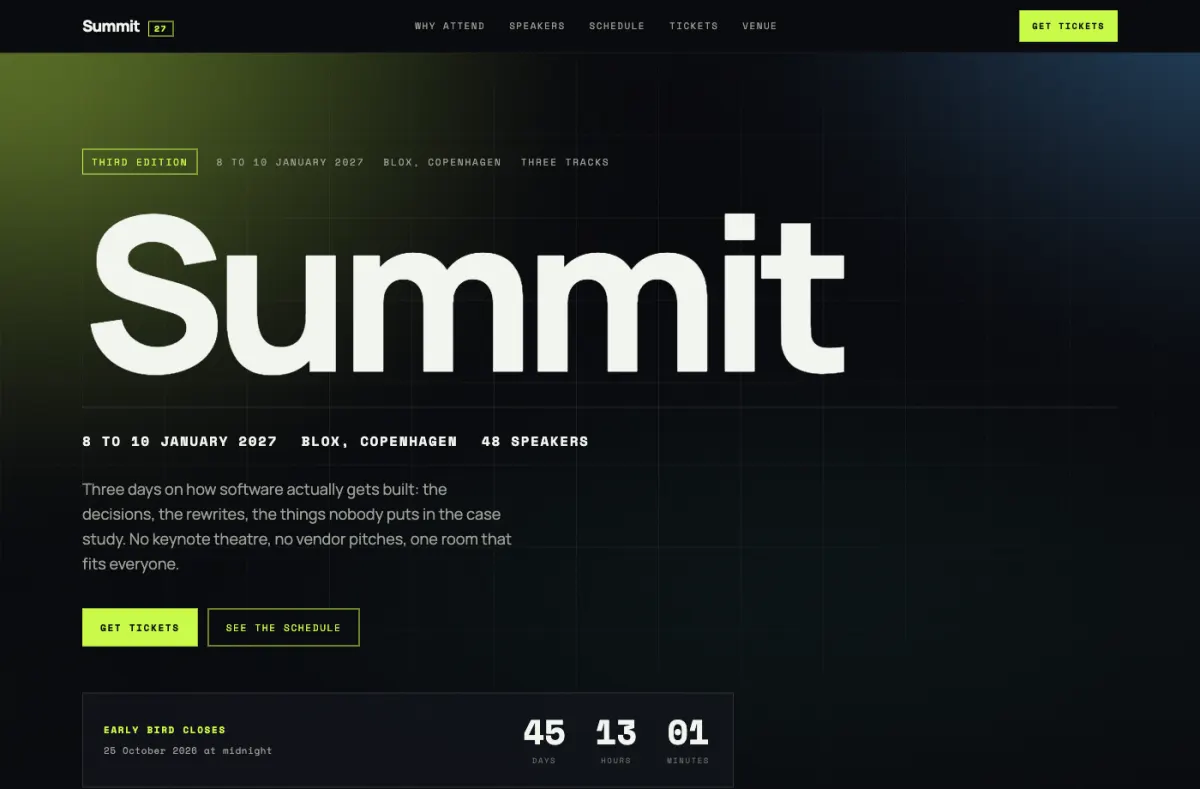
Who builds an event website
Conferences and meetups
A schedule, speakers and registration for a one-day or multi-day event.
Weddings and parties
The day, the places, travel tips and RSVPs from guests.
Workshops and classes
Dates, places left and sign-ups for each session.
Charity and community events
Runs, fairs and fundraisers with registration and donations.
What your event website comes with
An event page
The date, the place, what to expect and how to get there.
Schedule and speakers
Sessions by time and room, with a page for each speaker.
Registration and RSVPs
A form with the questions you choose, and a limit on places that shows when it is full.
Tickets
On Pro and Max, ticket types and prices through Stripe Checkout into your own Stripe account.
A guest list
Everyone who registered, with their answers, and a check-in list for the door.
Confirmation emails
On Pro and Max, a confirmation email to each guest, once you turn it on.
In short
- An event website with the event page, schedule, speakers, registration with a limit on places and a guest list can be built from a plain-English description
- Once it is live, registrations land under Responses with an email to you for each; on Pro and Max, tickets are paid into your own Stripe account
- Emails to every guest at once, calendar invites and ticket scanning at the door are not built in
What goes into an event website built with Fabricate
Event platforms are quick to set up but put their own brand and fees on your page, and a plain website needs a separate tool for registration. An event website built with Fabricate is one app: the page, the schedule and the registration, in your words and your look, from your description of the event.
The page: the date and the place, what to expect, the schedule by time and room, a page for each speaker, travel and hotel tips, and the questions people ask. Ask for a countdown, a gallery of last year's photos or a page for sponsors.
Registration: a form with the questions you choose, a limit on places and a waiting list. Once the site is published, every registration lands under Responses in Fabricate, with an email to you for each one, up to a daily limit, and a download of them all as a CSV file. On Pro and Max, tickets are paid through Stripe Checkout into your own Stripe account.
What is not built in: emails to every guest at once, such as updates and reminders, calendar invites, scanning tickets at the door and phone apps. On Pro and Max, each guest can get a confirmation email when they register.
Event websites you can start from
Choose one and the builder opens with its description filled in. Change any word before you build.
- ConferenceSchedule, speakers, tickets and a guest list for a one-day event.
- WeddingThe day, the places, travel tips and RSVPs.
- Workshop datesSeveral dates, the places left on each and a sign-up form.
- Charity runRegistration, a route page and a donation button.

Or start from a template
Vows
A wedding website with a countdown, the weekend laid out day by day and an RSVP form, ready to change into your own event.
How to build an event website
Four steps, all in one chat.
- 1Describe your event
The date, the place, the schedule and what you ask each guest.
- 2Register as a test guest
Send a test registration and check the guest list.
- 3Ask for changes
Add a page, a field or a colour by asking in the same chat.
- 4Publish it
The live app starts with a fresh database, so your test entries stay behind.
Chat

Your app

Once it is live
Every registration lands in one place
Once your app is published, every registration the guest sends through it is kept under Responses in Fabricate, and you get an email for each one, up to a daily limit. You can download them all as a CSV file.
On Pro and Max, you can also turn on a confirmation email to the guest, again up to a daily limit.
Fabricate does not send text messages.
Registration
- Name
- Priya Shah
- Ticket
- Early bird
- Dietary needs
- Vegetarian
- priya.shah@example.com
- Email to youFor each new registration, up to a daily limit.
- Confirmation to the guestOn Pro and Max, once you turn it on.
- Free60 credits a monthBuild, preview and publish. No card needed.
- A new app20 to 35 creditsA small change is about 3 to 10 credits.
- Pro350 credits a monthA live link and your own domain. Prices are on the pricing page.
Questions about event websites
- Can I build an event website without coding?
- Yes. Describe the event, its schedule and what you ask each guest, and Fabricate builds the event website and shows it working in a preview. To change something, you ask in the chat. There is no code to write or read.
- Can I sell tickets?
- On Pro and Max, the app can take card payments through Stripe Checkout, paid into your own Stripe account, which you connect under More > Payments. Ask for ticket types, such as early bird and standard, and a limit on each; a place is saved once Stripe confirms the payment.
- Do guests get a confirmation email?
- On Pro and Max, once you turn it on, each guest gets a confirmation email when they register, up to a daily limit. Emails to every guest at once, such as an update or a reminder, are not built in.
- Can I download the guest list?
- Yes. Once the site is published, every registration is kept under Responses in Fabricate, and you can download them all as a CSV file. Ask for a check-in page that lists guests by name for the door.
- Can I limit the number of places?
- Yes, if you ask for it: the form stops taking registrations when the limit is reached and shows that the event is full. Ask for a waiting list if you want one.
- Can it hold more than one event?
- Yes. Ask for a list of events, each with its own page, schedule and registration form, and a page that shows the registrations for each.
- Can it use my own domain?
- Yes, on Pro and Max. On Free, a published app gets its own free address on fabricate.chat.
- What does it cost?
- You can start on Free, which includes 60 credits a month and needs no card. A whole new app usually takes about 20 to 35 credits and a small change about 3 to 10 credits. Current plans are on the pricing page.
Keep reading
Every Build page- Build a Waitlist PageA launch page with a sign-up form and every sign-up in one list.Build it
- Build an Online CommunityForums, member profiles and events for your members.Build it
- Build a Nonprofit WebsiteYour cause, your impact and a donation button.Build it
- RSVP PageAn RSVP page for one event, with no AI credits used.Guide
- Apps for Event PlannersEnquiries, guest lists and event details in one app.For you
- PaymentsCard payments in your app through your own Stripe account.Feature
Start your event website
Describe your event in your own words. Try it with a test registration, then share the link.
Build free. No card needed.
Related pages
Build your own social media app without code
Make a social media app for your community without code: profiles, posts, a feed, likes, comments and direct messages. F...
Read moreBuild a waitlist page for your launch
Describe your launch and Fabricate builds a waitlist page: what is coming, a sign-up form and every sign-up in one list....
Read moreBuild a documentation site
Describe your product and Fabricate builds a documentation site: pages by topic, a sidebar, search and an editor for you...
Read moreBuild a changelog page for your product
Describe your product and Fabricate builds a changelog page: dated release notes with tags, search and an editor for you...
Read moreEverything You Can Build
Explore use cases, from MVPs to marketplaces.
Read moreAI App Builder
Describe your app and get a frontend, database, logins and a live URL in minutes.
Read more