Build a nonprofit website
You can build a nonprofit or charity website without writing code: describe your cause, your programmes and how people can help, and Fabricate builds a working site with your work, your impact in numbers, stories, events and a volunteer sign-up form, and on Pro and Max a donate button that takes card donations through Stripe Checkout into your own Stripe account.
Once it is published, each volunteer sign-up reaches you by email and under Responses in Fabricate. Try it in the preview first, then ask for changes in the same chat.
- Free plan: 60 credits a month
- No card needed
- Live link included
From one message to a nonprofit website
Then try it yourself and ask for changes in the same chat until it fits.
You write: A website for our food bank charity. It explains what we do, shows our impact this year in numbers, has stories from volunteers and the people we help, and a page on where the money goes. Visitors donate by card through Stripe, once or monthly, with suggested amounts. Volunteers sign up with a form for the roles and days they can give. Make it easy to use on a phone.
 Fabricate
I built your food bank website: what you do, this year's impact in numbers, stories, a page on where the money goes, one-off and monthly card donations through Stripe with suggested amounts, and a volunteer sign-up form. Connect Stripe in test mode to try a donation.
Then ask for changes, such as
- Add an events page
- Add an appeal with a goal
- Use our charity colours
A whole new app usually takes about 20 to 35 credits.
Ember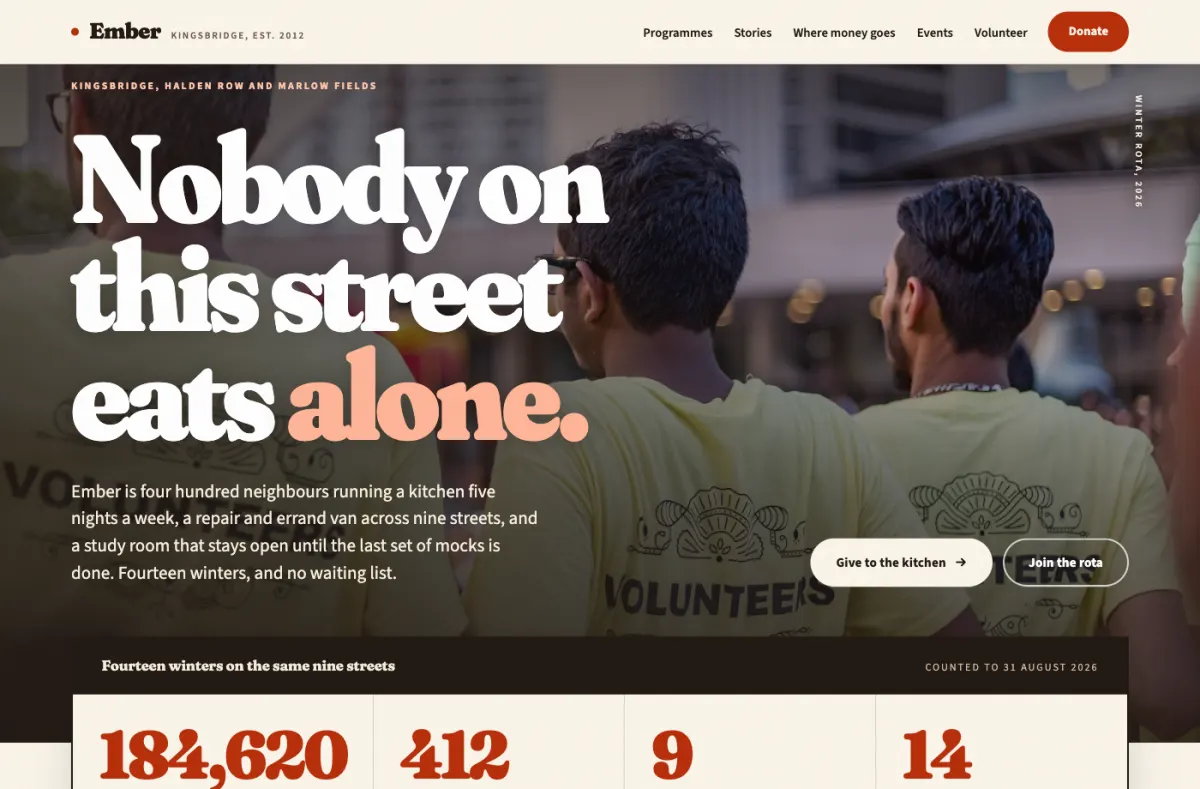
Who builds a nonprofit website
Small charities
Your cause, your numbers and a donate button, in your own words.
Community groups
Projects, events and volunteers for one place.
Appeals and campaigns
One appeal with a goal and a progress bar.
Schools and clubs fundraising
A fundraiser page for a trip, a kit or a building.
What your nonprofit website comes with
Your work and impact
Programmes, stories and the numbers that show what changed.
Donations
On Pro and Max, one-off and monthly donations through Stripe Checkout into your own Stripe account.
Volunteer sign-ups
A form with the roles, the days people can give and their skills.
Events
Fundraisers and volunteer days with registration.
An appeal tracker
A goal and a progress bar from the donations received through the site.
Stories and news
Updates and stories from the people you work with, written by you.
In short
- A nonprofit website with your work, impact numbers, stories, events and a volunteer form can be built from a plain-English description
- On Pro and Max, card donations go through Stripe Checkout into your own Stripe account, and Fabricate takes no share
- Gift Aid, tax receipts and emails to supporters are not built in
What goes into a nonprofit website built with Fabricate
A small charity's website has to earn trust fast: what you do, what changed because of it, and how someone can help today. Nonprofit website builders and donation platforms each cover part of it. A nonprofit website built with Fabricate starts from your description of your cause, your programmes and the help you need.
Your work: programmes, the numbers that show what changed, stories from the people you work with, events and news. Ask for a page on where the money goes, a page per programme, or an appeal with a goal and a progress bar from the donations received through the site.
Help: On Pro and Max, the app can take card payments through Stripe Checkout, paid into your own Stripe account, which you connect under More > Payments. Fabricate takes no share of what you are paid; Stripe charges its own card fees. Volunteers sign up with a form, and once the site is published each sign-up reaches you by email and under Responses in Fabricate.
What is not built in: Gift Aid claims, tax receipts, emails and newsletters to supporters, and connections to fundraising or CRM software. Sign-up addresses can be downloaded as a CSV file for your own email tool.
Nonprofit websites you can start from
Choose one and the builder opens with its description filled in. Change any word before you build.
How to build a nonprofit website
Four steps, all in one chat.
- 1Describe your cause
What you do, what changed because of it and how people can help.
- 2Try a test donation
Donate with Stripe's test card and send a test volunteer sign-up.
- 3Ask for changes
Add a page, a field or a colour by asking in the same chat.
- 4Publish it
The live app starts with a fresh database, so your test entries stay behind.
Chat

Your app

Once it is live
Every volunteer sign-up lands in one place
Once your app is published, every volunteer sign-up the volunteer sends through it is kept under Responses in Fabricate, and you get an email for each one, up to a daily limit. You can download them all as a CSV file.
On Pro and Max, you can also turn on a confirmation email to the volunteer, again up to a daily limit.
Fabricate does not send text messages.
Volunteer sign-up
- Name
- Grace Mensah
- Role
- Kitchen helper
- Days
- Tuesdays and Saturdays
- grace.mensah@example.com
- Email to youFor each new volunteer sign-up, up to a daily limit.
- Confirmation to the volunteerOn Pro and Max, once you turn it on.
- Free60 credits a monthBuild, preview and publish. No card needed.
- A new app20 to 35 creditsA small change is about 3 to 10 credits.
- Pro350 credits a monthA live link and your own domain. Prices are on the pricing page.
Questions about nonprofit websites
- Can I build a nonprofit website without coding?
- Yes. Describe your cause, your programmes and how people can help, and Fabricate builds the nonprofit website and shows it working in a preview. To change something, you ask in the chat. There is no code to write or read.
- Can people donate on the site?
- On Pro and Max, the app can take card payments through Stripe Checkout, paid into your own Stripe account, which you connect under More > Payments. Ask for one-off and monthly donations with suggested amounts. Fabricate takes no share of what you are paid; Stripe charges its own card fees. Gift Aid claims and tax receipts are not built in, so handle them as you do today.
- Can volunteers sign up?
- Yes. Ask for a volunteer form with the roles, the days people can give and their skills. Once the site is published, each sign-up reaches you by email and under Responses in Fabricate, and on Pro and Max you can turn on a confirmation email to the volunteer.
- Can I show progress toward an appeal?
- Yes, if you ask for it: a goal and a progress bar that counts the donations received through the site. Donations made elsewhere can be added by hand from a page only you can open.
- Can I email our supporters?
- Not from Fabricate. Newsletters and appeals go from your own email tool; the site's sign-up forms collect the addresses, which you can download as a CSV file.
- Will it show up on Google?
- Publishing puts it on the web, where search engines and AI assistants look. Under More > SEO & AI search you can see what they read on your live site and change its title and description. Nobody can promise a place in search results.
- Can it use our own domain?
- Yes, on Pro and Max. On Free, a published app gets its own free address on fabricate.chat.
- What does it cost?
- You can start on Free, which includes 60 credits a month and needs no card. A whole new app usually takes about 20 to 35 credits and a small change about 3 to 10 credits. Current plans are on the pricing page.
Keep reading
Every Build page- Build an Event WebsiteEvent pages with registration and a guest list.Build it
- Build an Online CommunityForums, member profiles and events for your members.Build it
- Build a Membership SiteMembers-only pages with paid plans through your own Stripe.Build it
- PaymentsCard payments in your app through your own Stripe account.Feature
- ConnectorsSend new requests to Slack, Zapier, Make or a webhook.Feature
- RSVP PageAn RSVP page for one event, with no AI credits used.Guide
Start your nonprofit website
Describe your cause in your own words. Try a test donation, then share the link.
Build free. No card needed.
Related pages
Build your own social media app without code
Make a social media app for your community without code: profiles, posts, a feed, likes, comments and direct messages. F...
Read moreBuild a crypto website for your Web3 project
Describe your project and Fabricate builds a crypto website: the roadmap, the team, live prices and a sign-up form. Free...
Read moreBuild an AI startup website
Describe your AI product and Fabricate builds an AI startup website: a launch page, pricing, docs and a waitlist. Free t...
Read moreBuild a custom CRM without code
Describe how you sell and Fabricate builds a custom CRM: contacts, companies, a deal pipeline, follow-ups and team sign-...
Read moreEverything You Can Build
Explore use cases, from MVPs to marketplaces.
Read moreAI App Builder
Describe your app and get a frontend, database, logins and a live URL in minutes.
Read more