Build a membership site without code
You can build a membership site without writing code: describe what members get and what each level costs, and Fabricate builds a working web app with member sign-in and members-only pages, and on Pro and Max it takes monthly or yearly payments through Stripe Checkout into your own Stripe account.
Members and their access are saved in the app's own database, and the site opens in any phone's browser. Try it with a test member and Stripe's test mode first, then ask for changes in the same chat.
- Free plan: 60 credits a month
- No card needed
- Live link included
From one message to a membership site
Then try it yourself and ask for changes in the same chat until it fits.
You write: A membership site for my gardening blog. Anyone can read the free posts. Members pay a monthly membership through Stripe to read the members-only posts and my monthly planting calendar. Members sign in with an email and a password. I sign in as the owner to write posts and mark each one as free or members-only. Make it easy to use on a phone.
 Fabricate
I built your membership site: free posts for everyone, members-only posts behind a monthly Stripe membership, member sign-in, and an owner view where you write posts and mark each one free or members-only. Connect Stripe in test mode to try a payment.
Then ask for changes, such as
- Add a yearly plan
- Add a welcome page for new members
- Use my logo colours
A whole new app usually takes about 20 to 35 credits.
Fabricate CloudFabricate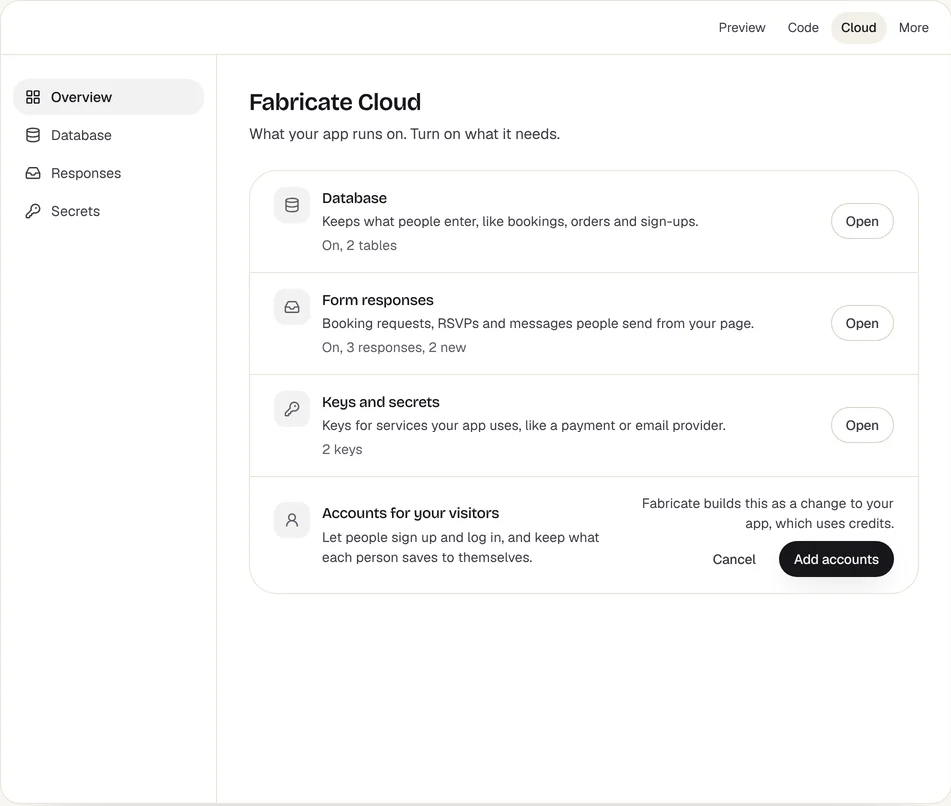
Who builds a membership site
Creators and writers
Members-only posts and guides for the people who pay to support your work.
Coaches and teachers
Lessons and a members' area for students on a monthly plan.
Clubs and associations
A yearly membership, a member directory and pages only members can open.
Small businesses
A paid club for regular customers, with member offers and news.
What your membership site comes with
Member sign-in
Members sign in with an email and a password. On Pro and Max, the live site sends the emails that confirm an address and reset a password.
Members-only pages
Posts, lessons and pages that only signed-in, paid-up members can open.
Paid plans
On Pro and Max, monthly or yearly memberships through Stripe Checkout, paid into your own Stripe account.
Levels
Plans that open different pages, such as a free level and a full membership.
Content that unlocks over time
Ask for lessons or posts that open week by week from the day a member joins.
Its own database
Members, plans and content are saved in the app's own database. Publishing gives the live site a fresh one, so test members stay behind.
In short
- A membership site with member sign-in, members-only pages and levels can be built from a plain-English description
- On Pro and Max, members pay monthly or yearly through Stripe Checkout into your own Stripe account, and the site checks that each membership is active
- Ask for self-service billing through the Stripe Customer Portal and test cancellation and recovery; video hosting and newsletters are not built in
What goes into a membership site built with Fabricate
A membership site sells access: to posts, lessons, a community or member prices. Membership platforms take a share of each payment and decide how your pages look. A membership site built with Fabricate is your own web app, described in your words, and on the paid plans the payments go into your own Stripe account.
Members and access: members sign up with an email and a password and land on a members' home page. Describe what each level opens, such as a free level for sign-ups and a paid level for the rest, and the site shows each member only what their plan includes. Ask for content that unlocks week by week from the day a member joins.
Payments: On Pro and Max, the app can take card payments through Stripe Checkout, paid into your own Stripe account, which you connect under More > Payments. A member pays on Stripe's own checkout page, and the site saves the membership with the member and checks with Stripe that it is still active before it shows a members-only page. Try it with Stripe's test mode before you take real payments.
Billing management: ask for a server-created Stripe Customer Portal session so an authorized member can change a payment method or cancel. Configure and test the portal alongside server-side membership access. Video hosting, newsletters, push notifications and phone apps are not built in. Members sign in with an email and a password; Google and social sign-in are not built in.
Membership sites you can start from
Choose one and the builder opens with its description filled in. Change any word before you build.
How to build a membership site
Four steps, all in one chat.
- 1Describe the membership
What members get, the levels and what each one costs.
- 2Join as a test member
Pay in Stripe's test mode and check what a member sees.
- 3Ask for changes
Add a page, a field or a colour by asking in the same chat.
- 4Publish it
The live app starts with a fresh database, so your test entries stay behind.
Chat

Your app

- Free60 credits a monthBuild, preview and publish. No card needed.
- A new app20 to 35 creditsA small change is about 3 to 10 credits.
- Pro350 credits a monthA live link and your own domain. Prices are on the pricing page.
Questions about membership sites
- Can I build a membership site without coding?
- Yes. Describe what members get, the levels and what each one costs, and Fabricate builds the membership site and shows it working in a preview. To change something, you ask in the chat. There is no code to write or read.
- How do members pay?
- On Pro and Max, the app can take card payments through Stripe Checkout, paid into your own Stripe account, which you connect under More > Payments. Members pay on Stripe's own checkout page, and before the site shows a members-only page it checks with Stripe that the membership is still active.
- Can members cancel or change their card themselves?
- Yes, when you ask the builder to add it. Use an authorized server-created Stripe Customer Portal session and a Manage billing button. Configure the portal features in Stripe, then test payment-method changes, cancellation and the resulting member access. Connecting Stripe alone does not add every billing flow.
- Can I have a free level and paid levels?
- Yes, if you ask for it. Free members sign in and see the free pages, and each paid level opens its own pages. Describe what each level includes and what it costs.
- Can I post videos for members?
- Fabricate does not host video files. A members-only page can show a video you host on YouTube or Vimeo, and anyone who has that video's own link can still watch it, so use the video site's privacy settings too.
- Can the site email my members?
- Not with news. On Pro and Max, a published site sends account emails, such as a password reset, and confirmations for forms you turn them on for; newsletters and announcements go out from your own email tool.
- Will my test members show up in the live site?
- No. Publishing gives the live app a fresh database of its own, so the test entries you made in the preview stay behind.
- What does it cost?
- You can start on Free, which includes 60 credits a month and needs no card. A whole new app usually takes about 20 to 35 credits and a small change about 3 to 10 credits. Current plans are on the pricing page.
Keep reading
Every Build page- Subscription lifecycle testingOne-click test setup, billing management, renewals, cancellation and recovery.Blog
- Build an Online Course PlatformLessons, quizzes and progress for your students.Build it
- Build an Online CommunityForums, member profiles and events for your members.Build it
- Build a Coaching WebsitePrograms, session requests and a client area for coaches.Build it
- PaymentsCard payments in your app through your own Stripe account.Feature
- AuthenticationSign-up, sign-in and private data for your app's users.Feature
- Build a BlogPosts, categories and a reading layout for your writing.Build it
Start your membership site
Describe what members get. Try it as a test member, then share the link.
Build free. No card needed.
Related pages
Build a directory website
Describe your listings and Fabricate builds a directory website: categories, search, listing pages and listing requests....
Read moreCreate a job board website
Describe your jobs and Fabricate builds a job board website: job posts, search, applications and an employer sign-in. Fr...
Read moreCreate a custom event website
Describe your event and Fabricate builds an event website: schedule, speakers, registration and a guest list. Free to st...
Read moreBuild a waitlist page for your launch
Describe your launch and Fabricate builds a waitlist page: what is coming, a sign-up form and every sign-up in one list....
Read moreEverything You Can Build
Explore use cases, from MVPs to marketplaces.
Read moreAI App Builder
Describe your app and get a frontend, database, logins and a live URL in minutes.
Read more