For agencies and freelancers
Build the client portal. Keep the margin.
Fabricate is an AI app builder that turns a client brief into a testable web application: frontend, backend, shared records, sign-in flows and a live URL when the scope needs them.
Start with one internal workflow or customer portal. Review real software with the client, then refine the same project in plain English.
- 60 free credits every month
- No card to start
- Check current code-handoff features
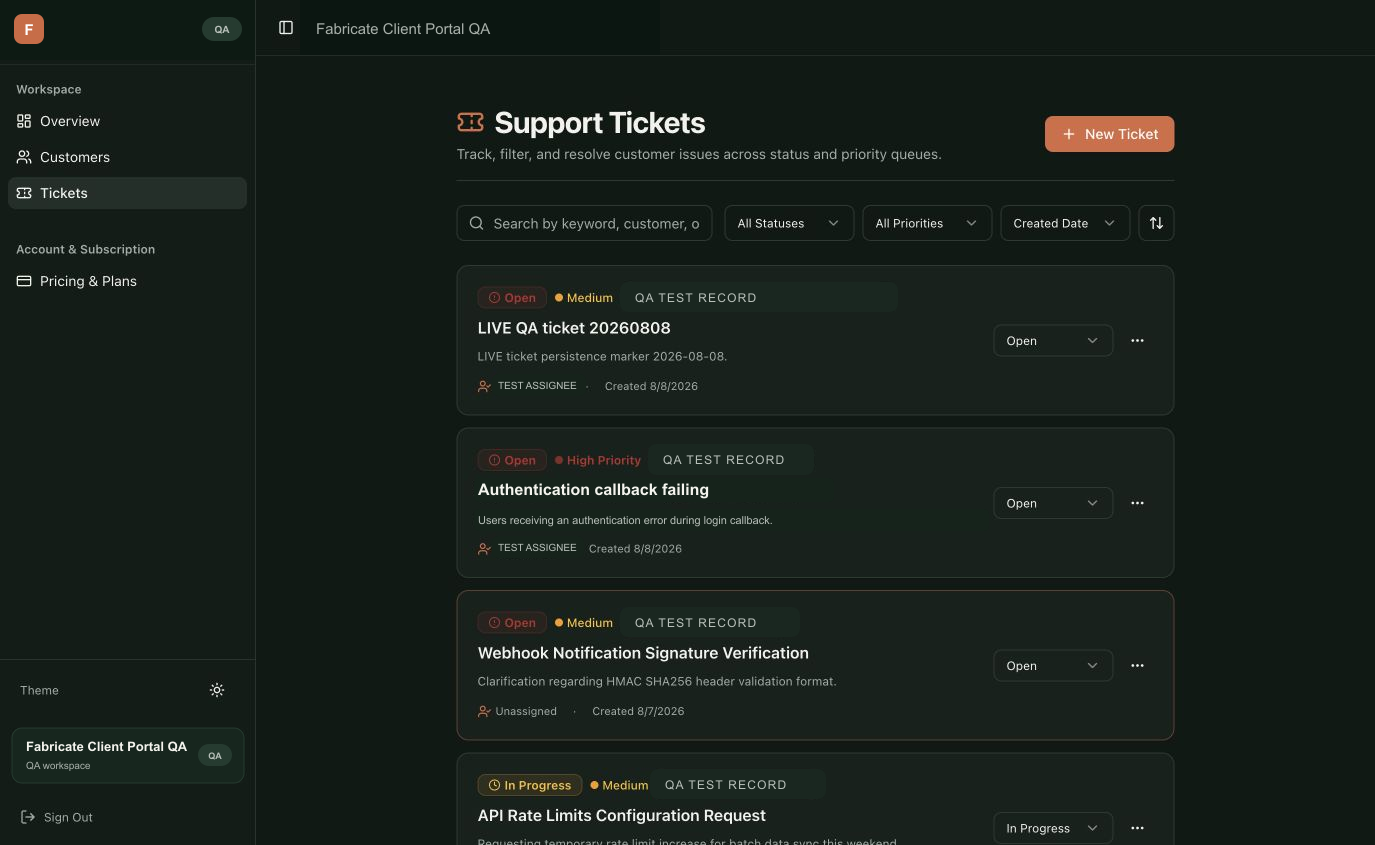
Client support portal
Fabricate QA build. Synthetic records shown; the capture demonstrates the generated interface and workflow, not customer results.
Software your client can actually use
Choose the capabilities the engagement needs. Fabricate generates them into the same project instead of leaving you to stitch together a visual mockup and a separate backend.
React application
Generate the screens, forms, tables and responsive states in a standard React and TypeScript project.
Shared business data
Ask for persistent records and Fabricate stores them in a Durable Object with its own built-in SQLite database, one per app.
Application sign-in
Request authentication when the workflow needs accounts, protected pages or user-specific data.
Plain-English iteration
Review the build, describe the change and iterate inside the same Fabricate project.
A live review link
Publish the generated application and review working software with the client instead of another static handoff.
Code handoff planning
Review the current plan features before quoting a code download or GitHub handoff to a client.
What the product capture actually proves
The Fabricate Client Portal QA image is a vetted capture from a documented Fabricate build, cropped to the relevant support-workflow state. Its evidence is intentionally limited to the generated interface shown in this retained capture.
Visible output
A routed support portal interface
The capture shows navigation, ticket records, filters, priorities and status controls from the documented Fabricate QA project.
Evidence source
A retained Fabricate QA capture
The bundled image comes from Fabricate's documented QA evidence and is presented as a fixed product capture, not as a live customer application.
Evidence boundary
Synthetic records, not customer claims
The names, companies and tickets are synthetic QA records. They are not Fabricate customers or endorsements and do not support a revenue, speed, persistence or security claim.
Sell one clear business outcome
A tighter project starts with the workflow the client already understands and already feels every week.
Offer language
“We’ll turn one manual workflow into a working web app. The first scope covers the agreed screens, data and access flow; integrations are quoted separately.”
Keep scope, data ownership, third-party costs and acceptance criteria in the client agreement.
- 01
Scope one workflow
Choose the client portal, approval flow or dashboard that currently depends on email, spreadsheets or disconnected tools.
- 02
Describe the working states
Name the users, screens, records, permissions and success state. Attach the client brand or a reference when visual fidelity matters.
- 03
Review the real application
Test the generated flows, refine the brief, verify permissions and integrations, then publish or export according to the handoff.
Questions before you use Fabricate for client work
- Can Fabricate build both client portals and internal tools?
- Yes. Describe the users, screens, records and workflow. Fabricate can generate a React and TypeScript frontend plus server routes and Durable Object SQLite storage when the project needs shared data.
- Can the generated app include its own sign-in?
- Yes. Ask for authentication and describe which users should access which workflows. Review authorization and data-access requirements before a client launch.
- Can we hand the code to a client?
- Generated projects use standard technologies such as React and TypeScript. Review the current plan features before promising a code download or GitHub export in a client agreement.
- Does Fabricate guarantee a fixed delivery time?
- No. Delivery time depends on scope, integrations, review cycles and the acceptance criteria agreed with the client.
- Should we launch the first generated version without review?
- No. Test the workflow, permissions, data model, integrations, accessibility and any legal or compliance requirements before production use.
Start with the app already hiding in your client’s spreadsheet.
Describe the users, records and workflow. Build a working project to review.