Build a SaaS dashboard for your product
You can build a SaaS dashboard without writing code: describe what your product does for each customer, and Fabricate builds a working web app where customers sign up, see their own data on a dashboard and change their settings, and on Pro and Max subscribe to a paid plan through Stripe Checkout into your own Stripe account, with an admin view for you.
Each customer's data is kept apart in the app's own database. Try it with two test accounts first, then ask for changes in the same chat.
- Free plan: 60 credits a month
- No card needed
- Live link included
From one message to a SaaS dashboard
Then try it yourself and ask for changes in the same chat until it fits.
You write: A SaaS dashboard for my habit tracking product. Customers sign up with an email and a password. Each customer adds habits and ticks them off each day, and their dashboard shows a streak for each habit, a chart of the last 30 days and their settings. Each customer sees only their own data. I have an admin page that lists every customer and when they joined. Make it easy to use on a phone.
 Fabricate
I built your habit tracking product: sign-up and sign-in, habits each customer ticks off daily, a dashboard with streaks and a 30-day chart, a settings page, and an admin page with every customer. Sign up as two test customers in the preview to check that each sees only their own habits.
Then ask for changes, such as
- Add a paid plan through Stripe
- Add a welcome tour
- Add a weekly summary page
A whole new app usually takes about 20 to 35 credits.
Fabricate CloudFabricate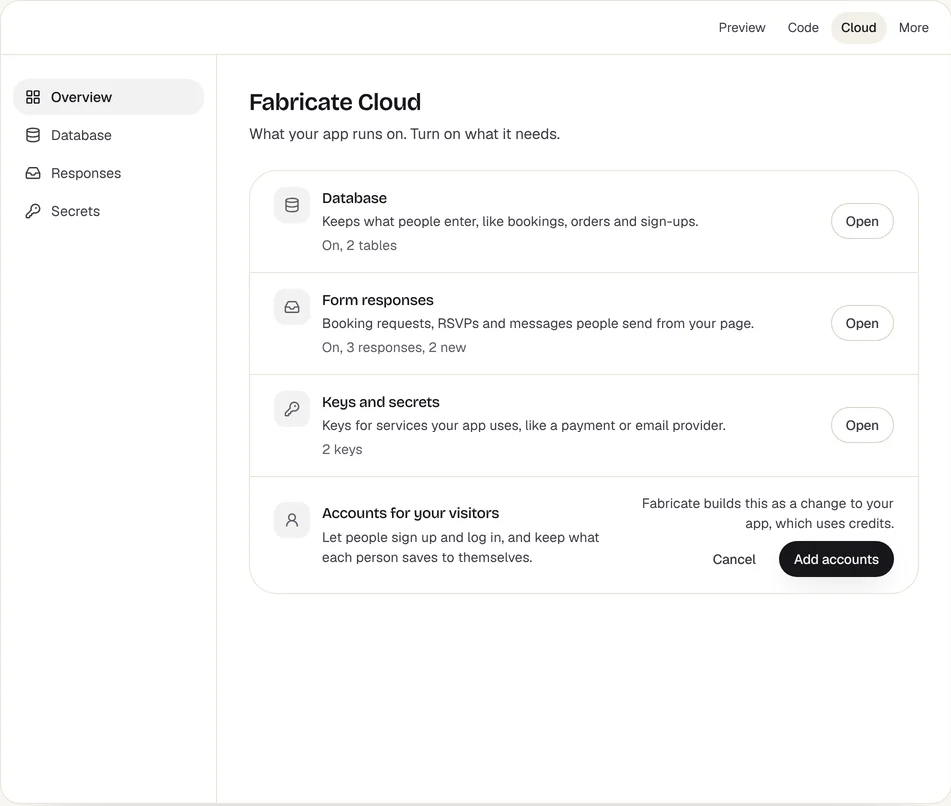
Who builds a SaaS dashboard
Founders testing a product
A working product with sign-up and a paid plan, to put in front of the first customers.
Micro-SaaS builders
A small product with a monthly plan, built and changed in one chat.
Agencies building for clients
A customer-facing product for a client, with the code on the paid plans.
Businesses adding an account area
A sign-in area where customers see their own account, orders or usage.
What your SaaS dashboard comes with
Sign-up and sign-in
Customers sign up with an email and a password. On Pro and Max, the live app confirms addresses and resets passwords.
Each customer's own data
Every record is tied to the customer who made it, so each sees only their own.
A dashboard home
Cards, charts and recent activity for each customer, from their own data.
Plans and billing
On Pro and Max, monthly or yearly plans through Stripe Checkout, paid into your own Stripe account.
Settings
A profile and settings page, and a place to change the password.
An admin view
A page only you can open, with every customer, their plan and when they joined.
In short
- A SaaS dashboard with sign-up, each customer's own data, settings and an admin view can be built from a plain-English description
- On Pro and Max, customers subscribe through Stripe Checkout into your own Stripe account, and the app checks the subscription
- A self-serve billing page, usage-based billing and emails beyond sign-in are not built in
What goes into a SaaS dashboard built with Fabricate
Most software products share the same frame: a sign-up, a home page with the customer's own data, settings, a plan to pay for and an admin view for the people who run it. Building that frame by hand takes weeks before the part that makes the product different. A SaaS dashboard built with Fabricate starts with the frame and your description of what the product does.
Accounts and data: customers sign up with an email and a password, and every record is tied to the customer who made it, so each sees only their own. Ask for teams, where several people in one company share an account, and roles such as owner and member.
Plans: On Pro and Max, the app can take card payments through Stripe Checkout, paid into your own Stripe account, which you connect under More > Payments. Customers subscribe on Stripe's own checkout page, and the app checks the subscription before it opens paid features. On Pro and Max, the app can use AI, to draft, answer, sort or summarise, with no AI account or key of your own; each answer is paid from your credits.
What is not built in: a self-serve billing page for changing a card or cancelling, usage-based billing, emails to customers beyond confirming an address and resetting a password, and phone apps from the App Store or Google Play. An admin view you ask for shows every customer, their plan and when they joined.
SaaS dashboards you can start from
Choose one and the builder opens with its description filled in. Change any word before you build.
How to build a SaaS dashboard
Four steps, all in one chat.
- 1Describe your product
What each customer does in it, what they see and what a paid plan adds.
- 2Sign up as two customers
Check that each test customer sees only their own data.
- 3Ask for changes
Add a page, a field or a colour by asking in the same chat.
- 4Publish it
The live app starts with a fresh database, so your test entries stay behind.
Chat

Your app

- Free60 credits a monthBuild, preview and publish. No card needed.
- A new app20 to 35 creditsA small change is about 3 to 10 credits.
- Pro350 credits a monthA live link and your own domain. Prices are on the pricing page.
Questions about SaaS dashboards
- Can I build a SaaS dashboard without coding?
- Yes. Describe what your product does for each customer, what they see and what a paid plan adds, and Fabricate builds the app and shows it working in a preview. To change something, you ask in the chat. There is no code to write or read.
- Can customers pay for a plan?
- On Pro and Max, the app can take card payments through Stripe Checkout, paid into your own Stripe account, which you connect under More > Payments. Customers subscribe on Stripe's own checkout page, and the app checks their subscription before it opens paid features. A self-serve billing page is not built in, so customers change a card or cancel by contacting you.
- Is each customer's data kept separate?
- Yes, when the app has accounts: every record is tied to the signed-in customer, and each request reads only that customer's rows. Ask for teams if several people in one company should share an account's data.
- Can I add AI features to my product?
- On Pro and Max, the app can use AI, to draft, answer, sort or summarise, with no AI account or key of your own; each answer is paid from your credits. Ask for a feature that drafts, summarises or answers for each customer.
- Can I see and keep the code?
- Yes. You own the app and its code. On Pro and Max, you can see, edit and download the code, or send it to GitHub.
- Can it use my own domain?
- Yes, on Pro and Max. On Free, a published app gets its own free address on fabricate.chat.
- Will my test accounts show up in the live app?
- No. Publishing gives the live app a fresh database of its own, so the test entries you made in the preview stay behind.
- What does it cost?
- You can start on Free, which includes 60 credits a month and needs no card. A whole new app usually takes about 20 to 35 credits and a small change about 3 to 10 credits. Current plans are on the pricing page.
Keep reading
Every Build page- Build an MVPA working first version of your product to test with users.Build it
- Build a Membership SiteMembers-only pages with paid plans through your own Stripe.Build it
- Admin PanelManage orders, products and customers in one place.Build it
- Build an Analytics DashboardKPI cards and charts for the numbers you watch.Feature
- PaymentsCard payments in your app through your own Stripe account.Feature
- AuthenticationSign-up, sign-in and private data for your app's users.Feature
Start your SaaS dashboard
Describe what your product does for each customer. Try it with test accounts, then share the link.
Build free. No card needed.
Related pages
Build a chat app without code
Describe who talks to whom and Fabricate builds a chat app: sign-in, group and one-to-one chats, and messages that appea...
Read moreBuild a custom admin panel without code
What an admin panel is and how to build your own from a description: sign-in, roles, searchable tables and edit forms. F...
Read moreBuild a membership site without code
Describe what members get and Fabricate builds a membership site: sign-in, members-only pages and paid plans with Stripe...
Read moreBuild a directory website
Describe your listings and Fabricate builds a directory website: categories, search, listing pages and listing requests....
Read moreEverything You Can Build
Explore use cases, from MVPs to marketplaces.
Read moreAI App Builder
Describe your app and get a frontend, database, logins and a live URL in minutes.
Read more