Describe your bakery's order app. Fabricate builds it.
Write what you need in plain words: what you bake, how people order, when they collect. Fabricate builds a working web app with sign-in, its own database and a live link to share.
Then try it yourself and ask for changes in the same chat until it fits the way your bakery runs.
- Free plan: 60 credits a month
- No card needed
- Live link included
From one message to a bakery app
Then try it yourself and ask for changes in the same chat until it fits.
You write: A custom cake order website for my bakery. Customers choose the size, sponge flavour, filling and the message on the cake, pick a pickup date at least three days ahead, and leave their name and phone number. Only I can sign in, and I see orders by pickup date and mark each one as confirmed, ready or collected.
 Fabricate
I built your cake order website: size, sponge, filling and the message on the cake, a pickup date at least three days ahead and the customer's name and phone number, and a sign-in only you can use to see orders by pickup date. Place a test order for this weekend.
Then ask for changes, such as
- Add photos of our cakes
- Add a daily bake list
- Use our colours
A whole new app usually takes about 20 to 35 credits.
Crumb & Co.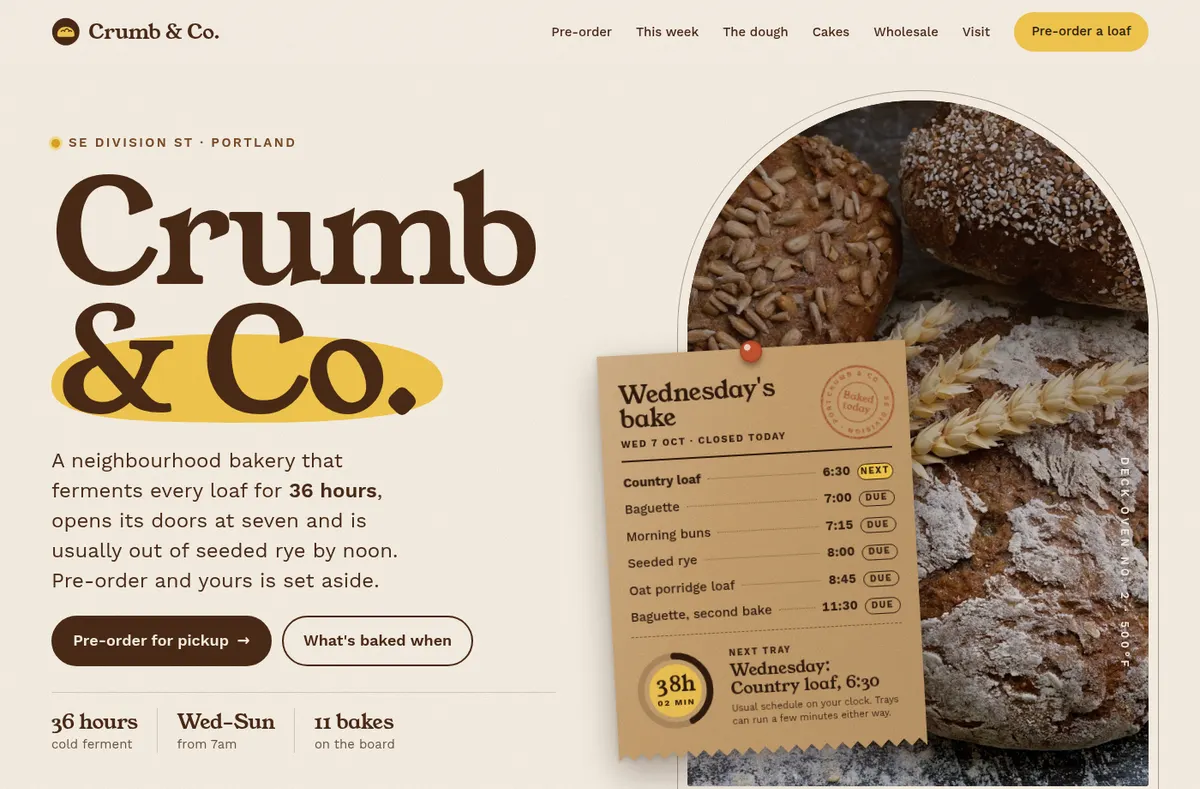
Where the bakery week goes
The early mornings are for baking. The orders should not take the afternoons.
Cake orders in the message inbox
Size, flavour, the name on the cake and the pickup day arrive in pieces, across messages and calls.
How much to bake tomorrow
Standing orders, special orders and the usual counter sales all have to add up before the ovens go on.
A menu that is always out of date
Prices change, specials come and go, and something sells out by ten.
Wholesale on paper
Cafes and shops that buy from you order by text, and someone totals it all by hand.
What your bakery app comes with
Sign-in for your team
Ask for staff logins that join by your invite, so only you and your staff see orders and the bake list. Customers order without an account.
Its own database
Orders, products and pickup dates are saved in the app's own database and are still there tomorrow.
A live link to share
Publish and the app gets its own address, like your-bakery.fabricate.chat, for your bio, your window or a text.
Your own domain
On Pro and Max, connect a domain you already own, like yourbakery.com.
Changes in plain words
Add a product, change a price or add a new order option by asking in the chat, the same way you described the app.
Works on a phone
Apps are built for phones and tablets as well as laptops, so orders and lists work at the counter and in the kitchen.
Bakery apps you can start from
Choose one and the builder opens with its description filled in. Change any word before you build.
- Custom cake ordersCustomers choose size, flavour and message and pick a pickup date; you see orders by day.
- Daily bake listWhat to bake each day of the week, ticked off as trays come out of the oven.
- Menu and hoursYour menu, prices and hours online, with a sold-out switch you control.
- Wholesale ordersCafes that buy from you place their weekly order; you see totals per delivery day.
Or start from a template
Crumb & Co.
A bakery website with today's bake on the front page and pre-orders for a pickup day, ready to change into your own.
How to build a bakery app
Four steps, all in one chat.
- 1Describe what you bake and how people order
Your cakes and breads, the choices a customer makes and how far ahead they must order.
- 2Place a test order
Order a cake in the preview for a date too soon, then for a date that works.
- 3Ask for changes
Add a page, a field or a colour by asking in the same chat.
- 4Publish it
The live app starts with a fresh database, so your test entries stay behind.
Chat
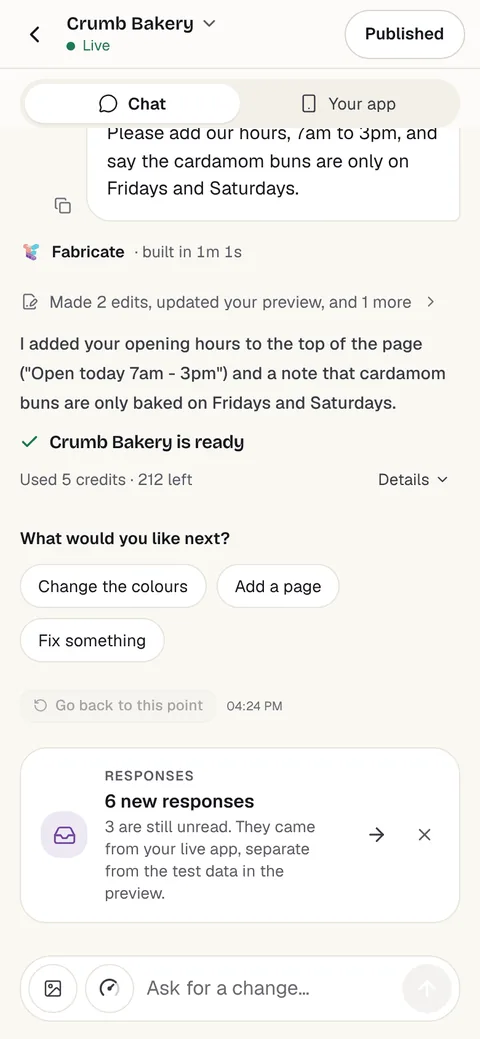
Your app
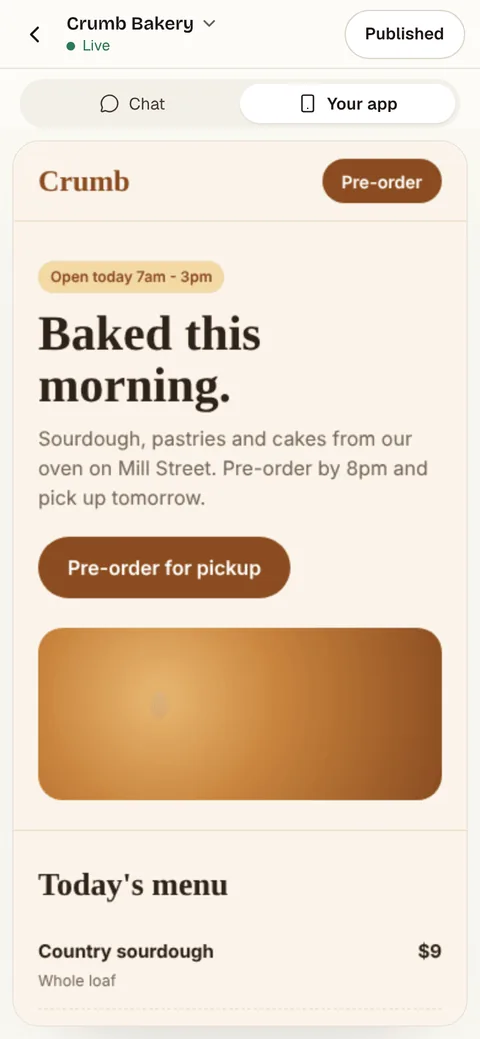
Once it is live
Every cake order lands in one place
Once your app is published, every cake order the customer sends through it is kept under Responses in Fabricate, and you get an email for each one, up to a daily limit. You can download them all as a CSV file.
On Pro and Max, you can also turn on a confirmation email to the customer, again up to a daily limit.
Fabricate does not send text messages.
New cake order
- Size
- 8-inch, serves 12
- Flavour
- Lemon sponge, raspberry filling
- Message on the cake
- Happy 40th, Sam
- Pickup date
- Saturday
- Email to youFor each new cake order, up to a daily limit.
- Confirmation to the customerOn Pro and Max, once you turn it on.
- Free60 credits a monthBuild, preview and publish. No card needed.
- A new app20 to 35 creditsA small change is about 3 to 10 credits.
- Pro350 credits a monthA live link and your own domain. Prices are on the pricing page.
Questions from bakery owners
- Do I need to know how to code?
- No. You describe the app in your own words and Fabricate builds it. To change something, you ask in the chat the same way.
- Can customers order and pay online?
- They can order, if you ask for an order form: Fabricate builds a page where customers choose what they want and a pickup day, and saves each order. On Pro and Max, the app can take card payments through Stripe Checkout, paid into your own Stripe account, which you connect under More > Payments. Fabricate takes no share of what you are paid; Stripe charges its own card fees. Or keep taking payment the way you do today, for example at pickup.
- Can I change the menu myself?
- Yes, if you ask for it. Describe the menu page with a sign-in that only you can use, and you can add items, change prices and mark things sold out from the app without building it again.
- Who can see customer orders?
- Only the people you choose, if you ask for that when you describe the app: say that only you can sign in, or that staff join with an invite code you give them. A sign-in that anyone can register for does not keep orders and phone numbers private. On Free, anyone with the link can open the app itself, so keep those details behind that owner or invite-only sign-in. On Pro and Max you can make the whole app private.
- Will my test orders show up in the live app?
- No. Publishing gives the live app a fresh database of its own, so the test entries you made in the preview stay behind.
- Can I use my own domain?
- Yes, on Pro and Max. On Free, a published app gets its own free address on fabricate.chat.
- What does it cost?
- You can start on Free, which includes 60 credits a month and needs no card. A whole new app usually takes about 20 to 35 credits and a small change about 3 to 10 credits. Current plans are on the pricing page.
More for small businesses
Every page by trade and role- Apps for small businessesBooking, client and order apps for any small business.For you
- Build a restaurant websiteMenus, hours and ordering for food businesses.Build it
- Apps for salons and barbersBooking pages, client cards and staff schedules for salons.For you
- Apps for cleaning businessesQuote requests, job schedules and checklists for cleaning teams.For you
- Build an online ordering appCustomers order online and you see every order in one list.Build it
Choosing a website builder
Start with the order form
Describe what you bake and how people order it. Try the app yourself, then share the link.
Build free. No card needed.