Build your own social media app without code
You can build a social media app without writing code: describe who it is for and what people share, and Fabricate builds a working web app where members sign up, set up a profile, post text and photos, follow each other, like and comment, and send direct messages.
Posts, profiles and messages are saved in the app's own database, and the app opens in any phone's browser. It suits a club, a school, a team or a niche community. Try it with a few test accounts first, then ask for changes in the same chat.
- Free plan: 60 credits a month
- No card needed
- Live link included
From one message to a social media app
Then try it yourself and ask for changes in the same chat until it fits.
You write: A social app for my running club. Members join with an invite code I give them; nobody else can create an account. Each member has a profile with a name, a photo and a short bio. Members post text and photos, and the feed shows the newest posts first. Members can like and comment on posts. I am the admin and can remove posts and members. Make it easy to use on a phone.
 Fabricate
I built your running club app: invite-only sign-up, member profiles, a feed of posts with photos, likes and comments, and an admin view where you can remove posts and members. Try it with a couple of test accounts in the preview.
Then ask for changes, such as
- Add direct messages
- Add an events list
- Use our club colours
A whole new app usually takes about 20 to 35 credits.
Fabricate CloudFabricate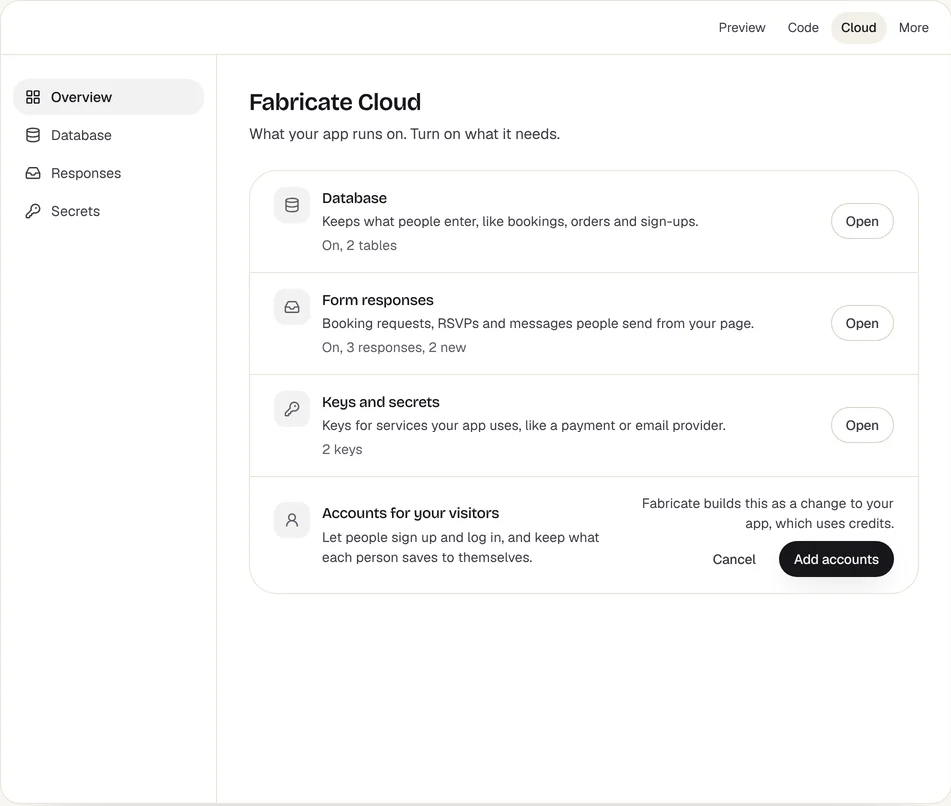
Who builds a social media app
Niche communities
A place for one hobby, trade or fan base, with posts and profiles that belong to it rather than to a big platform.
Clubs, schools and teams
A members-only feed for people who join with an invite code you hand out.
Creators and coaches
A members' feed where you post updates and your audience likes, comments and replies.
Founders testing an idea
A working social app to put in front of the first users before you build anything bigger.
What your social media app comes with
Profiles
Each member has a name, a photo and a short bio, and a page with everything they have posted.
Posts and a feed
Members post text and photos, and the feed shows the newest posts from the people they follow, or from everyone.
Likes, comments and follows
Members like and comment on posts and follow each other, and a list inside the app shows what is new for them.
Direct messages
One-to-one messages between members. Ask for live updates and new messages appear without a refresh.
Sign-in and moderation
Members sign in with an email and a password. You can remove posts and members, and ask for a report button.
Its own database
Members, posts and messages are saved in the app's own database. Publishing gives the live app a fresh one, so test posts stay behind.
In short
- A social media app with profiles, posts, a feed, likes, comments, follows and direct messages can be built from a plain-English description
- It is a web app with its own database, made for a club, a school or a niche community rather than millions of people
- Push notifications, video uploads, app-store apps and Google sign-in are not built in; on Pro and Max the app can charge a membership through your own Stripe account
What goes into a social media app built with Fabricate
Most people who search for a social app builder do not want the next Instagram. They want a place for one group: a running club, a class, a fan community, the customers of a small brand, or a test of an idea before raising money. Big platforms already host those groups, but the feed, the rules and the member list belong to the platform. A social app built with Fabricate starts from your description of who it is for and what they share, and changes when you ask for a change in the chat.
Profiles and posts: members sign up with an email and a password, add a name, a photo and a short bio, and post text and photos. The feed shows the newest posts from the people they follow, or from everyone, as you choose, and each post can be liked and commented on. Ask for topics or tags, a search for people and posts, and a list inside the app of new likes, comments and followers.
Messages and moderation: members can send each other direct messages, and with live updates turned on, a new message or comment appears on an open screen without a refresh. You decide who can join, with open sign-up or invite codes, and who moderates: ask for a report button, a moderator role and a way to hide a post or remove a member.
What is not built in: push notifications, video uploads, an App Store or Google Play app, Google or social sign-in, ads and payouts to creators. Each app keeps everything in one database of its own, which suits a club or a niche community better than a public network for millions. On Pro and Max, the app can charge a membership through Stripe Checkout into your own Stripe account.
Social media apps you can start from
Choose one and the builder opens with its description filled in. Change any word before you build.
- Club feedA members-only feed for a club, with posts, photos, likes and comments.
- Niche networkOpen sign-up, profiles, follows and a feed of the people you follow.
- Member messagesA member directory and one-to-one messages that appear live.
- Creator communityYour posts for members, with comments and a paid membership.
How to build a social media app
Four steps, all in one chat.
- 1Describe your community
Who it is for, what members post and who can join.
- 2Post with test accounts
Sign up as two members and like, comment and message before you share the link.
- 3Ask for changes
Add a page, a field or a colour by asking in the same chat.
- 4Publish it
The live app starts with a fresh database, so your test entries stay behind.
Chat

Your app

- Free60 credits a monthBuild, preview and publish. No card needed.
- A new app20 to 35 creditsA small change is about 3 to 10 credits.
- Pro350 credits a monthA live link and your own domain. Prices are on the pricing page.
Questions about social media apps
- Can I build a social media app without coding?
- Yes. Describe who it is for, what members post and how they find each other, and Fabricate builds the social app and shows it working in a preview. To change something, you ask in the chat. There is no code to write or read.
- Can I build an app like Instagram or Facebook?
- You can build the parts people use every day: profiles, a feed of posts and photos, likes, comments, follows and direct messages. What Fabricate builds is a web app for one community, with its own database, rather than a network for millions: it does not host video, send push notifications or come as an App Store app.
- Will it work on phones?
- Yes. It is a web app: it opens from its link in any phone or computer browser, and anyone can add it to their home screen from the browser. It is not an App Store or Google Play app. Published as a phone app on Pro and Max, it can remind each person on their own phone at a time they set; notifications about new activity, such as a new message, are not built in.
- Can members upload photos and videos?
- Photos, yes: members can add photos to posts and profiles, up to your plan's storage. Video uploads are not supported; a post can link to a video on YouTube or another site instead.
- Are messages and comments real-time?
- If you ask for it. Ask for live updates and new messages and posts appear on open screens without a refresh, over a connection to the app's own server. There are no push notifications, so someone who has closed the app sees what is new the next time they open it.
- Who can join and see the posts?
- Whoever you decide. Ask for open sign-up, so anyone with the link can join, or for invite codes, so only people you give a code to can create an account. Ask for the feed to show only to signed-in members; with open sign-up, a stranger who signs up sees it too, so use invite codes for a private group.
- Can I make money from it?
- On Pro and Max, the app can take card payments through Stripe Checkout, paid into your own Stripe account, which you connect under More > Payments. Ask for a paid membership with members-only posts. Ads, payouts to creators and in-app purchases are not built in.
- What does it cost?
- You can start on Free, which includes 60 credits a month and needs no card. A whole new app usually takes about 20 to 35 credits and a small change about 3 to 10 credits. Current plans are on the pricing page.
Keep reading
Every Build page- Build a Chat AppOne-to-one and group chats with live messages.Build it
- Build an Online CommunityForums, member profiles and events for your members.Build it
- Build a Membership SiteMembers-only pages with paid plans through your own Stripe.Build it
- AuthenticationSign-up, sign-in and private data for your app's users.Feature
- DatabaseHow each app stores its data in its own built-in SQLite database.Feature
- App Ideas to BuildIdeas for apps you can build from one description.Guide
Start your social media app
Describe your community in your own words. Try it with test accounts, then share the link.
Build free. No card needed.
Related pages
Build a chat app without code
Describe who talks to whom and Fabricate builds a chat app: sign-in, group and one-to-one chats, and messages that appea...
Read moreBuild a project management app without code
Describe how your team works and Fabricate builds a project management app: tasks, a kanban board, due dates and sign-in...
Read moreCreate an invoice app for your business
Describe how you bill and Fabricate builds an invoice app: clients, invoices with line items, and paid and overdue total...
Read moreBuild an ecommerce website for your shop
Describe what you sell and Fabricate builds an ecommerce website: product pages, a cart and an order list. Free to start...
Read moreEverything You Can Build
Explore use cases, from MVPs to marketplaces.
Read moreAI App Builder
Describe your app and get a frontend, database, logins and a live URL in minutes.
Read more