AlternativesUpdated
Best Calendly Alternatives in 2026
Calendly lets people book a time with you from a link. Its free plan has one event type and one calendar connection, and Standard is $12 per seat a month billed monthly. If you need more event types for free, a booking page for a whole business, or bookings that land in an app of your own, here are four alternatives and what each one does.
 Salon booking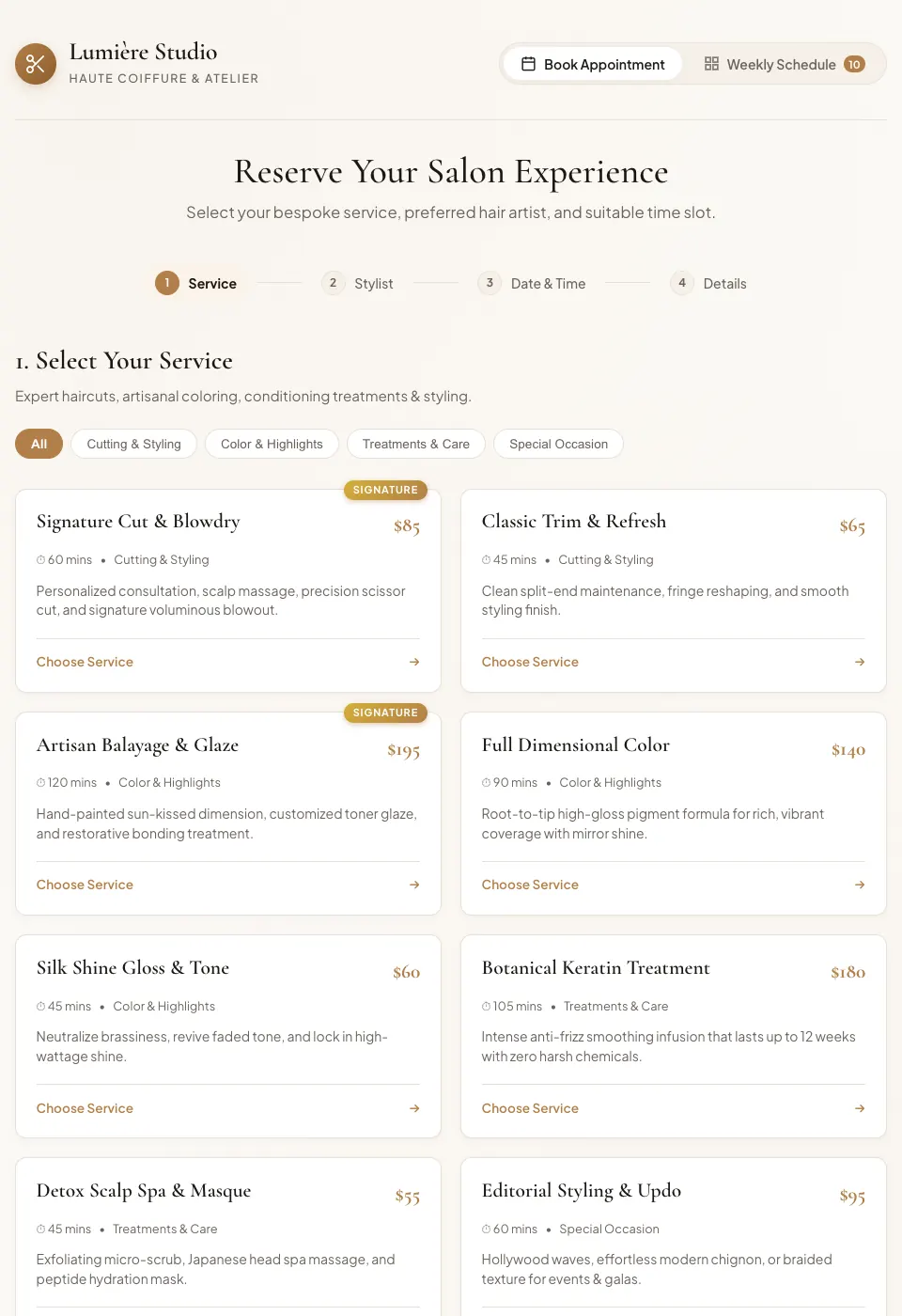
Key takeaways
- Calendly is free with one event type and one calendar connection; Standard is $12 per seat a month billed monthly.
- Cal.com is free for one person with unlimited event types and calendars.
- Acuity Scheduling is priced by calendar, from $20 a month for 1 calendar.
- Google Calendar appointment schedules put a booking page on your own calendar.
- Fabricate builds a booking app for a business, with services, staff and opening hours; it keeps its own calendar, and there is no built-in calendar sync. Building and previewing are free; publishing is on Pro and Max.
Why Are People Looking for Calendly Alternatives?
One Event Type on Free
The free plan has one event type and one calendar connection. Unlimited event types start on Standard, at $12 per seat a month billed monthly or $10 billed yearly.
Priced per Seat
Everyone who hosts meetings needs a seat, and Teams is $20 per seat a month billed monthly. People who book with you do not need one.
Unlimited Event Types, Free
Cal.com is free for one person, with unlimited event types and calendars.
Fits: Cal.comA Booking App for a Business
A salon, studio or service business often wants services, staff, opening hours and a list of the week's bookings, rather than a link to one person's calendar.
Fits: Fabricate
Compare at a glance
Fabricate beside Calendly, feature by feature.
- Builds From a Description
- Fabricate
- Yes
- Calendly
- No, a ready-made tool
- Free Plan
- Fabricate
- Build and preview
- Calendly
- One event type and one calendar connection
- Price per Seat
- Fabricate
- None for the staff who sign in to a published app
- Calendly
- From $12 per seat a month, billed monthly
- Services, Staff and Opening Hours
- Fabricate
- Yes
- Calendly
- Event types for each host
- Calendar Sync
- Fabricate
- Not built in; the app keeps its own calendar
- Calendly
- Yes
- Paid Plans From
- Fabricate
- $25 a month
- Calendly
- $12 per seat a month
Fabricate
We make thisBest for: A booking app for a service business
Builds a booking app for your business from a description: clients pick a service, a date and a free time without an account, and only you, or staff you invite, sign in to see and manage the bookings. On Pro and Max, it can email the client a confirmation and a reminder 24 hours before. It keeps its own calendar of bookings, and there is no built-in calendar sync. Building and previewing are free; publishing is on Pro and Max.
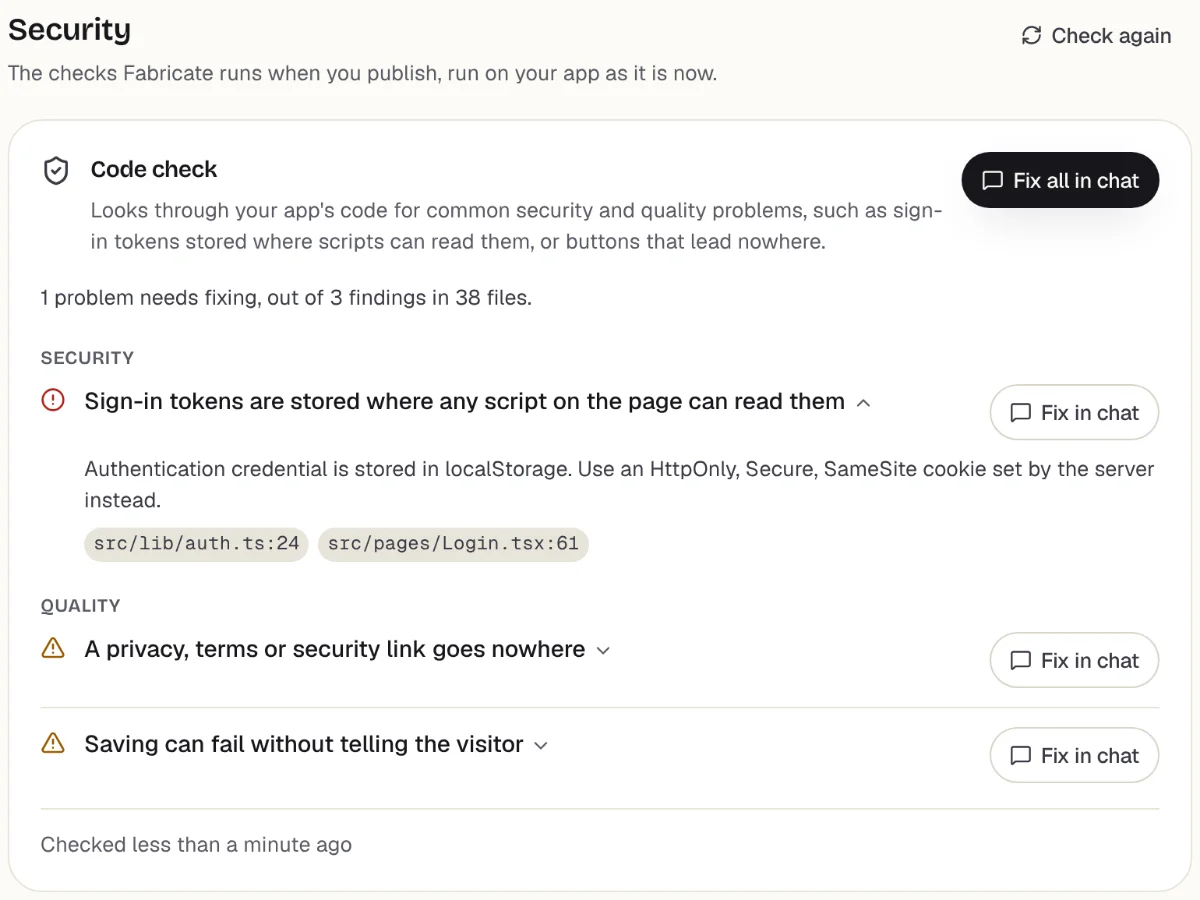
Checks before you publish
What it does well
- Services, staff and opening hours
- Clients book without an account
- Deposits by card on Pro and Max
- Paid plans from
- $25 a month
- 350 credits a month on Pro
- Free plan
- 60 credits
- A month, to build and preview
- A live app
- Pro and Max
- Publishing is on paid plans
How to Move from Calendly to Fabricate
- 1
List your services and hours
Write down each kind of booking, how long it takes, its price, who does it and when you are open.
- 2
Describe the booking app
Describe it to Fabricate in plain words: what clients choose, what they leave, and who signs in to see the bookings.
- 3
Make test bookings
Book the same time twice in the preview to check that a slot cannot be taken twice.
- 4
Turn on the emails you want
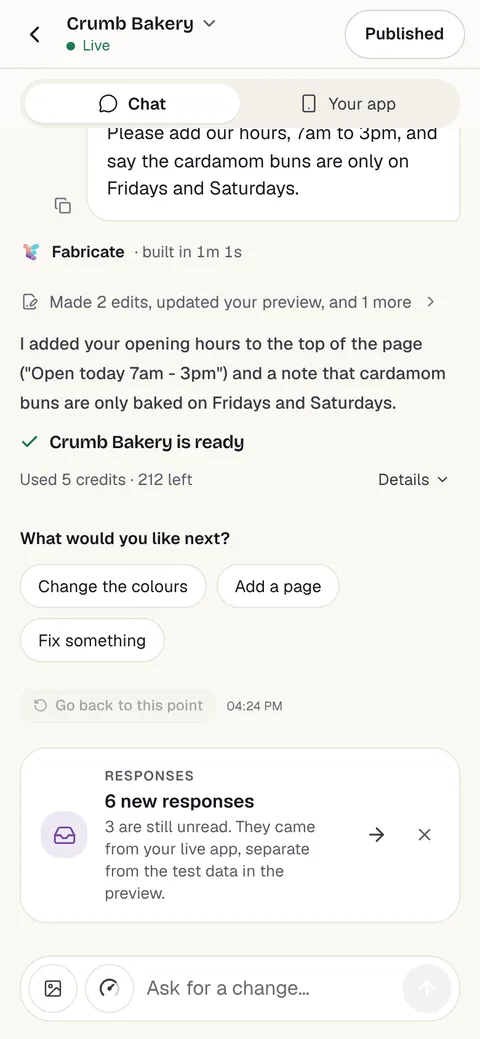
Once it is published, on Pro and Max, turn on the confirmation and reminder emails under More > Emails.
- 5
Put it online
On Pro, one press of Publish gives it its own address to share, after the same browser check.
Chat
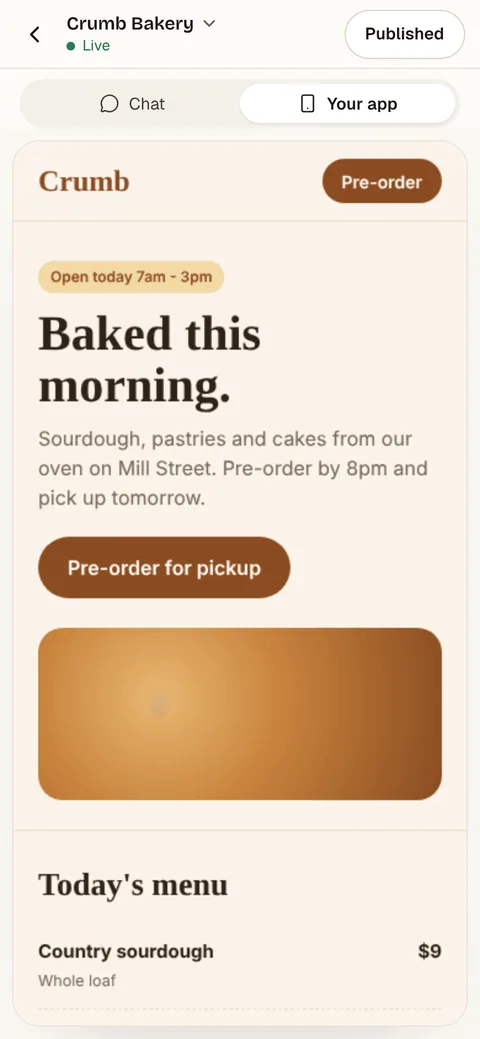
Your app
The other Calendly alternatives
What each one does well, and the kind of project it suits best.
- Number 2
Cal.com
Best for: Free scheduling for one person
Scheduling with a free plan for one person: unlimited event types and calendars, and Stripe and PayPal payments. Teams is $12 per user a month billed yearly, and there is a self-hosted option.
- Free for one person
- Unlimited event types
- A self-hosted option
Where Cal.com beats Fabricate
If people only need to book time on your own calendar, Cal.com's free plan connects your calendars and takes unlimited event types.
From $12 per user a month, billed yearlySource: cal.com/pricing (opens in a new tab), checked
- Number 3
Acuity Scheduling
Best for: Appointments for a small staff
Appointment scheduling priced by calendar: Starter is $20 a month billed monthly for 1 calendar, Standard $34 for up to 6 and Premium $69 for up to 36, after a 7-day free trial.
- Priced by calendar, not seat
- Up to 36 calendars
- A 7-day free trial
Where Acuity Scheduling beats Fabricate
If you want a ready-made appointment scheduler for a few staff calendars, Acuity is priced by calendar, from $20 a month.
From $20 a monthSource: Acuity Scheduling plans (opens in a new tab), checked
- Number 4
Google Calendar
Best for: People whose day runs in Google Calendar
Appointment schedules in Google Calendar give you a booking page from your own calendar. They need a personal Google Account or a Workspace account, and some features need an eligible Google Workspace or Google One subscription.
- Inside Google Calendar
- A booking page from your calendar
- Works with a personal Google Account
Where Google Calendar beats Fabricate
If your day already runs in Google Calendar, an appointment schedule puts a booking page on it without another tool.
Source: Google Calendar Help: appointment schedules (opens in a new tab), checked
Calendly and its alternatives: a link to your calendar, or a booking app for a business
Calendly is built around a person's calendar: you share a link, and people pick a free time from it. The free plan has one event type and one calendar connection; Standard adds unlimited event types for $12 per seat a month billed monthly.
Seats are for the people who host meetings, so a team pays for each one, and Teams is $20 per seat a month billed monthly. Cal.com is free for one person with unlimited event types, Acuity Scheduling is priced by calendar, and Google Calendar has appointment schedules built in.
A service business often needs something different: a booking page for the business, with each service's length and price, each staff member's hours, and a list of the week's bookings for the owner. That is an app rather than a link to a calendar.
A booking app built with Fabricate starts from your description of your services, hours and staff. Clients book without an account, staff join with an invite code you give them, and you see every booking. On Pro and Max you can turn on a confirmation email and a reminder 24 hours before. It does not send text messages, and the app keeps its own calendar, with no built-in calendar sync.
Frequently asked questions
- Is Calendly free?
- Yes, with one event type and one calendar connection. Standard, with unlimited event types, is $12 per seat a month billed monthly or $10 billed yearly. People who book with you do not need a seat.
- What is the best free Calendly alternative?
- For one person, Cal.com: free forever, with unlimited event types and calendars. If your day already runs in Google Calendar, its appointment schedules give you a booking page there.
- Can I build my own booking app?
- Yes. Describe your services, how long each one takes, who does them and when you are open, and Fabricate builds the booking app and shows it working in a preview. Before you share the link, make a few test bookings, including two for the same time, to check that a slot cannot be booked twice.
- Does a booking app built with Fabricate send reminders?
- On Pro and Max, yes, by email: once the app is published, you can turn on a confirmation email to the client who booked and a reminder email 24 hours before their booking, up to a daily limit. It does not send text messages.
- Does it sync with Google Calendar?
- No. There is no built-in calendar sync. The booking app keeps its own calendar of bookings in its own database.
- Can clients pay a deposit?
- On Pro and Max, the app can take card payments through Stripe Checkout, paid into your own Stripe account, which you connect under More > Payments. Ask for a deposit or the full price when a client books. Fabricate takes no share of what you are paid; Stripe charges its own card fees.
Sources
The pages this guide quotes, each with the day it was read.
- calendly.com/pricing (opens in a new tab), checked
- cal.com/pricing (opens in a new tab), checked
- Acuity Scheduling plans (opens in a new tab), checked
- Google Calendar Help: appointment schedules (opens in a new tab), checked
- fabricate.build/pricing, from our live plans
About this guide
Written by the Fabricate team. Fabricate is our product, so it is first on this page and marked "We make this". Where a reason to switch fits another tool better, the reason says which.
Each tool's card lists the pages we read about it and the day we read them. We compared the tools from their own pricing pages and documentation, not by signing up for them. Spotted something out of date? Write to info@fabricate.build.
Related guides
All alternatives- Build a Booking AppServices, times and a week of bookings in one place.Build it
- Booking PageA booking request page in minutes, with no AI credits used.Guide
- Apps for Salons and BarbersBooking pages, client cards and staff schedules for salons.For you
- Apps for Personal TrainersSession booking, client check-ins and progress tracking.For you
Related pages
Jotform Alternatives
Five Jotform alternatives compared on free plan limits, price and branding, from each tool's own pricing page, with wher...
Read moreTypeform Alternatives
Five Typeform alternatives compared on free plan limits, response caps, branding and price, from each tool's own pricing...
Read moreAll AI App Builder Alternatives
Compare every alternative we have reviewed, side by side.
Read moreAI App Builder
Describe your app and get a frontend, database, logins and a live URL in minutes.
Read more