AlternativesUpdated
Best Xero Alternatives in 2026
Xero Early is $27 a month after its introductory discount, with 20 invoices and 5 bills, and Growing is $59. If you want a free plan, invoicing first, or only invoices and what clients owe without the bookkeeping, here are five alternatives and what each one does.
 Invoice tracker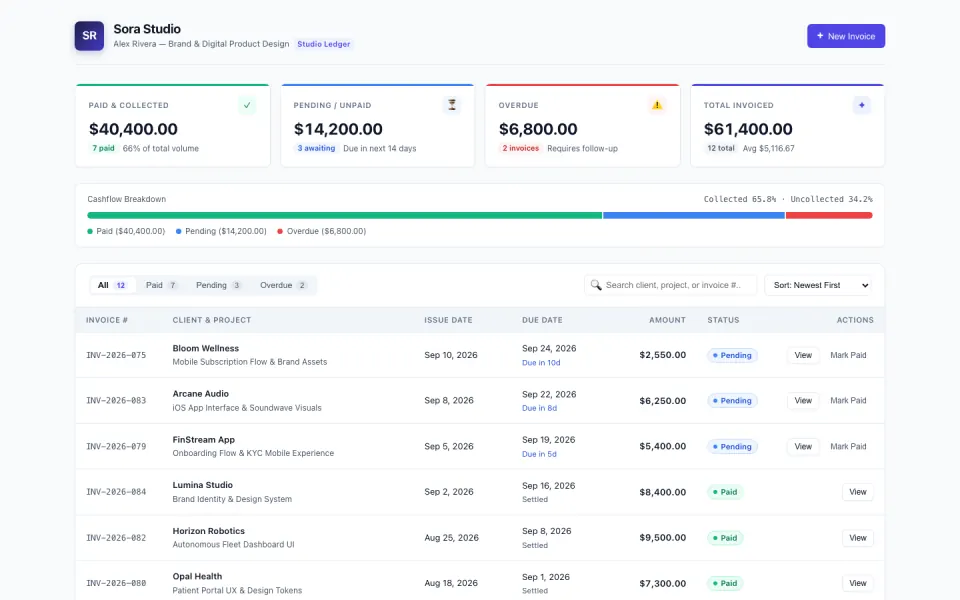
Key takeaways
- Xero Early is $27 a month with 20 invoices and 5 bills; Growing is $59 and Established $97.
- QuickBooks Online is $38 a month for 1 user at the regular price; FreshBooks starts at $23 a month.
- Wave's Starter plan is free, and Zoho Books is free while revenue stays under $50,000 a year.
- Fabricate builds an invoice app around how you bill, with card payments into your own Stripe; it is not accounting software. Building and previewing are free; publishing is on Pro and Max.
Why Are People Looking for Xero Alternatives?
20 Invoices on Early
Early is $27 a month and sends 20 invoices; Growing, with no cap listed, is $59.
A Free Plan
Wave's Starter plan is free, with 2.9% plus $0.60 on each card payment.
Fits: WaveThe Software Accountants Know
QuickBooks Online is $38 a month for 1 user at the regular price.
Fits: QuickBooks OnlineOnly Invoices and What Is Owed
Many small businesses need clients, invoices and a pay button, not full bookkeeping.
Fits: Fabricate
Compare at a glance
Fabricate beside Xero, feature by feature.
- Builds From a Description
- Fabricate
- Yes
- Xero
- No, ready-made software
- Bookkeeping and Bank Feeds
- Fabricate
- Not built in
- Xero
- Yes
- Invoices
- Fabricate
- As many as you make
- Xero
- 20 on Early; no cap listed from Growing
- Card Payments
- Fabricate
- Stripe Checkout into your own account, on Pro and Max
- Xero
- Yes
- Multiple Currencies
- Fabricate
- Invoices in the currency you set
- Xero
- On Established
- Paid Plans From
- Fabricate
- $25 a month
- Xero
- $27 a month
Fabricate
We make thisBest for: Invoices and what clients owe, without bookkeeping
Builds an invoice app from your description: clients, numbered invoices with line items and tax, paid, pending and overdue totals, and a page for each invoice laid out for printing or saving as a PDF. On Pro and Max, the app can take card payments through Stripe Checkout, paid into your own Stripe account, which you connect under More > Payments. It is not accounting software: bookkeeping, bank connections, payroll, tax filing and emailing invoices are not built in. Building and previewing are free; publishing is on Pro and Max.
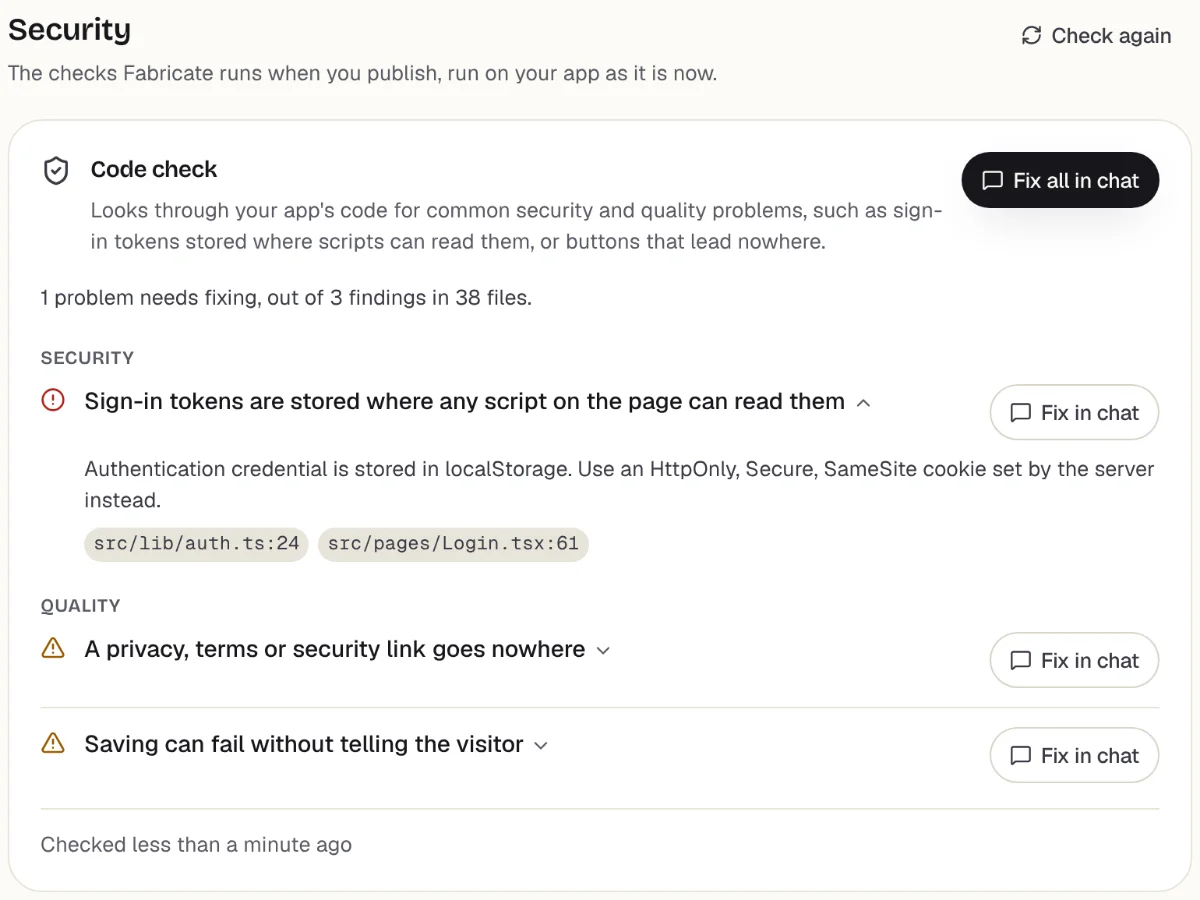
Checks before you publish
What it does well
- Invoices in your own layout
- What each client owes, at a glance
- No share of what you are paid
- Paid plans from
- $25 a month
- 350 credits a month on Pro
- Free plan
- 60 credits
- A month, to build and preview
- A live app
- Pro and Max
- Publishing is on paid plans
How to Move Your Invoicing from Xero to Fabricate
- 1
Export your clients
Save your customer list from Xero as a CSV file, and your open invoices if you want them in the app.
- 2
Describe how you bill
Your clients, what goes on an invoice, how you number them, your tax rate and how clients pay.
- 3
Ask for an import page
Ask for a page, behind your own sign-in, that adds the rows of your CSV file to the app's own database.
- 4
Send yourself a test invoice
Make an invoice in the preview, print it to PDF and check the totals.
- 5
Put it online
On Pro, one press of Publish gives it its own address to share, after the same browser check.
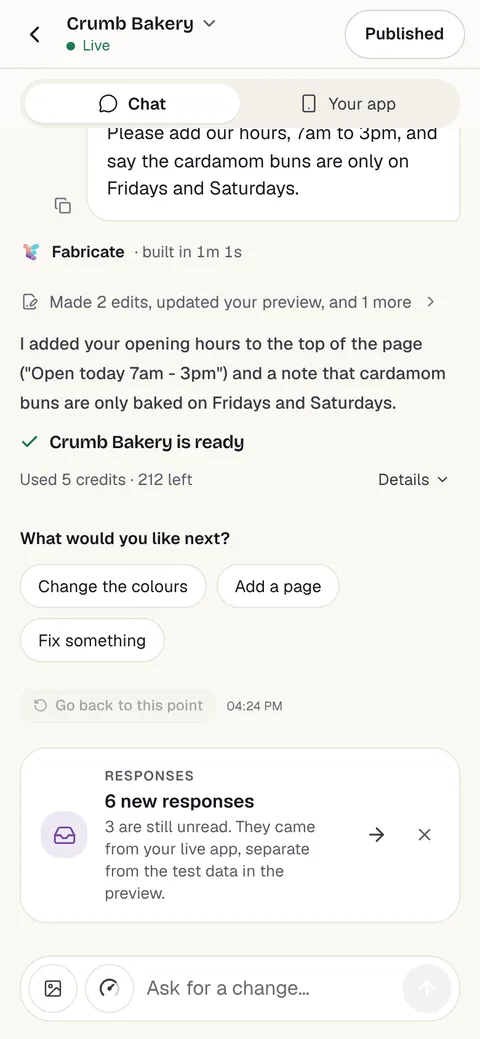
Chat
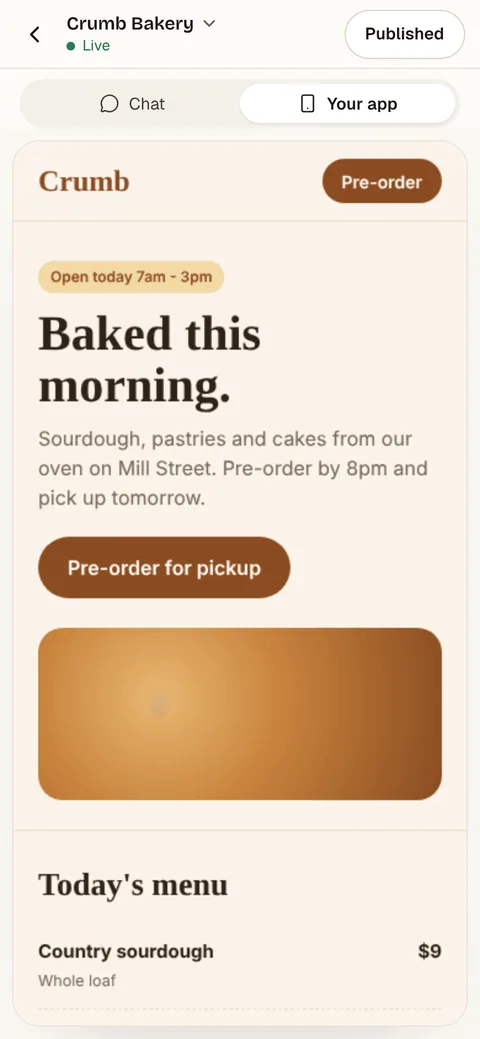
Your app
The other Xero alternatives
What each one does well, and the kind of project it suits best.
- Number 2
QuickBooks Online
Best for: Bookkeeping your accountant already uses
Intuit's accounting software. Simple Start is $38 a month for 1 user, Essentials $85 for 3, Plus $140 for 5 and Advanced $340 for 25, at the regular price; the page also showed 50% off for the first 3 months.
- Full bookkeeping
- The software many accountants know
- Plans up to 25 users
Where QuickBooks Online beats Fabricate
If your accountant works in QuickBooks and you want full bookkeeping, with bank feeds and reports in the software they know, QuickBooks Online is the safe pick.
From $38 a monthQuickBooks alternativesSource: quickbooks.intuit.com/pricing (opens in a new tab), checked
- Number 3
FreshBooks
Best for: Freelancers and service businesses that invoice
Invoicing and accounting for service businesses, priced by billable clients: Lite is $23 a month for 5 clients, Plus $43 for 50 and Premium $70 for unlimited, with $11 a month for each extra team member.
- Invoicing first
- Time tracking
- Priced by billable clients
Where FreshBooks beats Fabricate
If you bill clients for your time and want invoicing with the bookkeeping behind it, FreshBooks is built around that.
From $23 a monthFreshBooks alternativesSource: freshbooks.com/pricing (opens in a new tab), checked
- Number 4
Wave
Best for: A free start on bookkeeping
Accounting and invoicing with a free Starter plan; card payments cost 2.9% plus $0.60 each. Pro is $19 a month, or $190 a year, and charges no fixed fee on the first ten card payments each month.
- A free plan
- Invoicing and bookkeeping
- Card payments built in
Where Wave beats Fabricate
If you want invoicing and bookkeeping for nothing a month, and pay only when clients pay by card, Wave's free plan covers that.
From $19 a monthSource: waveapps.com/pricing (opens in a new tab), checked
- Number 5
Zoho Books
Best for: Free bookkeeping for a small business
Zoho's accounting software, free for 1 user and an accountant while your revenue stays under $50,000 a year. Its paid plans add users and features.
- Free under $50K revenue a year
- From the company behind Zoho's other apps
Where Zoho Books beats Fabricate
If your business makes under $50,000 a year and you want accounting software for nothing, Zoho Books is free at that size.
Source: Zoho Books pricing (opens in a new tab), checked
Xero and its alternatives: plans by size, or just invoices
Xero is full accounting software sold by the size of your business. Early is $27 a month and sends 20 invoices and enters 5 bills; Growing, at $59, lists no cap on invoices; Established, at $97, adds multiple currencies and project tracking.
QuickBooks Online covers the same ground from $38 a month for 1 user. FreshBooks puts invoicing first and prices by billable clients, from $23 a month. Wave and Zoho Books both have free plans.
A business that sends more than 20 invoices a month moves past Early quickly. A freelancer or small service business that mostly sends invoices and checks who has paid often uses only a small part of accounting software.
An invoice app built with Fabricate is your own web app: clients, numbered invoices with line items and tax, and paid, pending and overdue totals, with no cap on invoices. On Pro and Max, the app can take card payments through Stripe Checkout, paid into your own Stripe account, which you connect under More > Payments. Bookkeeping, bank connections, payroll, tax filing and emailing invoices are not built in.
Frequently asked questions
- How much does Xero cost?
- Early is $27 a month, with 20 invoices and 5 bills, Growing $59 and Established $97. When we read the page, new US customers got 90% off for the first 6 months.
- What is the best Xero alternative for a small business?
- For the software many accountants know, QuickBooks Online. For invoicing a service business, FreshBooks. For a free plan, Wave, or Zoho Books while revenue stays under $50,000 a year. For invoices and what clients owe without bookkeeping, Fabricate, which we make. Building and previewing are free; publishing is on Pro and Max.
- Can I build my own invoice app?
- Yes. Describe your clients, what goes on an invoice and how you number them, and Fabricate builds the invoice app and shows it working in a preview. To change something, you ask in the chat. There is no code to write or read.
- Can an app built with Fabricate replace my accounting software?
- Not for bookkeeping. It keeps your clients, invoices and what each one owes, but it does not connect to a bank, keep the books, run payroll or file tax. Ask for a download of your invoices as a CSV file for your accountant.
- Can clients pay an invoice online?
- On Pro and Max, the app can take card payments through Stripe Checkout, paid into your own Stripe account, which you connect under More > Payments. Ask for a pay button on each invoice; once Stripe confirms the payment, the invoice is marked paid. Fabricate takes no share of what you are paid; Stripe charges its own card fees.
- When is Xero the better choice?
- When you need full bookkeeping: bank feeds, bills, cash flow forecasts and reports, or invoices in several currencies on Established. An invoice app built with Fabricate is smaller: clients, invoices and what is owed, in the layout you describe.
Sources
The pages this guide quotes, each with the day it was read.
- xero.com/us/pricing-plans (opens in a new tab), checked
- quickbooks.intuit.com/pricing (opens in a new tab), checked
- freshbooks.com/pricing (opens in a new tab), checked
- waveapps.com/pricing (opens in a new tab), checked
- Zoho Books pricing (opens in a new tab), checked
- fabricate.build/pricing, from our live plans
About this guide
Written by the Fabricate team. Fabricate is our product, so it is first on this page and marked "We make this". Where a reason to switch fits another tool better, the reason says which.
Each tool's card lists the pages we read about it and the day we read them. We compared the tools from their own pricing pages and documentation, not by signing up for them. Spotted something out of date? Write to info@fabricate.build.
Related guides
All alternatives- Build an Invoice AppClients, numbered invoices and paid, pending and overdue totals.Build it
- QuickBooks AlternativesFive tools compared with QuickBooks Online on free plans and price.Alternatives
- FreshBooks AlternativesFive tools compared with FreshBooks on clients and price.Alternatives
- Apps for FreelancersClient portals, invoices and project trackers for freelance work.For you
Related pages
Zoho Books Alternatives
Five Zoho Books alternatives for a small business, compared on free plans, invoicing and regular monthly price, from eac...
Read moreQuickBooks Alternatives
Five QuickBooks Online alternatives for a small business, compared on free plans, users and regular monthly price, from ...
Read moreFreshBooks Alternatives
Five FreshBooks alternatives for freelancers and small businesses, compared on client limits, free plans and price, from...
Read moreAll AI App Builder Alternatives
Compare every alternative we have reviewed, side by side.
Read moreAI App Builder
Describe your app and get a frontend, database, logins and a live URL in minutes.
Read more