AlternativesUpdated
Best Basecamp Alternatives in 2026
Basecamp puts message boards, to-dos, Card Tables and chat in each project, at one price for the account: Freelancer is $29 a month for 3 projects and 5 users, and Pro $79 for 8 projects and 10 users. If you have outgrown those caps, want boards or a Gantt chart, or need a tracker clients sign in to, here are six alternatives.
 Fabricate CloudFabricate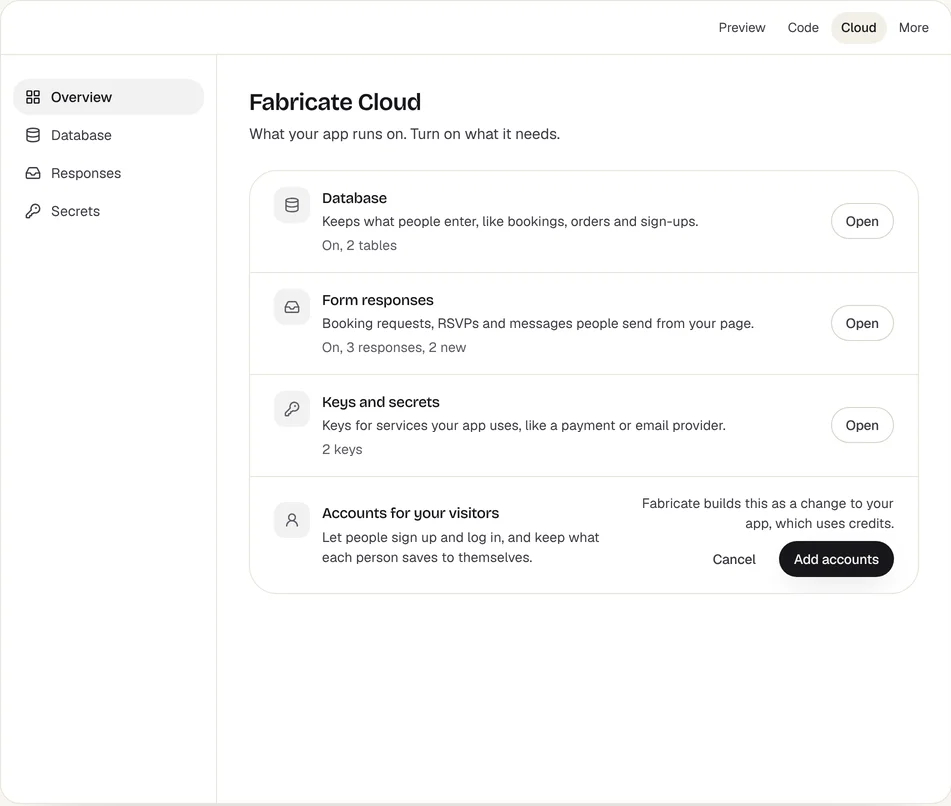
Key takeaways
- Basecamp charges one price for the account: Freelancer is $29 a month for 3 projects and 5 users, Pro $79 for 8 projects and 10 users.
- Basecamp's free Personal plan covers 1 project and up to 3 people.
- Trello, Asana, monday.com, ClickUp and Smartsheet are priced per user or per seat.
- Fabricate builds a tracker around how your team works, which clients can sign in to, with no price per person who signs in. Building and previewing are free; publishing is on Pro and Max.
Why Are Teams Looking for Basecamp Alternatives?
Caps on Projects and Users
Freelancer covers 3 projects and 5 users, and Pro 8 projects and 10 users. The free Personal plan covers 1 project and up to 3 people.
Boards First
Trello keeps work on boards of cards, free for up to 10 collaborators.
Fits: TrelloMany Projects at Once
Asana is built for teams planning many projects, with goals and capacity on Advanced.
Fits: AsanaA Tracker Clients Use
When each client should sign in to follow only their own project, a tracker built around them can do that without a seat for each one.
Fits: Fabricate
Compare at a glance
Fabricate beside Basecamp, feature by feature.
- Builds From a Description
- Fabricate
- Yes
- Basecamp
- No, a ready-made tool
- Price
- Fabricate
- One plan price; the people who sign in are not counted as seats
- Basecamp
- One price for the account, with caps on projects and users
- Free Plan
- Fabricate
- Build and preview
- Basecamp
- 1 project and up to 3 people
- Clients Sign In
- Fabricate
- To their own project only, if you ask for it
- Basecamp
- Part of what Basecamp sells
- Phone Apps
- Fabricate
- A web app in the phone browser
- Basecamp
- Part of what Basecamp sells
- Paid Plans From
- Fabricate
- $25 a month
- Basecamp
- $29 a month
Fabricate
We make thisBest for: A tracker built around how you work
Builds a project or task app from your description: a board you drag tasks across, lists, owners, due dates, comments and a page of what is due, behind a sign-in for your team, and clients can sign in to follow only their own project. The people who sign in to a published app are not counted as seats. Building and previewing are free; publishing is on Pro and Max.
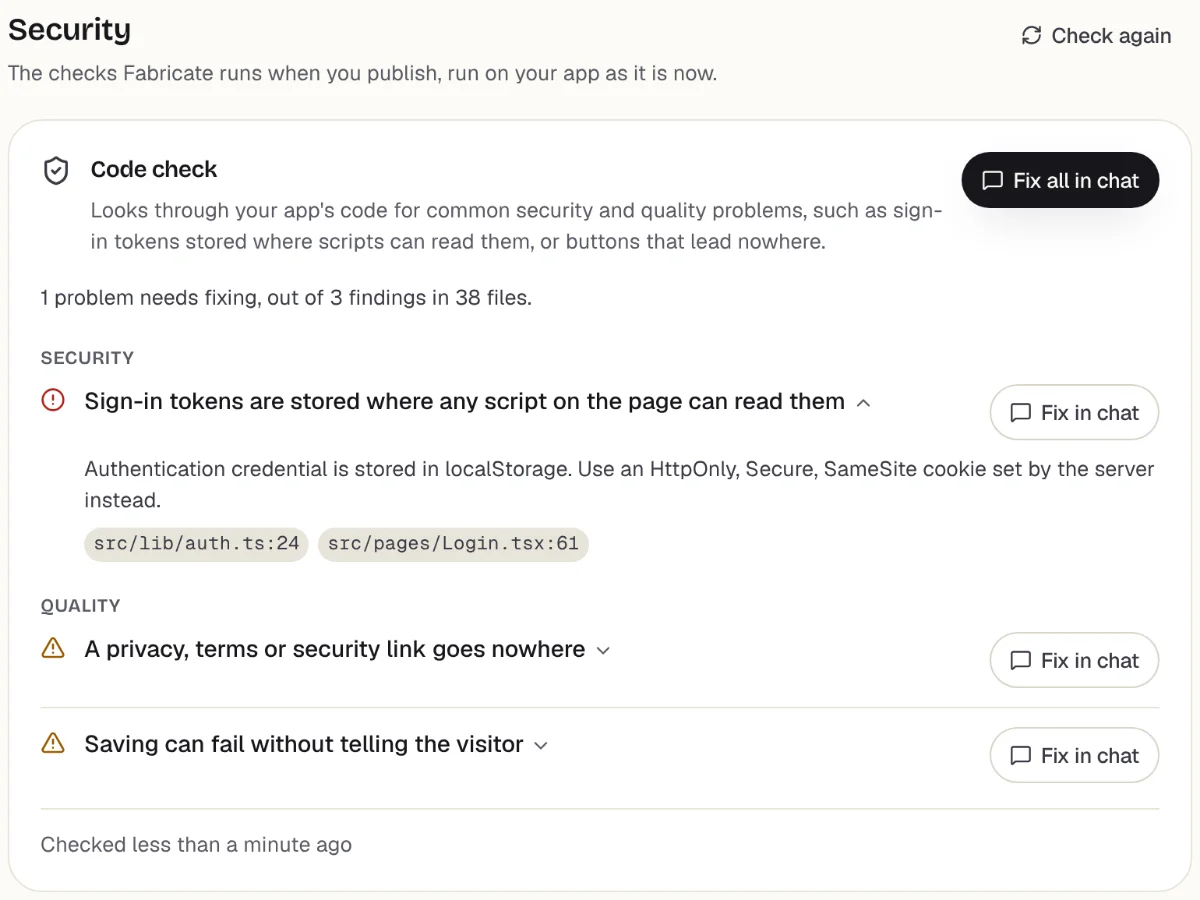
Checks before you publish
What it does well
- Only the fields and stages you use
- Clients sign in to their own project
- No price per person who signs in
- Paid plans from
- $25 a month
- 350 credits a month on Pro
- Free plan
- 60 credits
- A month, to build and preview
- A live app
- Pro and Max
- Publishing is on paid plans
How to Move from Basecamp to Fabricate
- 1
Save your tasks as a CSV file
Export what you can from Basecamp, or copy your tasks into a spreadsheet and save it as CSV.
- 2
Describe how your team works
Say what a project is for you, the stages a task goes through, who works on what and who may change it.
- 3
Ask for an import page
Ask for a page, behind your own sign-in, that adds the rows of your CSV file to the app's own database.
- 4
Test it in the preview
Sign in as two teammates, move tasks, comment, and check who can see and change what.
- 5
Put it online
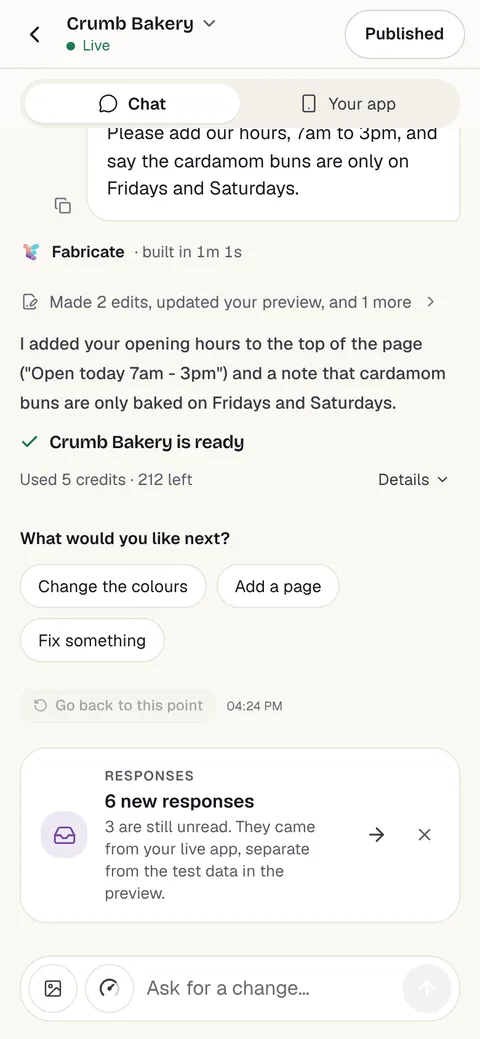
On Pro, one press of Publish gives it its own address to share, after the same browser check.
Chat
Your app
The other Basecamp alternatives
What each one does well, and the kind of project it suits best.
- Number 2
Trello
Best for: Simple boards for a small team
Boards of cards your team drags between lists, from Atlassian. Free covers up to 10 collaborators and 10 boards per Workspace; Standard is $6 per user a month billed monthly, or $5 billed yearly.
- Simple boards of cards
- Free for up to 10 collaborators
- Phone apps for iOS and Android
Where Trello beats Fabricate
If all your team needs is a board of cards to drag across, Trello is ready in minutes, free for up to 10 collaborators, with phone apps.
From $6 per user a monthTrello alternativesSource: trello.com/pricing (opens in a new tab), checked
- Number 3
Asana
Best for: Teams planning many projects
Plans a team's projects and tasks, with Asana AI included on its paid plans. Personal is free for up to 2 users; Starter is $13.49 per user a month billed monthly, or $10.99 billed yearly.
- Projects and tasks for teams
- AI included on paid plans
- Goals and capacity on Advanced
Where Asana beats Fabricate
If several teams plan many projects at once and want goals and capacity across them, Asana is built for that.
From $13.49 per user a monthAsana alternativesSource: asana.com/pricing (opens in a new tab), checked
- Number 4
monday.com
Best for: Many teams on one shared tool
Work management on boards, priced per seat, with paid plans sold from 3 seats. Free covers up to 2 seats and 3 boards; Basic is $9 per seat a month billed yearly, Standard $12 and Pro $19.
- Boards for many kinds of work
- Free for up to 2 seats
- Plans to grow into
Where monday.com beats Fabricate
If many teams want one shared tool for their boards, monday.com has a plan for each size, from 2 free seats up.
From $9 per seat a month, billed yearlymonday.com alternativesSource: monday.com/pricing (opens in a new tab), checked
- Number 5
ClickUp
Best for: Teams that want every view in one tool
Tasks, collaborative docs, Kanban boards, a calendar view and sprints in one workspace. Free Forever has unlimited tasks and free plan members, 60MB of storage and 100 automation actions a month; paid plans are priced per user.
- Tasks and docs in one place
- No cap on free members
- Sprints and time tracking
Where ClickUp beats Fabricate
If your team wants tasks, docs and boards in one tool and the free plan's members are not capped, ClickUp gives you that the day you sign up.
Source: clickup.com/pricing (opens in a new tab), checked
- Number 6
Smartsheet
Best for: Projects planned in a grid with formulas
Tracks and manages projects in Gantt, table, board and calendar views, with rich formulas. There is no free plan: Pro is $12 per member a month billed monthly, or $9 billed yearly, for 1 to 10 members, with unlimited free Contributors.
- Gantt, table, board and calendar views
- Rich formulas
- Free Contributors
Where Smartsheet beats Fabricate
If your projects live in a grid with formulas and a Gantt chart, Smartsheet works that way, and Contributors cost nothing.
From $12 per member a monthSmartsheet alternativesSource: smartsheet.com/pricing (opens in a new tab), checked
Basecamp and its alternatives: a flat price, caps and who signs in
Basecamp puts each project in one place: a message board, to-dos, Card Tables for Kanban and group chat. Unlike most tools here, it charges one price for the account rather than per user.
The flat price comes with caps. Freelancer is $29 a month for 3 projects and 5 users, and Pro $79 for 8 projects and 10 users. The free Personal plan covers 1 project and up to 3 people.
Trello, Asana, monday.com, ClickUp and Smartsheet are priced per user or per seat instead. Trello suits simple boards; Asana and monday.com many projects at once; ClickUp tasks and docs in one place; Smartsheet a grid with formulas and a Gantt chart.
A tracker built with Fabricate is your own web app. The backend is written into the app's own code: server routes in a Durable Object on Cloudflare Workers, with its own SQLite database. It has only the fields and stages you describe, your team signs in with an invite code, and clients can sign in to follow only their own project. Email reminders and push notifications, ready-made integrations with other tools, sharing documents between people, and phone apps from the App Store or Google Play are not built in. The app opens in any phone browser, and anyone can add it to their home screen.
Frequently asked questions
- Is Basecamp free?
- The Personal plan is free for 1 project and up to 3 people. Freelancer is $29 a month for 3 projects and 5 users, and Pro $79 for 8 projects and 10 users.
- What is the best Basecamp alternative?
- For simple boards, free for up to 10 collaborators, Trello. For many projects at once, Asana or monday.com. For tasks and docs in one workspace with no cap on free members, ClickUp. For projects in a grid with a Gantt chart, Smartsheet. For a tracker built around your own process that clients can sign in to, Fabricate, which we make. Building and previewing are free; publishing is on Pro and Max.
- Can I build my own app like Basecamp?
- You can build the parts most teams use: boards, lists, tasks with owners and due dates, comments and a view of what is due. Describe your projects, the stages a task goes through and who works on it, and Fabricate builds the app and shows it working in a preview. It is your own app rather than a hosted product, so there is no ready-made integrations library or App Store app, and you add features by asking for them.
- Does an app built with Fabricate send reminders when a task is due?
- Not by email or notification. The app shows what is due today, this week and late when someone opens it. Ask for live updates and new messages and posts appear on open screens without a refresh, over a connection to the app's own server.
- Is a flat price cheaper than paying per user?
- It depends on the size of the team. Trello Standard is $6 per user a month billed monthly, so a 5-person team pays $30, about what Basecamp Freelancer costs for 5 users. Past Basecamp's caps on projects and users, the next plan up is the cost to compare.
Sources
The pages this guide quotes, each with the day it was read.
- basecamp.com/pricing (opens in a new tab), checked
- trello.com/pricing (opens in a new tab), checked
- asana.com/pricing (opens in a new tab), checked
- monday.com/pricing (opens in a new tab), checked
- clickup.com/pricing (opens in a new tab), checked
- smartsheet.com/pricing (opens in a new tab), checked
- fabricate.build/pricing, from our live plans
About this guide
Written by the Fabricate team. Fabricate is our product, so it is first on this page and marked "We make this". Where a reason to switch fits another tool better, the reason says which.
Each tool's card lists the pages we read about it and the day we read them. We compared the tools from their own pricing pages and documentation, not by signing up for them. Spotted something out of date? Write to info@fabricate.build.
Related guides
All alternatives- Build a Project Management AppProjects, tasks and a board your team drags tasks across.Build it
- Trello AlternativesSix tools compared with Trello on price per user and free plans.Alternatives
- Build a Client PortalUpdates, approvals and invoices each client signs in to see.Build it
- Apps for AgenciesClient portals, project trackers and intake forms for agencies.For you
Related pages
Asana Alternatives
Six Asana alternatives compared on price per user, free plans and what each suits, from each tool's own pricing page, wi...
Read moremonday.com Alternatives
Six monday.com alternatives compared on seats, free plans and price, from each tool's own pricing page, with where monda...
Read moreClickUp Alternatives
Six ClickUp alternatives compared on free plans, price per user and how much each one does, from each tool's own pricing...
Read moreAll AI App Builder Alternatives
Compare every alternative we have reviewed, side by side.
Read moreAI App Builder
Describe your app and get a frontend, database, logins and a live URL in minutes.
Read more