Buyer's guideUpdated
Best Employee Scheduling Apps
Five tools compared on what a small business needs from a staff rota: shifts your team can see, a free start, who you pay for and the price.
Fabricate is ours, so every other pick says where it beats Fabricate, and each tool's price comes with the page we read it on.
The short answer
Also good: When I Work for several locations, Deputy for shifts and hours in one tool.
- Top pick · we make this
Fabricate
Best for a rota built around your team
Describe your shifts and team in plain words. Fabricate builds the schedule, its records and the staff sign-in, and you change it by asking.
From $25 a monthThe details on Fabricate - Scheduling
Sling
Best free plan
Shift scheduling that is free for up to 30 users.
From $2 per user a monthThe details on Sling - Scheduling and time clock
Homebase
Best priced per location
Scheduling, time clocks and team tools priced per location.
From $30 per location a monthThe details on Homebase
Key takeaways
- Fabricate builds a staff schedule around your own shifts, roles and rules, with no price per person who signs in; time clocks, payroll and reminders are not built in. Building and previewing are free; publishing is on Pro and Max.
- Sling is free for up to 30 users; paid plans start at $2 per user a month.
- Homebase is free for 1 location and up to 10 employees, then $30 per location a month.
- When I Work starts at $2.50 per user a month, after a 14-day trial with no card.
- Deputy starts at $5 per user a month, with a $30 minimum each month.
Compare at a glance
What each one is built around, its free plan, who you pay for and the cheapest paid plan.
- FabricateWe make this
- Built around
- Your own shifts, roles and rules
- Free plan
- Build and preview
- Who you pay for
- Not the people who sign in
- Paid plans from
- $25 a month
- SlingScheduling
- Built around
- Shift scheduling
- Free plan
- Up to 30 users
- Who you pay for
- Each user, past the free plan
- Paid plans from
- $2 per user a month
- HomebaseScheduling and time clock
- Built around
- Scheduling and a time clock
- Free plan
- 1 location, 10 employees
- Who you pay for
- Each location
- Paid plans from
- $30 per location a month
- When I WorkScheduling
- Built around
- Shift scheduling
- Free plan
- None; a 14-day trial
- Who you pay for
- Each user
- Paid plans from
- $2.50 per user a month
- DeputyScheduling and time tracking
- Built around
- Scheduling and time tracking
- Free plan
- None; a free trial
- Who you pay for
- Each user, $30 a month minimum
- Paid plans from
- $5 per user a month
Each tool's cheapest paid plan as its own pricing page showed it on October 28, 2026: billed monthly where the page offers it, otherwise as the page bills it. Fabricate's figures come from our live plans.
How we compared
We compared the five tools on what a small business needs from a staff rota: shifts each person can see, a free start, who you pay for, time clocks and payroll, and the price. For the other four we read their pricing pages on October 28, 2026, and each one's section lists the pages we read. We did not sign up for them for this guide.
Fabricate is ours. It comes first here because it builds the schedule around the business's own shifts and rules, and where another tool is the better pick, its section says so.
What we looked for
Shifts your team can see
Can each person see their own shifts on their phone?
A free start
Is there a free plan, and how many people does it cover?
Who you pay for
Is the price per person, per location or for the business?
Time clock and payroll
Does it track hours and connect to payroll?
Price
What does the cheapest paid plan cost, and is there a minimum?
Top picks for 2026
Fabricate
Top pickWe make thisBest for: A rota shaped around how your team works
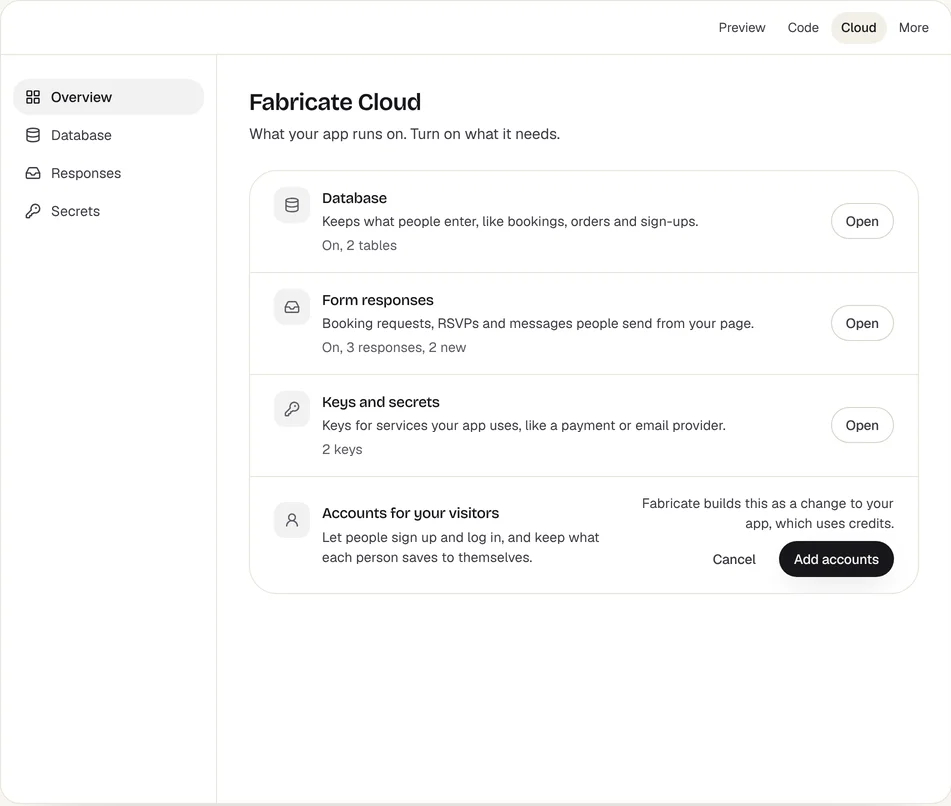
Describe your shifts, roles and team, and Fabricate builds a staff schedule app: you lay out the week's shifts by day and role, each person signs in with an invite code you give them to see their own shifts, and they can ask to swap or mark when they cannot work, for you to approve. The people who sign in to a published app are not counted as seats. Time clocks, payroll and text or push reminders are not built in. Building and previewing are free; publishing is on Pro and Max.
 Fabricate Cloud
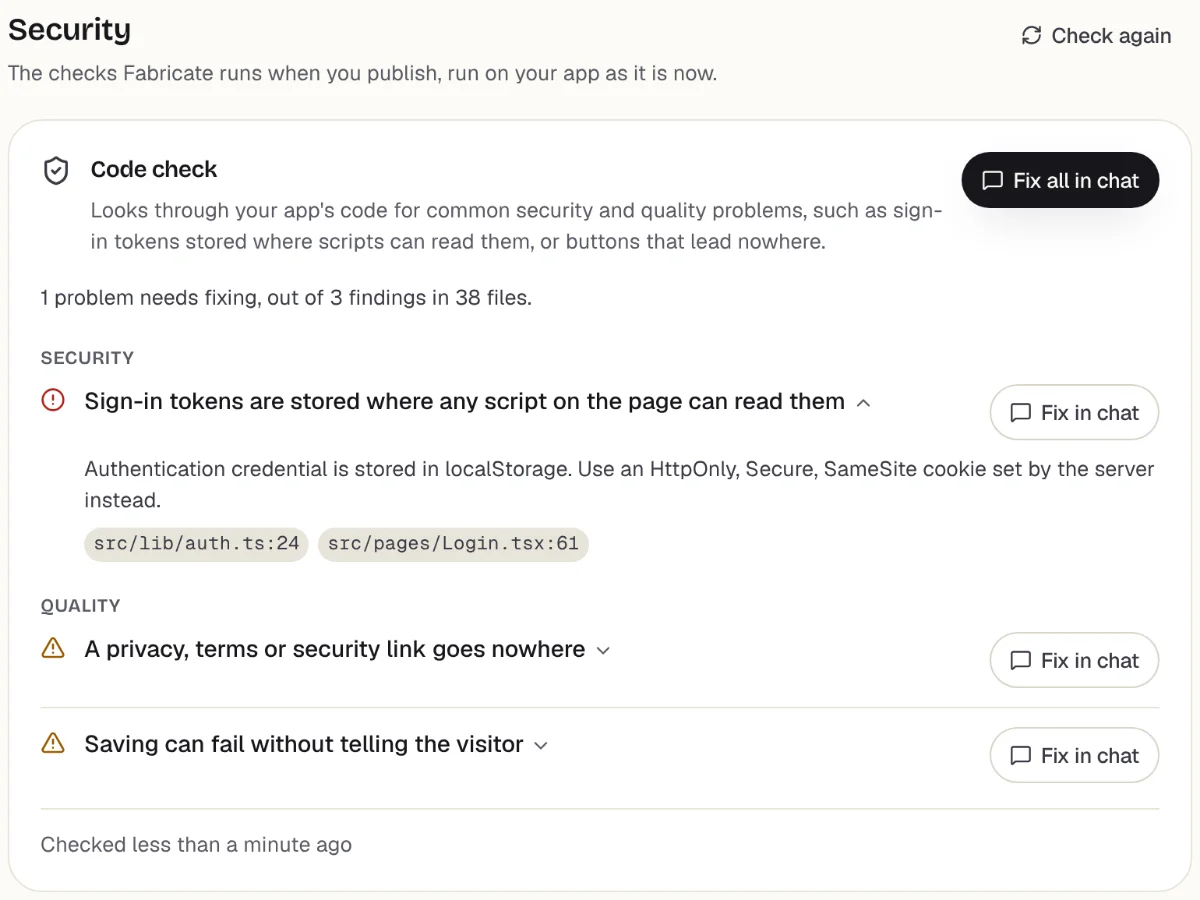
Checks
What it does well
- Shifts, roles and rules in your own words
- Each person sees their own shifts
- No price per person who signs in
Watch out for
- Time clocks and payroll are not built in
- Text and push reminders are not built in
- Paid plans from
- $25 a month
- 350 credits a month on Pro
- Free plan
- 60 credits
- A month, to build and preview
- A live app
- Pro and Max
- Publishing is on paid plans
Sling
SchedulingBest for: A free rota for a team of up to 30
Shift scheduling that is free for up to 30 users. Premium is $2 per user a month billed monthly, or $1.70 billed yearly, and Business $4, or $3.40 billed yearly, after a 15-day free trial.
What it does well
- Free for up to 30 users
- Low price per user
- A 15-day trial of paid plans
Watch out for
- Priced per user past the free plan
Where Sling beats Fabricate
If your team is 30 people or fewer and you want shift scheduling for nothing, Sling is free at that size.
Source: getsling.com/pricing (opens in a new tab), checked
Homebase
Scheduling and time clockBest for: One location with a time clock
Scheduling, time clocks and team tools priced per location. Basic is free for 1 location and up to 10 employees; Essentials is $30 per location a month with unlimited employees, and All-in-One $120.
What it does well
- Free for 1 location and 10 employees
- Priced per location, not per person
- Time clocks
Watch out for
- Free stops at 10 employees
- Each location is priced
Where Homebase beats Fabricate
If you run one shop with a growing team and want schedules and a time clock at one price per location, Homebase is built for that.
Source: joinhomebase.com/pricing (opens in a new tab), checked
When I Work
SchedulingBest for: Scheduling across locations
Shift scheduling from $2.50 per user a month, with time tracking as an option, after a 14-day free trial with no credit card.
What it does well
- From $2.50 per user a month
- A 14-day trial with no card
- Multi-location scheduling
Watch out for
- No free plan
- Priced per user
Where When I Work beats Fabricate
If you schedule people across more than one location and want a ready-made app with a trial and no card, When I Work starts at $2.50 per user a month.
Source: wheniwork.com/pricing (opens in a new tab), checked
Deputy
Scheduling and time trackingBest for: Shifts and hours in one tool
Scheduling and time tracking priced per user: Lite is $5 a month, Core $6.50 and Pro $9, with a $30 minimum monthly spend on monthly plans.
What it does well
- Scheduling and time tracking
- Three plans to grow into
- A free trial on Lite and Core
Watch out for
- A $30 minimum each month
- No free plan
Where Deputy beats Fabricate
If you want shifts and the hours worked in one ready-made tool, Deputy covers both from $5 per user a month.
Source: deputy.com/pricing (opens in a new tab), checked
What a staff schedule app built with Fabricate looks like
From this one description Fabricate builds the staff sign-in, the week of shifts, each person's own shifts and the swap requests, in an app with its own database; publishing it is on Pro and Max.
Build free. No card needed.
Our verdict
For a small business whose rota has its own shifts, roles and rules, such as a cafe, a clinic or a shop, Fabricate is our pick, and we make it. You describe how your team works in plain words, each person signs in to see their own shifts, and nobody who signs in counts toward the price. Putting the app online is on Pro and Max.
Sling comes second for a free plan for up to 30 people, and Homebase for one location with a time clock. When I Work suits several locations, and Deputy shifts and hours in one tool.
Frequently asked questions
- What is the best employee scheduling app for a small business?
- It depends on your team. For a rota built around your own shifts, roles and rules, with no price per person who signs in, Fabricate, which we make. For a free plan for up to 30 people, Sling. For one location with a time clock, Homebase. For several locations, When I Work. For shifts and hours in one tool, Deputy.
- Is there a free employee scheduling app?
- Yes. Sling is free for up to 30 users, and Homebase Basic is free for 1 location and up to 10 employees. Building and previewing are free; publishing is on Pro and Max.
- Can I build my own staff scheduling app?
- Yes. Describe your shifts, the roles people work, your opening hours and your rules, such as who can swap with whom, and Fabricate builds the schedule app and shows it working in a preview. To change something, you ask in the chat. There is no code to write or read.
- Does a schedule app built with Fabricate send shift reminders?
- No. Text messages, push notifications and reminder emails to staff are not built in, so each person checks their shifts when they sign in. The app opens in any phone browser, and anyone can add it to their home screen.
- Does it track hours or run payroll?
- No. A time clock and payroll are not built in. You can ask for a page where each person records their start and end times, and a download of the week as a CSV file for whoever runs your payroll.
Sources
The pages this guide quotes, each with the day it was read.
- getsling.com/pricing (opens in a new tab), checked
- joinhomebase.com/pricing (opens in a new tab), checked
- wheniwork.com/pricing (opens in a new tab), checked
- deputy.com/pricing (opens in a new tab), checked
- fabricate.build/pricing, from our live plans
About this guide
Written by the Fabricate team. Fabricate is our product, so the guide marks it, and each pick, ours or not, says who it suits best.
Each tool's section lists the pages we read about it and the day we read them. We compared the tools from their own pricing pages and documentation, not by signing up for them. Spotted something out of date? Write to info@fabricate.build.
Related guides
All best lists- Build an Internal ToolStaff-only apps for the way your business runs.Build it
- Best Scheduling Apps for Small BusinessFive tools compared for bookings from your customers.Best list
- Apps for Retail StoresStock, orders and staff tools for a shop.For you
- Apps for CaterersEvent enquiries, menus and staff for a catering business.For you
Related pages
Best AI App Builders for Non-Coders
Build apps without coding knowledge. Compare the best AI app builders for non-technical users and create sites and apps ...
Read moreBest AI Builders for MVP Development
Compare AI MVP builders on how fast they get a working product live: database, auth, payments and hosting included. Ship...
Read moreThe 7 Best Free AI Website Builders in 2026
The best free AI website builders compared on what each free plan covers: going live, address, branding and AI limits. W...
Read moreBest AI Website Builders in 2026
Compare the best AI website builders of 2026. Find the right tool for building professional websites with AI-powered des...
Read moreBest AI App Builders
Buyer's guides for every kind of project and budget.
Read moreAI App Builder
Describe your app and get a frontend, database, logins and a live URL in minutes.
Read more