AlternativesUpdated
Best Power Apps Alternatives in 2026
Power Apps is Microsoft's low-code platform, connected to Microsoft 365 and Dataverse. Premium is $20 per user a month, paid yearly. If your team is not on Microsoft 365, the app is for customers, or you want to describe it rather than build it, here are six alternatives.
 Fabricate CloudFabricate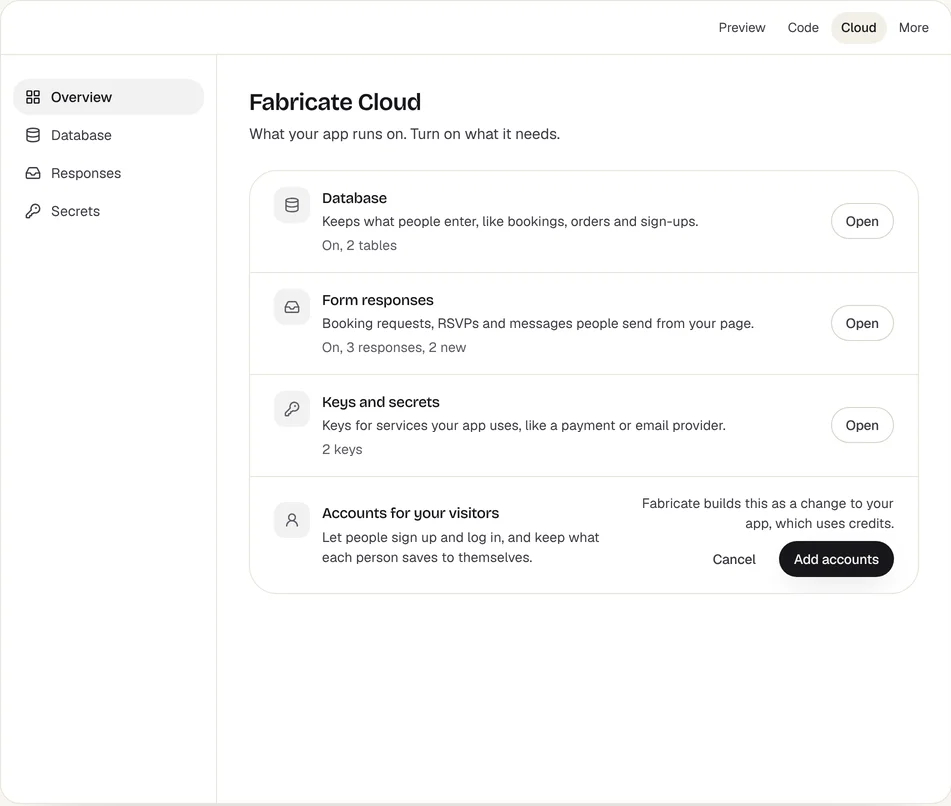
Key takeaways
- Power Apps Premium is $20 per user a month, paid yearly, with 250 MB of Dataverse database included.
- AppSheet suits Google Workspace teams; Quickbase large operations teams; Retool tools over your own database; Softr and Knack portals.
- Fabricate builds a web app for staff or customers from a description, and does not price the people who sign in. Building and previewing are free; publishing is on Pro and Max.
Why Are People Looking for Power Apps Alternatives?
Priced per User, Yearly
Premium is $20 per user a month, paid yearly; $12 needs a 2,000-seat minimum.
Built Around Microsoft 365
Its apps, connectors and Dataverse storage suit a company on Microsoft 365, less one that is not.
Storage Is Metered
Premium includes 250 MB of Dataverse database and 2 GB of files; more database capacity is $40 per GB a month, paid yearly.
Apps for Customers
A web app your customers sign in to, with no license for each of them.
Fits: Fabricate
Compare at a glance
Fabricate beside Power Apps, feature by feature.
- Builds From a Description
- Fabricate
- Yes
- Power Apps
- A low-code editor
- Price per Person
- Fabricate
- None for the people who sign in to a published app
- Power Apps
- $20 per user a month, paid yearly
- Microsoft 365 and Dataverse
- Fabricate
- Not built in
- Power Apps
- Yes
- Data
- Fabricate
- The app's own SQLite database
- Power Apps
- Dataverse, with 250 MB of database on Premium
- Paid Plans From
- Fabricate
- $25 a month
- Power Apps
- $20 per user a month
Fabricate
We make thisBest for: Apps people sign in to, not priced per user
Builds a web app from a description, for your team or your customers: the screens, the app's own SQLite database, sign-in and the server code. The people who sign in to a published app are not counted as users or seats. Building and previewing are free; publishing is on Pro and Max.
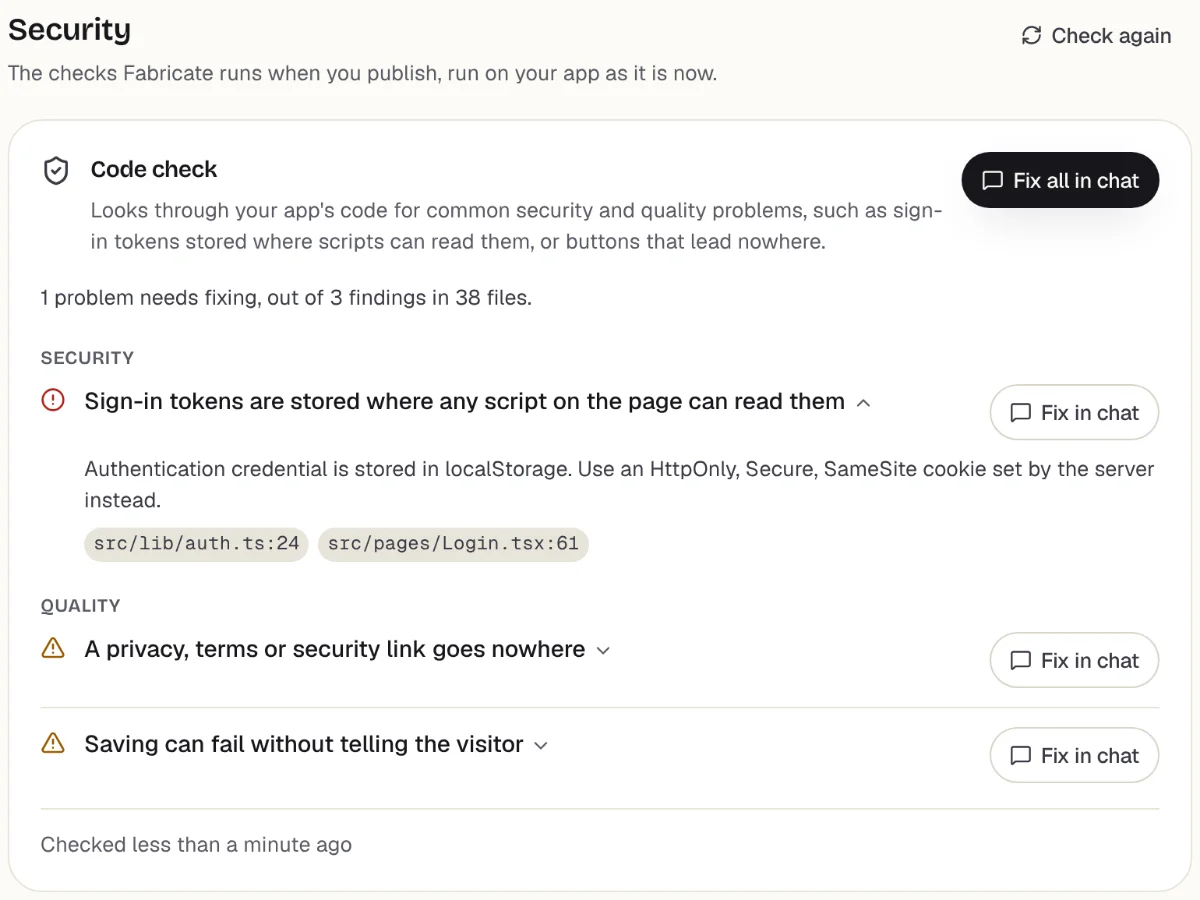
Checks before you publish
What it does well
- Apps for customers or staff
- The app's own database
- No price per person who signs in
- Paid plans from
- $25 a month
- 350 credits a month on Pro
- Free plan
- 60 credits
- A month, to build and preview
- A live app
- Pro and Max
- Publishing is on paid plans
How to Move a Power Apps App to Fabricate
- 1
Export your tables
Save each table from Dataverse or the lists behind your app as a CSV file, and list the screens, roles and rules the app has.
- 2
Describe the app
The screens, who signs in, who can see and change what, and the steps each record goes through.
- 3
Ask for an import page
Ask for a page, behind your own sign-in, that adds the rows of each CSV file to the app's own database.
- 4
Test it in the preview
Sign up, save and edit data, and check who can see what, before anyone else does.
- 5
Put it online
On Pro, one press of Publish gives it its own address to share, after the same browser check.
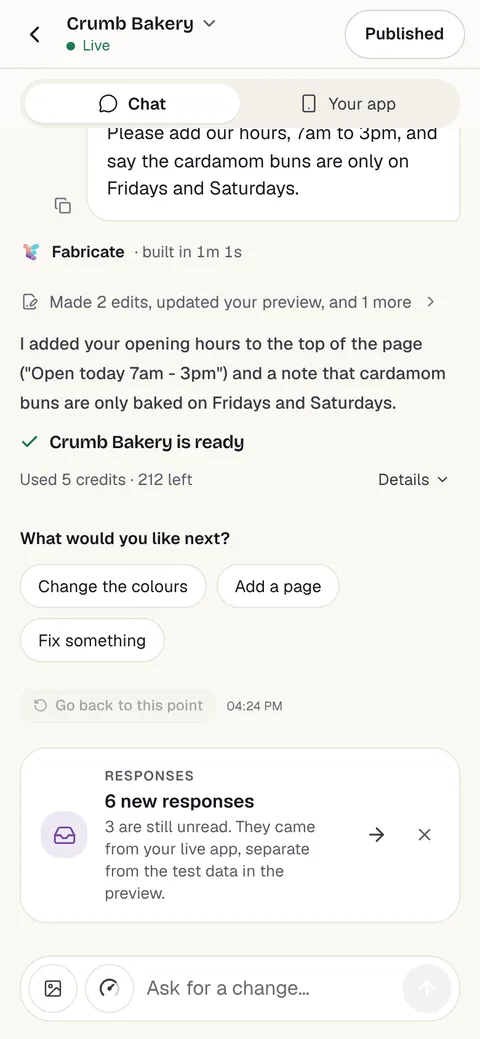
Chat
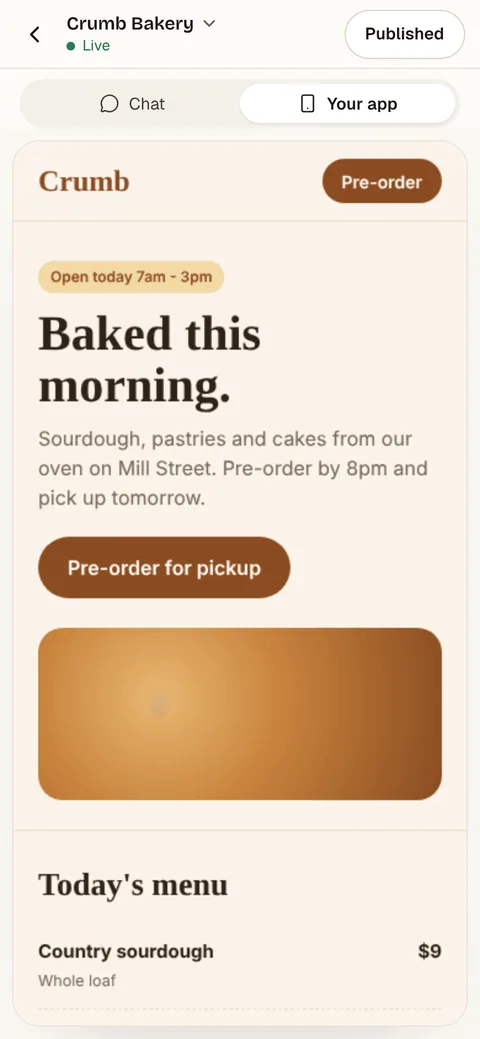
Your app
The other Power Apps alternatives
What each one does well, and the kind of project it suits best.
- Number 2
AppSheet
Best for: Google Workspace teams
Google's no-code platform for apps and automations over Google Sheets and other data. Starter is $5 per user a month, Core $10 and Enterprise Plus $20, and every person who signs in needs a license.
- Google Workspace
- Automations
- Desktop and mobile
Where AppSheet beats Fabricate
If your team works in Google Sheets and Workspace, AppSheet turns those sheets into apps where the data already is.
From $5 per user a monthAppSheet alternativesSource: about.appsheet.com/pricing (opens in a new tab), checked
- Number 3
Quickbase
Best for: Operations teams with many users
A platform for operations apps and workflows. Team starts at $35 per user a month and Business at $55, both priced yearly and before a platform minimum; a 30-day trial includes the Business features.
- Operations workflows
- Reports and dashboards
- Security controls
Where Quickbase beats Fabricate
If a large operations team needs workflows, reports and security controls in one platform with sales support, Quickbase is built for that.
From $35 per user a month, yearlyQuickbase alternativesSource: quickbase.com/plans-and-pricing (opens in a new tab), checked
- Number 4
Retool
Best for: Tools over your own database
Builds internal tools over databases and APIs you already run, and its builder now makes an app from a description too. Team is $12 a month per builder and $7 per internal user, billed monthly, and Free covers up to 5 users.
- Your databases and APIs
- Builds from a description
- Internal tools
Where Retool beats Fabricate
If the data lives in your own database or behind APIs, Retool connects to it where it is.
From $12 per builder a monthRetool alternativesSource: retool.com/pricing (opens in a new tab), checked
- Number 5
Softr
Best for: Client portals and internal tools
Builds client portals and internal tools from a description or in its editor, on Softr's own databases or on Airtable and Google Sheets. Free covers 5 app users; Basic is $25 a month for 10, and Pro $119 for 60, billed monthly.
- Client portals
- Its own database or Airtable
- Workflows built in
Where Softr beats Fabricate
If the data should stay in Airtable or Google Sheets, a Softr app can sit on it directly, with workflows and user roles built in.
From $25 a monthSoftr alternativesSources: softr.io/pricing (opens in a new tab), checked ; Softr docs: AI Co-Builder (opens in a new tab), checked
- Number 6
Knack
Best for: Database apps for many users
A no-code builder for online databases, portals and internal tools, hosted by Knack. Starter is $59 a month for 20,000 records and 3 apps, and Pro $130 for 50,000 records, at the regular monthly price; app users are not counted on any plan.
- Online databases
- App users not counted
- Portals and internal tools
Where Knack beats Fabricate
If many people sign in to a database app and you want a price by records rather than by user, Knack counts records, not users.
From $59 a monthKnack alternativesSources: knack.com/pricing (opens in a new tab), checked ; knack.com (opens in a new tab), checked
Power Apps and its alternatives: Microsoft 365 apps, or apps for anyone
Power Apps builds apps for people inside a company on Microsoft 365. Apps connect to Dataverse and to other services through connectors, and each person who uses them needs a license: Premium is $20 per user a month, paid yearly.
That fits a company already paying for Microsoft 365 with staff who sign in with Microsoft accounts. It fits less well when the app is for customers, the team uses Google Workspace, or nobody on the team wants to learn a low-code editor.
AppSheet is the Google Workspace equivalent. Quickbase is for large operations teams. Retool builds tools over a database you already run, and Softr and Knack build portals and database apps.
Fabricate builds the app from a description, with its own database and sign-in, for staff or customers. The backend is written into the app's own code: server routes in a Durable Object on Cloudflare Workers, with its own SQLite database.
Frequently asked questions
- How much does Power Apps cost?
- Premium is $20 per user a month, paid yearly, for any number of apps for that user; with a 2,000-seat minimum it is $12. A free Developer Plan includes three developer environments, and more Dataverse database capacity is $40 per GB a month.
- Does Fabricate charge for each person who signs in?
- No. The people who sign in to a published app are not counted as users, seats or licenses. Fabricate's plans price the credits that build the app and, on Pro and Max, the AI inside it; Pro is $25 a month.
- Can a Fabricate app use our Microsoft 365 data?
- Not directly: connecting to SharePoint, Dataverse or Microsoft 365 is not built in. A Fabricate app keeps its data in its own database, and you bring records across as CSV files. On Pro and Max, each new request sent through the app's forms, such as a booking or an enquiry, can also go to Slack, Zapier, Make or a webhook, under More > Connectors.
- When is Power Apps the better choice?
- When your company runs on Microsoft 365, the app is for staff who already have Microsoft accounts, and its data should stay in Dataverse with your other Microsoft tools.
- Can I bring my data across?
- Export your tables as CSV files, then ask Fabricate for an import page, behind your own sign-in, that adds the rows to the app's own database. Views, forms and rules are rebuilt from your description, not copied.
Sources
The pages this guide quotes, each with the day it was read.
- Power Apps pricing (opens in a new tab), checked
- about.appsheet.com/pricing (opens in a new tab), checked
- quickbase.com/plans-and-pricing (opens in a new tab), checked
- retool.com/pricing (opens in a new tab), checked
- softr.io/pricing (opens in a new tab), checked
- Softr docs: AI Co-Builder (opens in a new tab), checked
- knack.com/pricing (opens in a new tab), checked
- knack.com (opens in a new tab), checked
- fabricate.build/pricing, from our live plans
About this guide
Written by the Fabricate team. Fabricate is our product, so it is first on this page and marked "We make this". Each tool, ours or not, says who it suits best.
Each tool's card lists the pages we read about it and the day we read them. We compared the tools from their own pricing pages and documentation, not by signing up for them. Spotted something out of date? Write to info@fabricate.build.
Related guides
All alternatives- AppSheet AlternativesGoogle's no-code platform and six alternatives, compared on price per user.Alternatives
- Build an Internal ToolAdmin screens, approvals and records for your team.Build it
- Build a Customer PortalA place your customers sign in to see their orders and requests.Build it
- Retool AlternativesInternal tool builders compared on price per user.Alternatives
Related pages
Softr Alternatives
Six Softr alternatives compared on app user limits, where the data lives and monthly price, read on each tool's own pric...
Read moreKnack Alternatives
Six Knack alternatives compared on records, app users and monthly price, read on each tool's own pricing page.
Read moreQuickbase Alternatives
Six Quickbase alternatives compared on price per user, how you build and who the app is for, read on each tool's own pri...
Read moreAll AI App Builder Alternatives
Compare every alternative we have reviewed, side by side.
Read moreAI App Builder
Describe your app and get a frontend, database, logins and a live URL in minutes.
Read more