AlternativesUpdated
Best Softr Alternatives in 2026
Softr builds client portals and internal tools on its own databases or on Airtable and Google Sheets, and counts the people who sign in: 5 on Free, 10 on Basic at $25 a month and 60 on Pro at $119. If you need more users, your own code or a different kind of app, here are six alternatives.
 Fabricate CloudFabricate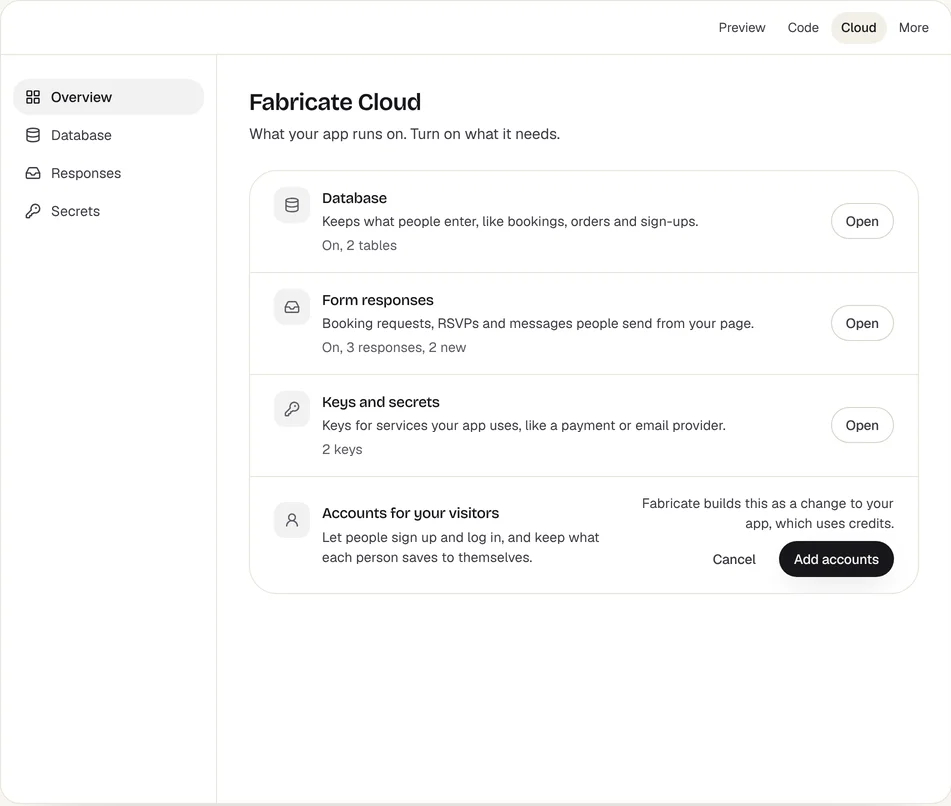
Key takeaways
- Softr builds portals and internal tools on its own databases or on Airtable and Google Sheets, and counts app users: 10 on Basic at $25 a month billed monthly.
- Glide and AppSheet build team apps from spreadsheets; Knack counts records, not users; Airtable and Retool suit teams working in the data.
- Fabricate builds a web app with its own database, and the people who sign in are not counted. Building and previewing are free; publishing is on Pro and Max.
Why Are People Looking for Softr Alternatives?
App Users Are Counted
Free covers 5 app users, Basic 10, Pro 60 and Business 130; more users cost extra each month from Pro.
Fits: FabricateRecords and Workflows Have Limits
Softr Databases hold 5,000 records on Free, 50,000 on Basic and 500,000 on Pro, and workflow actions run from 500 a month on Free to 10,000 on Pro.
Custom Code From Pro
Custom code and API connectors start on Pro, at $119 a month billed monthly.
AI Credits Reset
Each plan includes AI credits a month, from 5 on Free to 100 on Business, and unused ones do not roll over.
Compare at a glance
Fabricate beside Softr, feature by feature.
- Builds From a Description
- Fabricate
- Yes
- Softr
- With its AI Co-Builder, or in the editor
- People Who Sign In
- Fabricate
- Not counted
- Softr
- 5 on Free, 10 on Basic, 60 on Pro, 130 on Business
- Data
- Fabricate
- The app's own SQLite database
- Softr
- Softr Databases, Airtable, Google Sheets and more
- Workflows
- Fabricate
- Written into the app when you ask
- Softr
- Built in, with monthly workflow actions
- The Code
- Fabricate
- On Pro and Max
- Softr
- Custom code and API connectors, from Pro
- Paid Plans From
- Fabricate
- $25 a month
- Softr
- $25 a month
Fabricate
We make thisBest for: Apps people sign in to, not priced per user
Builds a web app from a description, for your team or your customers: the screens, the app's own SQLite database, sign-in and the server code. The people who sign in to a published app are not counted as users or seats. Building and previewing are free; publishing is on Pro and Max.
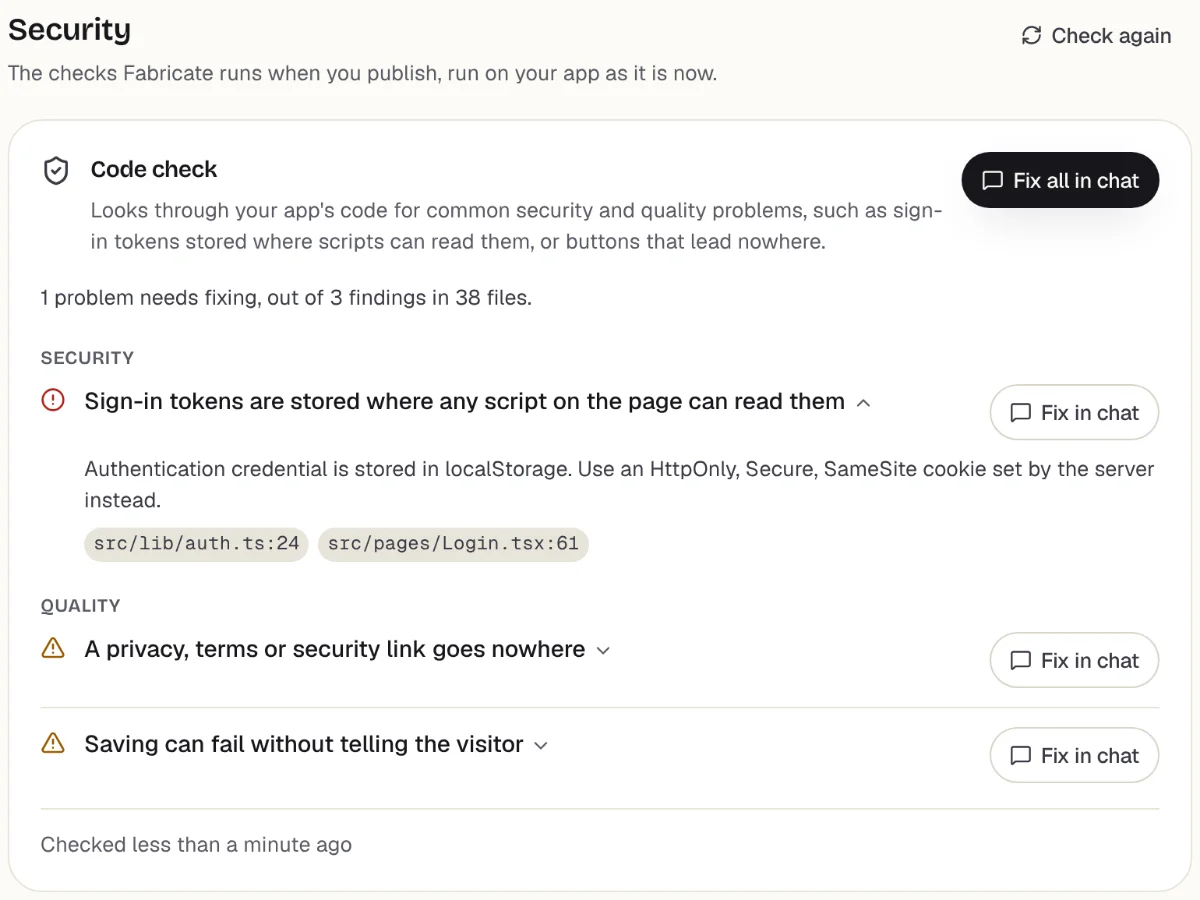
Checks before you publish
What it does well
- Apps for customers or staff
- The app's own database
- No price per person who signs in
- Paid plans from
- $25 a month
- 350 credits a month on Pro
- Free plan
- 60 credits
- A month, to build and preview
- A live app
- Pro and Max
- Publishing is on paid plans
How to Move a Softr App to Fabricate
- 1
Export your tables
Save each table from Softr Databases or Airtable as a CSV file, and list the screens, roles and rules the app has.
- 2
Describe the app
The screens, who signs in, who can see and change what, and the steps each record goes through.
- 3
Ask for an import page
Ask for a page, behind your own sign-in, that adds the rows of each CSV file to the app's own database.
- 4
Test it in the preview
Sign up, save and edit data, and check who can see what, before anyone else does.
- 5
Put it online
On Pro, one press of Publish gives it its own address to share, after the same browser check.
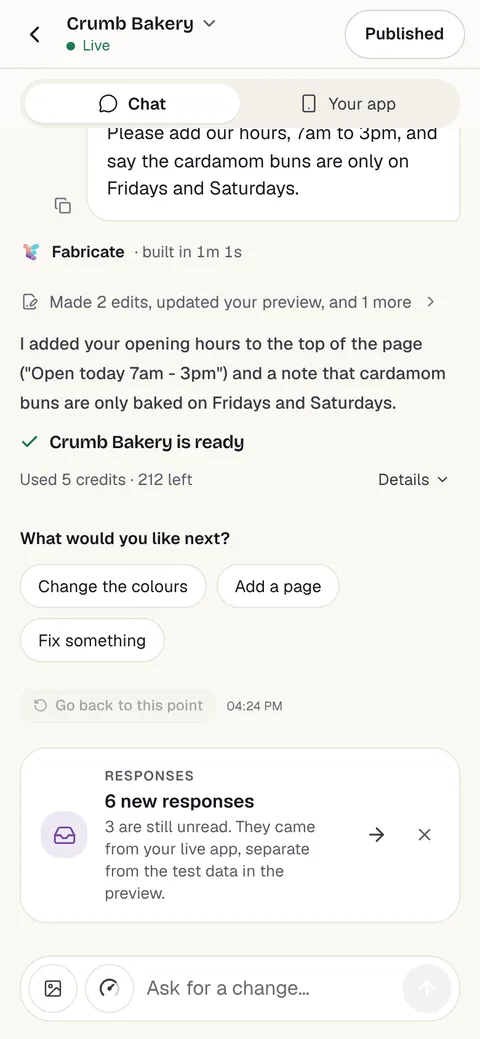
Chat
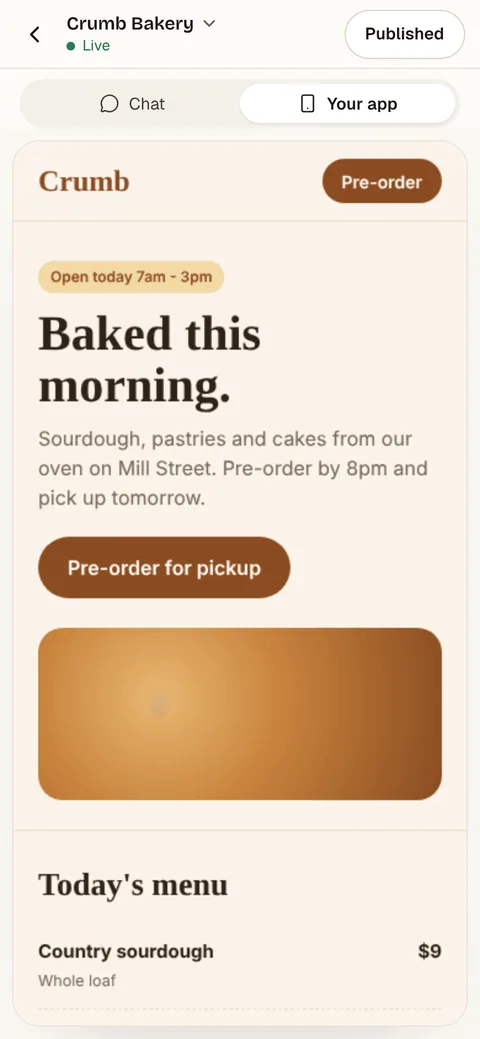
Your app
The other Softr alternatives
What each one does well, and the kind of project it suits best.
- Number 2
Glide
Best for: Team apps from a spreadsheet
Builds business apps for your team with an AI agent, from a prompt, a spreadsheet, a document or an image, on one database per project. The free plan builds but publishes no apps; Basic, at $25 a month, publishes 2.
- Starts from a spreadsheet
- An AI agent builds the app
- Apps for your team
Where Glide beats Fabricate
If the app is for your own team and starts from a spreadsheet, Glide is built around that, and it shows a mockup on sample data to approve first.
From $25 a monthGlide alternativesSources: glideapps.com/pricing (opens in a new tab), checked ; Glide docs: what is GlideOS? (opens in a new tab), checked ; Glide docs: data (opens in a new tab), checked
- Number 3
Knack
Best for: Database apps for many users
A no-code builder for online databases, portals and internal tools, hosted by Knack. Starter is $59 a month for 20,000 records and 3 apps, and Pro $130 for 50,000 records, at the regular monthly price; app users are not counted on any plan.
- Online databases
- App users not counted
- Portals and internal tools
Where Knack beats Fabricate
If many people sign in to a database app and you want a price by records rather than by user, Knack counts records, not users.
From $59 a monthKnack alternativesSources: knack.com/pricing (opens in a new tab), checked ; knack.com (opens in a new tab), checked
- Number 4
Airtable
Best for: Teams that work in the records
A database that looks like a spreadsheet, with interfaces, forms and automations on top. Free covers up to 5 editors and 1,000 records per base; Team is $24 per seat a month, billed monthly, and read-only collaborators are free.
- Grids, boards and calendars
- Interfaces and forms
- Free read-only collaborators
Where Airtable beats Fabricate
If your team mostly works in the records themselves, sorting, filtering and editing in grids, Airtable is built for that, and read-only collaborators cost nothing.
From $24 per seat a monthAirtable alternativesSources: airtable.com/pricing (opens in a new tab), checked ; Airtable support: Airtable plans (opens in a new tab), checked
- Number 5
Retool
Best for: Tools over your own database
Builds internal tools over databases and APIs you already run, and its builder now makes an app from a description too. Team is $12 a month per builder and $7 per internal user, billed monthly, and Free covers up to 5 users.
- Your databases and APIs
- Builds from a description
- Internal tools
Where Retool beats Fabricate
If the data lives in your own database or behind APIs, Retool connects to it where it is.
From $12 per builder a monthRetool alternativesSource: retool.com/pricing (opens in a new tab), checked
- Number 6
AppSheet
Best for: Google Workspace teams
Google's no-code platform for apps and automations over Google Sheets and other data. Starter is $5 per user a month, Core $10 and Enterprise Plus $20, and every person who signs in needs a license.
- Google Workspace
- Automations
- Desktop and mobile
Where AppSheet beats Fabricate
If your team works in Google Sheets and Workspace, AppSheet turns those sheets into apps where the data already is.
From $5 per user a monthAppSheet alternativesSource: about.appsheet.com/pricing (opens in a new tab), checked
Softr and its alternatives: portals on your data, or an app with its own
Softr turns data into portals and internal tools: you describe the app to its AI Co-Builder or lay it out in the editor, on Softr Databases or on Airtable, Google Sheets and other sources. User roles, forms and workflows are built in.
Its plans count app users, records and workflow actions. A client portal for 40 clients on Basic needs Pro, at $119 a month billed monthly, for 60 app users; Business raises that to 130.
Glide and AppSheet are closest for team apps on a spreadsheet. Knack prices by records and does not count users. Airtable is for teams that work in the records themselves, and Retool for tools over a database you already run.
A Fabricate app keeps its data in its own database and is not priced by the people who sign in. The backend is written into the app's own code: server routes in a Durable Object on Cloudflare Workers, with its own SQLite database.
Frequently asked questions
- How much does Softr cost?
- Free covers 5 app users. Billed monthly, Basic is $25 a month for 10 app users, Pro $119 for 60 and Business $395 for 130; billed yearly they are $19, $99 and $329 a month.
- What counts as an app user on Softr?
- Anyone who can sign in to an app you built, counted once across all your apps. Builders in your workspace can be added as app users without counting toward the limit.
- Does Fabricate charge for each person who signs in?
- No. The people who sign in to a published app are not counted as users, seats or licenses. Fabricate's plans price the credits that build the app and, on Pro and Max, the AI inside it; Pro is $25 a month.
- Can I keep my data in Airtable?
- With Softr, yes: its apps sit on Airtable and Google Sheets directly. A Fabricate app keeps its data in its own database, so you bring the records across once as CSV files.
- Can I bring my data across?
- Export your tables as CSV files, then ask Fabricate for an import page, behind your own sign-in, that adds the rows to the app's own database. Views, forms and rules are rebuilt from your description, not copied.
Sources
The pages this guide quotes, each with the day it was read.
- softr.io/pricing (opens in a new tab), checked
- Softr docs: AI Co-Builder (opens in a new tab), checked
- glideapps.com/pricing (opens in a new tab), checked
- Glide docs: what is GlideOS? (opens in a new tab), checked
- Glide docs: data (opens in a new tab), checked
- knack.com/pricing (opens in a new tab), checked
- knack.com (opens in a new tab), checked
- airtable.com/pricing (opens in a new tab), checked
- Airtable support: Airtable plans (opens in a new tab), checked
- retool.com/pricing (opens in a new tab), checked
- about.appsheet.com/pricing (opens in a new tab), checked
- fabricate.build/pricing, from our live plans
About this guide
Written by the Fabricate team. Fabricate is our product, so it is first on this page and marked "We make this". Each tool, ours or not, says who it suits best.
Each tool's card lists the pages we read about it and the day we read them. We compared the tools from their own pricing pages and documentation, not by signing up for them. Spotted something out of date? Write to info@fabricate.build.
Related guides
All alternatives- Fabricate vs SoftrThe other builder for portals and internal tools, compared feature by feature.Compare
- Build a Client PortalUpdates, approvals and invoices each client signs in to see.Build it
- Airtable AlternativesSpreadsheet-databases, portals and apps for a base that has outgrown Airtable.Alternatives
- Glide AlternativesNo-code and AI builders compared on publishing limits and price.Alternatives
- Softr pricing, explainedSoftr's plans, the builders, app users and records each allows, and what its AI credits buy.Pricing guide
Related pages
Knack Alternatives
Six Knack alternatives compared on records, app users and monthly price, read on each tool's own pricing page.
Read moreQuickbase Alternatives
Six Quickbase alternatives compared on price per user, how you build and who the app is for, read on each tool's own pri...
Read morePower Apps Alternatives
Six Microsoft Power Apps alternatives compared on price per user, apps for customers and how you build, read on each too...
Read moreFabricate vs Softr
Fabricate vs Softr, compared from Softr's own pricing page on October 21, 2026: portals and internal tools, app user lim...
Read moreAll AI App Builder Alternatives
Compare every alternative we have reviewed, side by side.
Read moreAI App Builder
Describe your app and get a frontend, database, logins and a live URL in minutes.
Read more