AlternativesUpdated
Codex alternatives, for coders and non-coders
Codex hands back code to review. For another agent, one inside your editor, or the finished app with no pull request, these are the alternatives.
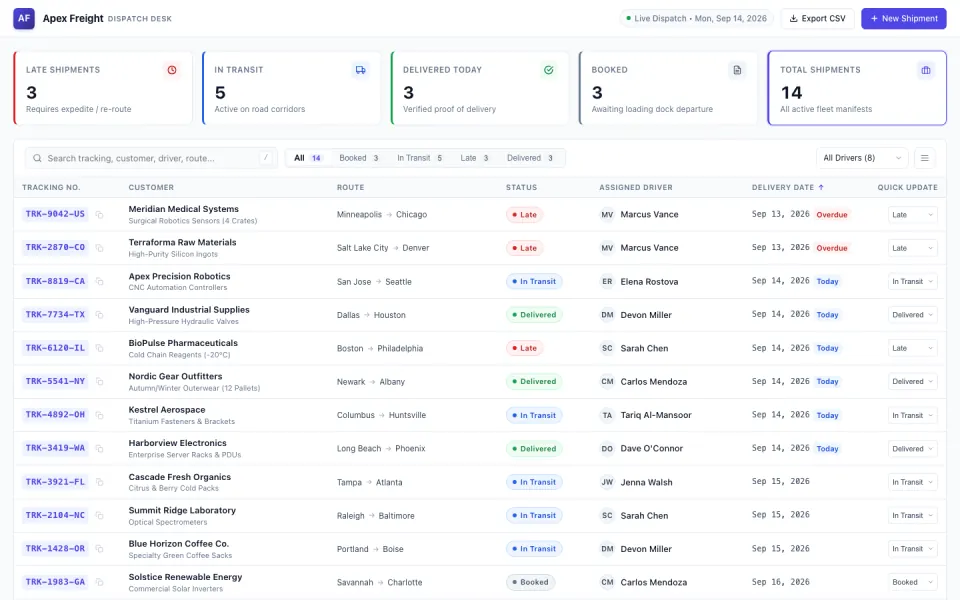
 Dispatch desk
Key takeaways
- Codex is OpenAI's coding agent: a command line tool, an IDE extension and cloud tasks, included in every ChatGPT plan with tighter limits on the cheaper ones.
- Its command line tool is open source. Claude Code is the closest alternative, on Anthropic's models and with a paid Claude plan.
- Cursor puts the agent in an editor, and GitHub Copilot takes issues on GitHub and opens pull requests from $10 a month.
- Fabricate hands back a running app instead of code to review, with its database, sign-in and hosting in place. Building and publishing start free.
Why people look for a Codex alternative
Codex is a capable agent with an open-source command line. The reasons to look elsewhere are about its limits on the cheaper plans, where it works, and what it hands back.
Short limits below Pro
Codex is in every ChatGPT plan, but Free is for quick coding tasks, Go for lightweight ones and Plus for a few focused sessions a week. The five-hour limit goes away on Pro, from $100 a month.
You want Claude doing the work
Codex runs OpenAI's models. Claude Code is the same kind of agent on Anthropic's, in a terminal, an editor, a desktop app or the browser, and it comes with Claude Pro.
Fits: Claude CodeYou want the agent in your editor
Codex has an IDE extension. If you would rather the editor itself were built around the agent, with every change landing in front of you, that is a different tool.
Fits: CursorYou wanted the app, not the pull request
A Codex task ends in changed files to commit or a pull request to merge. A builder ends in a running app, with its database, sign-in and hosting in place.
Fits: Fabricate
Compare at a glance
Fabricate beside Codex, feature by feature.
- What you hand it
- Fabricate
- A sentence describing the app
- Codex
- A coding task, in a repository or an empty workspace
- What comes back
- Fabricate
- A running app
- Codex
- Changed files to commit, or a pull request
- Hosting
- Fabricate
- Included; no cap on apps online on Pro and Max
- Codex
- Through Sites, with an allowance from Plus
- Sign-in for your users
- Fabricate
- Accounts the app holds
- Codex
- Yours to write, or Sign in with ChatGPT on Sites
- Who checks the work
- Fabricate
- Fabricate opens it in a real browser
- Codex
- You review the changed files
- The code
- Fabricate
- Your app's code, on Pro and Max
- Codex
- Your own files; the command line tool is open source
- Free plan
- Fabricate
- 60 credits a month, no card
- Codex
- Included, for quick coding tasks
- Paid plans from
- Fabricate
- $25 a month
- Codex
- Go $8 a month; Plus $20
Fabricate
We make thisBest for: People who want the app, not the code review
Codex works through a coding task and hands you the changes. Fabricate takes a description of the app and hands you the app: the screens, the server code, a database and sign-in, opened in a real browser to check it and hosted for you, with no repository to keep or pull request to review. On Pro and Max, see, edit and download the code, or send it to GitHub, and carry on in Codex from there. Building and publishing start free.
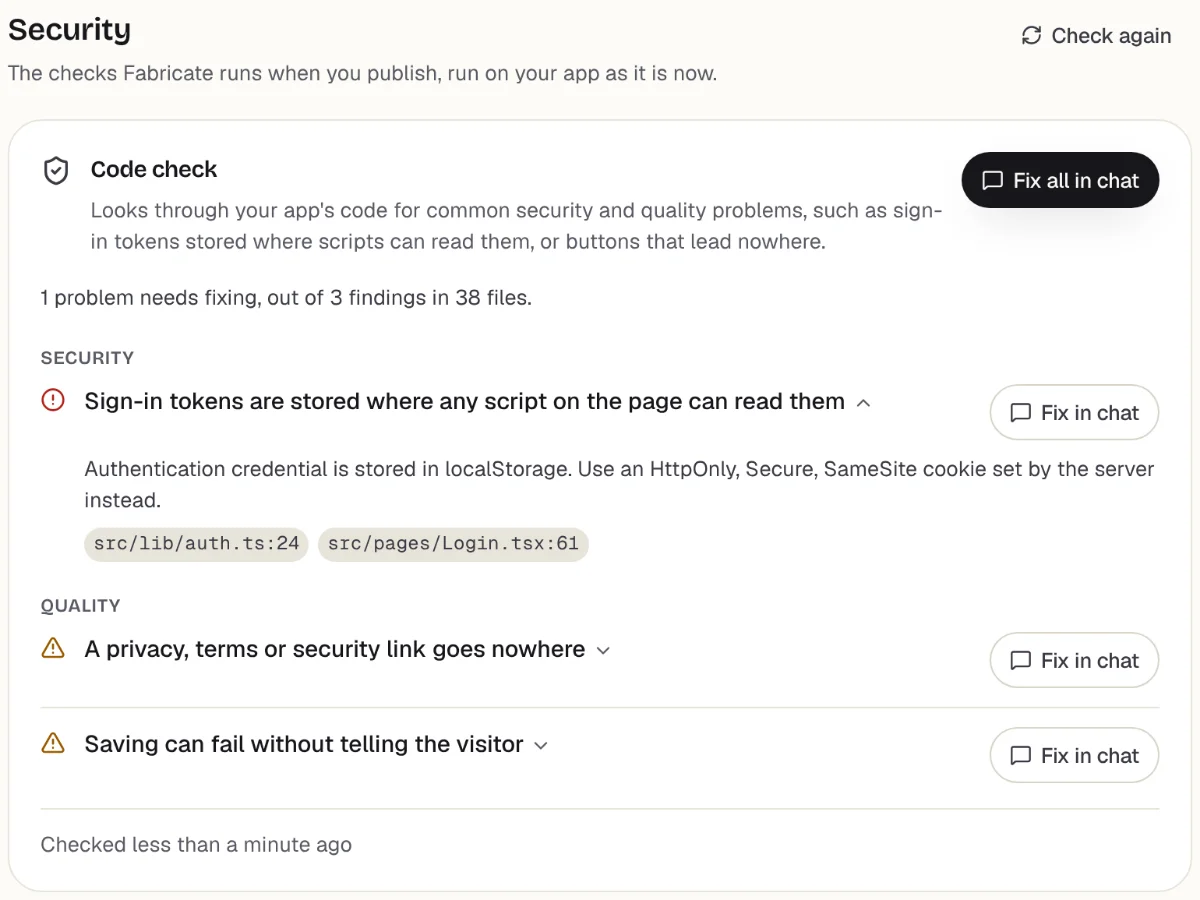
Checks before you publish
What it does well
- A running app, not a pull request
- Database, sign-in and hosting written in
- No repository or deploy step
- Code out on Pro and Max
- Paid plans from
- $25 a month
- 350 credits a month on Pro
- Free plan
- 60 credits
- A month, to build and publish
- A live app
- Every plan
- Publishing is on every plan
The other Codex alternatives
What each one does well, and the kind of project it suits best.
- Number 2
Claude Code
Best for: Codex's way of working, on Claude's models
Anthropic's coding agent, and the nearest thing to Codex: it reads a codebase, edits files, runs commands and opens pull requests, in a terminal, VS Code, JetBrains, a desktop app or the browser. It needs a paid Claude plan, from Pro at $20 a month; Claude's free plan does not include it.
- The same kind of agent, on Claude
- Terminal, editor, desktop app and web
- Included in Claude Pro
When to pick Claude Code
If you like how Codex works but want Claude doing it, Claude Code is the same shape of tool, on a plan that costs what ChatGPT Plus does.
From $20 a monthCodex vs Claude CodeSources: Claude Code docs: overview (opens in a new tab), checked ; claude.com/product/claude-code (opens in a new tab), checked ; claude.com/pricing (opens in a new tab), checked
- Number 3
Cursor
Best for: Developers who live in an editor
Codex has an IDE extension; Cursor is the whole editor, with an agent that edits across files and runs commands while you watch. Plus is $8 a month on Grok models only. Premium, at $30, bills other models at API list price and adds cloud agents that work on their own, as Codex Cloud does.
- An editor built around the agent
- Cloud agents on Premium
- Plus at $8 a month
When to pick Cursor
If you spend the day in an editor and want the agent to be part of it, Cursor is built that way, and its cloud agents cover what you used Codex Cloud for.
From $8 a monthCursor alternativesSources: cursor.com/pricing (opens in a new tab), checked ; Cursor docs: Agent (opens in a new tab), checked
- Number 4
GitHub Copilot
Best for: Teams whose tasks live on GitHub
Copilot completes code as you type and chats in the editor you already have. From Pro, at $10 a month, its coding agent takes an issue on GitHub and opens a pull request, much as a Codex cloud task does. The free plan has 2,000 completions a month.
- Completions as you type
- Takes issues on GitHub and opens pull requests
- A free plan
When to pick GitHub Copilot
If your tasks already live as GitHub issues, Copilot picks them up there, for half the price of ChatGPT Plus.
From $10 a monthGitHub Copilot alternativesSource: github.com/features/copilot/plans (opens in a new tab), checked
- Number 5
Replit
Best for: An agent and hosting in one place
Replit's Agent builds in a browser workspace with the files, a terminal and a database in view, and publishes the app from the same place. Core is $20 a month, and its credits pay for both the Agent and the running app.
- The code in view as it is written
- A database beside the files
- Publishing from the workspace
When to pick Replit
If you want to see the code as it is written, as with Codex, but skip setting up a host, Replit keeps the workspace and the live app together.
From $20 a monthReplit alternativesSources: replit.com/pricing (opens in a new tab), checked ; Replit docs: Replit Core (opens in a new tab), checked
- Number 6
Bolt.new
Best for: Starting a new app from nothing
Bolt.new starts where a Codex task in an empty folder would. From a prompt it builds a full-stack app on Bolt Cloud, with a database, sign-in and server functions, hosts it, and lets you download the code or keep it in GitHub. On its free plan a site goes online with Bolt branding, and Pro is $25 a month.
- A new app from one prompt
- Hosted as soon as it is built
- Download the code or sync to GitHub
When to pick Bolt.new
If the job was starting a new app from nothing, Bolt builds and hosts it in one step, and a developer can still pick the code up from GitHub.
From $25 a monthBolt.new alternativesSources: bolt.new/pricing (opens in a new tab), checked ; Bolt help: Bolt Cloud (opens in a new tab), checked ; Bolt help: GitHub (opens in a new tab), checked
Code to review, or an app to use
Codex and its closest alternatives share one shape. You describe a task, the agent reads the code, makes the change and runs the checks, and you get something to review. Claude Code, Cursor and Copilot differ on which models do the work, where the agent lives and what the plan costs, and the right one is mostly a matter of how you already work.
That shape assumes a reviewer. Someone reads the diff, decides whether it is right, merges it, and looks after the place the app runs. For a developer that is the job. For someone who wanted a tool for their business, it is a second job they did not ask for.
Builders remove the review instead of speeding it up. Fabricate writes the whole app from a description, opens it in a real browser and blocks one that crashes or shows a blank page from being published, then hosts it. Credits pay for AI work, building the app and, on Pro and Max, the AI inside it; serving the published app is part of the plan.
The two meet in the middle. Start in a builder to get a working app this week, then take the code out and hand it to Codex when a developer joins. Or stay with Codex and let Sites host what it builds, where Sign in with ChatGPT is enough for your users.
Ask for the app instead of the pull request
In Codex this would be a task, a diff and a deploy. This opens Fabricate with the same request written out as an app to build; change any word before you build.
Build free. No card needed.
Frequently asked questions
- What is the best alternative to Codex?
- If you code, Claude Code is the closest match, with the same way of working on Claude's models. Cursor suits you if you want the agent inside an editor, and GitHub Copilot if your tasks live on GitHub. If you do not code, or only wanted the app, Fabricate, which we make, builds and hosts it from a description.
- Is Codex free?
- Codex is included in every ChatGPT plan, the free one too, where it is meant for quick coding tasks. Go is $8 a month, Plus $20, and Pro starts at $100 a month with no five-hour limit. You can also run it with an API key and pay by use.
- Can Codex build and host a whole app?
- It can write one, and through Sites it can host a website or web app it built, with a database and Sign in with ChatGPT. The hosting allowance is listed for Plus, Pro and Business, and from January 1, 2027 use above it is paid in credits. Anything outside what Sites supports is yours to host.
- Do I need to know how to code to use Codex?
- It helps a great deal. Codex returns changed files and check results for you to review, then commit or merge, which assumes you can read them. If you would rather not, a builder such as Fabricate checks the app itself, in a real browser, and changes come from asking in the chat.
- Can I use Fabricate and Codex together?
- Yes. Build the first version in Fabricate. On Pro and Max, see, edit and download the code, or send it to GitHub, then point Codex at the repository and keep working on it there. Fabricate does not work inside a repository you already have.
Sources
The pages this guide quotes, each with the day it was read.
- ChatGPT docs: pricing (opens in a new tab), checked
- Codex docs: Codex CLI (opens in a new tab), checked
- Codex docs: Codex Cloud (opens in a new tab), checked
- Codex docs: open source (opens in a new tab), checked
- ChatGPT docs: Sites (opens in a new tab), checked
- ChatGPT docs: a site's data and connections (opens in a new tab), checked
- Claude Code docs: overview (opens in a new tab), checked
- claude.com/product/claude-code (opens in a new tab), checked
- claude.com/pricing (opens in a new tab), checked
- cursor.com/pricing (opens in a new tab), checked
- Cursor docs: Agent (opens in a new tab), checked
- github.com/features/copilot/plans (opens in a new tab), checked
- replit.com/pricing (opens in a new tab), checked
- Replit docs: Replit Core (opens in a new tab), checked
- bolt.new/pricing (opens in a new tab), checked
- Bolt help: Bolt Cloud (opens in a new tab), checked
- Bolt help: GitHub (opens in a new tab), checked
- fabricate.build/pricing, from our live plans
About this guide
Written by the Fabricate team. Fabricate is our product, so it is first on this page and marked "We make this". Where a reason to switch fits another tool better, the reason says which.
Each tool's card lists the pages we read about it and the day we read them. We compared the tools from their own pricing pages and documentation, not by signing up for them. Spotted something out of date? Write to info@fabricate.build.
Related guides
All alternatives- Codex vs Claude CodeThe two agents side by side: plans, limits, models and where each one runs.Compare
- Claude Code AlternativesThe same guide from the other side, for people leaving Claude Code.Alternatives
- ChatGPT AlternativesFor building in ChatGPT itself, and what Sites does and does not cover.Alternatives
- How Fabricate Writes the CodeWhat Fabricate writes from a description, and the code you get on a paid plan.Feature
- The Full-Stack BuilderScreens, database, sign-in and server routes written together.Feature
- Codex pricing, explainedWhat Codex costs on each ChatGPT plan, how its usage limits and credits work, and what the API costs.Pricing guide
Related pages
Devin Alternatives
Looking for Devin alternatives? Compare AI coding agents and AI app builders that help you build software faster.
Read moreReplit Alternatives
Seven Replit alternatives for when the workspace, the usage billing or the free app's 30-day limit is the problem, price...
Read moreCodex vs Claude Code
Compared side by side from each tool's own pages.
Read moreWindsurf Alternatives
Windsurf is now Devin Desktop. Seven alternatives compared from their own pricing pages and docs on October 21, 2026: pr...
Read moreAll AI App Builder Alternatives
Compare every alternative we have reviewed, side by side.
Read moreAI App Builder
Describe your app and get a frontend, database, logins and a live URL in minutes.
Read more