Build a directory website
You can build a directory website without writing code: describe what you list and how people find it, and Fabricate builds a working web app with categories, a search with filters, a page for each listing with photos and details, and a form where businesses ask to be listed, which you approve before the listing shows.
Listings are saved in the app's own database. Try it with a few test listings first, then ask for changes in the same chat.
- Free plan: 60 credits a month
- No card needed
- Live link included
From one message to a directory website
Then try it yourself and ask for changes in the same chat until it fits.
You write: A directory of independent cafes and bakeries in Bristol. Visitors browse by area and by what each place offers, such as vegan food, wifi or outdoor seating, and search by name. Each listing has photos, a description, opening hours, an address and a website link. Cafes can ask to be listed with a form, and I approve each one before it shows. Only I can sign in to manage listings. Make it easy to use on a phone.
 Fabricate
I built your Bristol cafe directory: browsing by area and by what each place offers, a search by name, a page for each cafe with photos, opening hours and a link, a listing request form, and your sign-in to approve and edit listings. Add a few test cafes in the preview.
Then ask for changes, such as
- Add a featured listing
- Add reviews
- Add a page for each area
A whole new app usually takes about 20 to 35 credits.
Fabricate CloudFabricate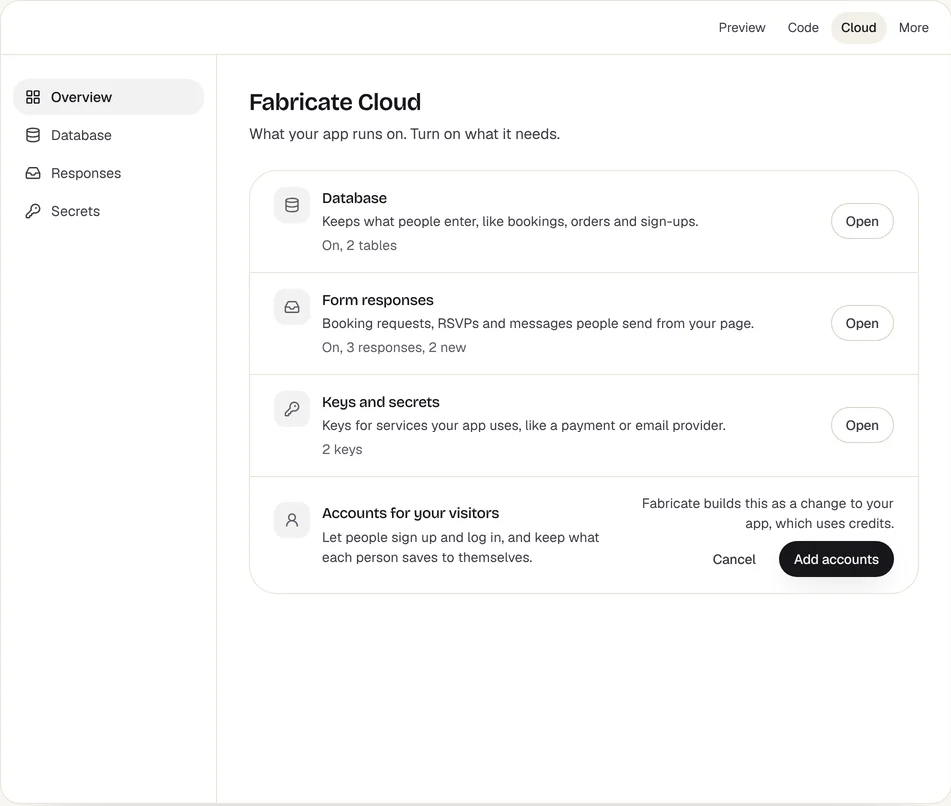
Who builds a directory website
Local guides
The best cafes, trades or services in one town, in one place.
Associations and chambers
A member directory with each business, its services and how to reach it.
Niche communities
Tools, venues, suppliers or clubs for one hobby or trade.
Side projects
A curated list that earns from featured listings.
What your directory website comes with
Categories and tags
Group listings by category, area or anything else your visitors care about.
Search and filters
Search by name and filter by category, area, price or any detail you list.
Listing pages
A page for each listing with photos, a description, opening hours and contact details.
Listing requests
A form where a business asks to be listed, which you approve before it shows.
Featured listings
On Pro and Max, businesses can pay to be featured through Stripe Checkout into your own Stripe account.
Reviews
Ask for ratings and reviews from signed-in visitors, which you can hide.
In short
- A directory website with categories, search, filters, listing pages and listing requests can be built from a plain-English description
- Businesses can ask to be listed and edit their own listing, and you approve each one before it shows
- On Pro and Max, businesses can pay for a featured spot through Stripe Checkout into your own Stripe account
What goes into a directory website built with Fabricate
A directory is only as good as its listings and how quickly people find the right one. Directory themes and plugins come with dozens of settings and an add-on for each feature. A directory website built with Fabricate starts from your description of what you list, the details that matter for each listing and how visitors search.
Listings and search: categories and tags, a search with the filters your visitors need, and a page for each listing with photos, a description, opening hours, prices and contact details. Ask for a page per category or per area, and the newest listings on the home page.
Growing it: a form where businesses ask to be listed, which you approve before it shows, sign-in for owners to edit their own listing, and reviews from signed-in visitors. On Pro and Max, businesses can pay for a featured spot through Stripe Checkout into your own Stripe account.
What is not built in: copying listings from Google or other sites, newsletters to your visitors, and emails to listed businesses beyond confirming an address and resetting a password. Listings can come in from a CSV file through an import page you ask for.
Directory websites you can start from
Choose one and the builder opens with its description filled in. Change any word before you build.
- Local guidePlaces in one town by category, with a page for each.
- Member directoryEvery member business with its services and contacts.
- Paid listingsA free listing for everyone and a paid featured spot.
- Tools listA curated list of tools with tags, ratings and suggestions.
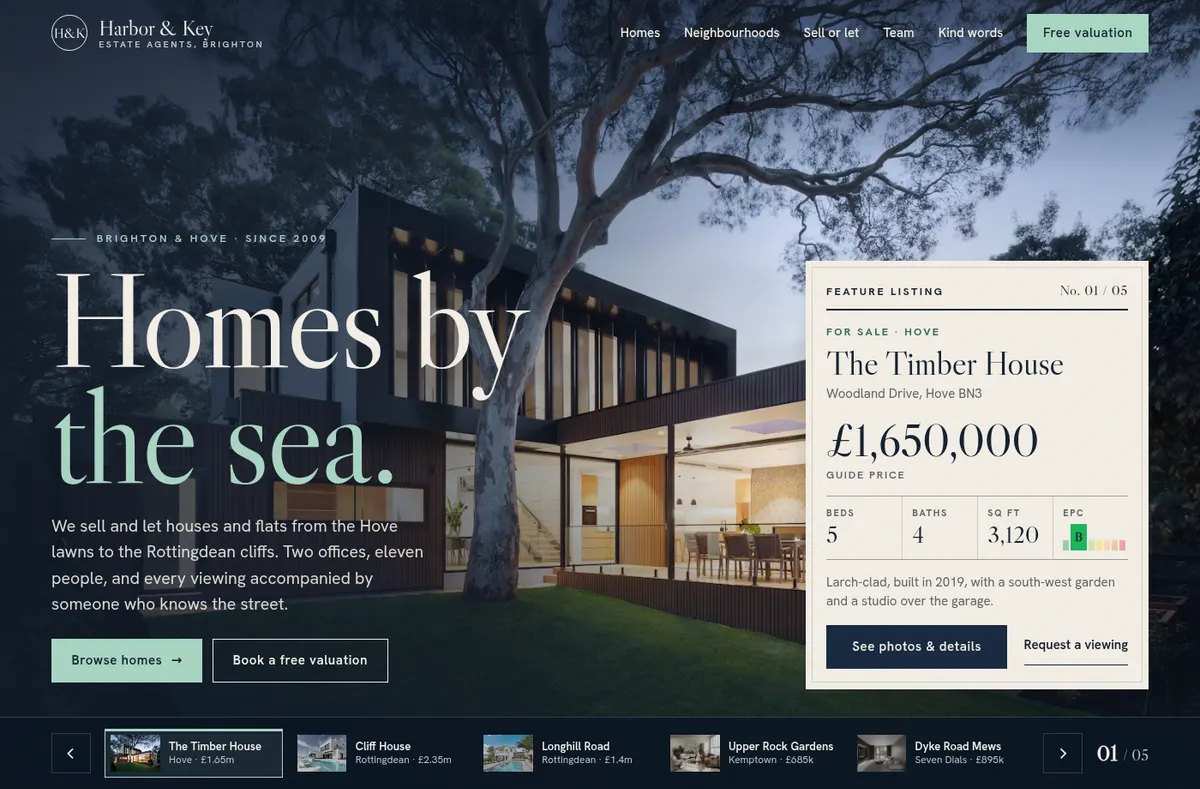
Or start from a template
Harbor & Key
A property listings site with filterable listings, a featured home shown like a magazine page and a neighbourhood guide, ready to change into your own directory.
How to build a directory website
Four steps, all in one chat.
- 1Describe what you list
What each listing shows, how visitors search and who adds listings.
- 2Add test listings
Add a few listings, send a listing request and approve it.
- 3Ask for changes
Add a page, a field or a colour by asking in the same chat.
- 4Publish it
The live app starts with a fresh database, so your test entries stay behind.
Chat

Your app

Once it is live
Every listing request lands in one place
Once your app is published, every listing request the business sends through it is kept under Responses in Fabricate, and you get an email for each one, up to a daily limit. You can download them all as a CSV file.
On Pro and Max, you can also turn on a confirmation email to the business, again up to a daily limit.
Fabricate does not send text messages.
Listing request
- Business
- Corner Bike Repairs
- Category
- Bike shops
- Area
- Northside
- hello@cornerbikes.example
- Email to youFor each new listing request, up to a daily limit.
- Confirmation to the businessOn Pro and Max, once you turn it on.
- Free60 credits a monthBuild, preview and publish. No card needed.
- A new app20 to 35 creditsA small change is about 3 to 10 credits.
- Pro350 credits a monthA live link and your own domain. Prices are on the pricing page.
Questions about directory websites
- Can I build a directory website without coding?
- Yes. Describe what you list, what each listing shows and how visitors search, and Fabricate builds the directory and shows it working in a preview. To change something, you ask in the chat. There is no code to write or read.
- Can businesses add their own listings?
- Yes, if you ask for it: a business fills in a form to be listed, and the listing shows once you approve it. Ask for business owners to sign in and edit their own listing.
- Can I charge for listings?
- On Pro and Max, the app can take card payments through Stripe Checkout, paid into your own Stripe account, which you connect under More > Payments. Ask for a paid featured spot or a yearly listing fee.
- Can I import listings I already have?
- Yes, if you ask for an import page that reads a CSV file and adds each row as a listing. Import into the live directory once it is published, since publishing starts it with a fresh database.
- Will my test listings show up in the live site?
- No. Publishing gives the live app a fresh database of its own, so the test entries you made in the preview stay behind.
- Can it use my own domain?
- Yes, on Pro and Max. On Free, a published app gets its own free address on fabricate.chat.
- What does it cost?
- You can start on Free, which includes 60 credits a month and needs no card. A whole new app usually takes about 20 to 35 credits and a small change about 3 to 10 credits. Current plans are on the pricing page.
Keep reading
Every Build page- Build a MarketplaceSeller sign-up, listings, search and messages between buyers and sellers.Build it
- Build a Job BoardJob posts, search, applications and an employer sign-in.Build it
- Build an Online CommunityForums, member profiles and events for your members.Build it
- Build an Event WebsiteEvent pages with registration and a guest list.Build it
- Apps for Real Estate AgentsListings, viewings and buyer enquiries in one app.For you
- PaymentsCard payments in your app through your own Stripe account.Feature
- Airtable AlternativesSpreadsheet-databases, portals and apps for a base that has outgrown Airtable.Alternatives
Start your directory
Describe what you list in your own words. Try it with test listings, then share the link.
Build free. No card needed.
Related pages
Build a crypto website for your Web3 project
Describe your project and Fabricate builds a crypto website: the roadmap, the team, live prices and a sign-up form. Free...
Read moreCreate a job board website
Describe your jobs and Fabricate builds a job board website: job posts, search, applications and an employer sign-in. Fr...
Read moreCreate a custom event website
Describe your event and Fabricate builds an event website: schedule, speakers, registration and a guest list. Free to st...
Read moreBuild a waitlist page for your launch
Describe your launch and Fabricate builds a waitlist page: what is coming, a sign-up form and every sign-up in one list....
Read moreEverything You Can Build
Explore use cases, from MVPs to marketplaces.
Read moreAI App Builder
Describe your app and get a frontend, database, logins and a live URL in minutes.
Read more