Build an inventory management app
You can build an inventory management app without writing code: describe what you stock, where it is kept and who updates it, and Fabricate builds a working web app with your products, stock levels by location, a list of what is running low, stock in and out with a log of every change, and suppliers, all saved in the app's own database.
Staff sign in from a phone in the stockroom or at the counter. Try it with a few test products first, then ask for changes in the same chat.
- Free plan: 60 credits a month
- No card needed
- Live link included
From one message to an inventory app
Then try it yourself and ask for changes in the same chat until it fits.
You write: An inventory app for my clothing shop. Staff sign in with an invite code I give them. Each product has a name, a code, a photo, a cost, a price and sizes, with a stock count for each size. We record deliveries and sales, and the counts change to match, with a log of who changed what and when. Each product has a reorder level, and a page lists everything at or below it. Make it easy to use on a phone.
 Fabricate
I built your shop's inventory app: invite-code sign-in, products with photos, sizes and a count for each size, deliveries and sales that change the counts, a log of every change and a reorder list. Add a few test products and record a delivery in the preview.
Then ask for changes, such as
- Add suppliers and purchase orders
- Add an import from a CSV file
- Show the stock value
A whole new app usually takes about 20 to 35 credits.
Fabricate CloudFabricate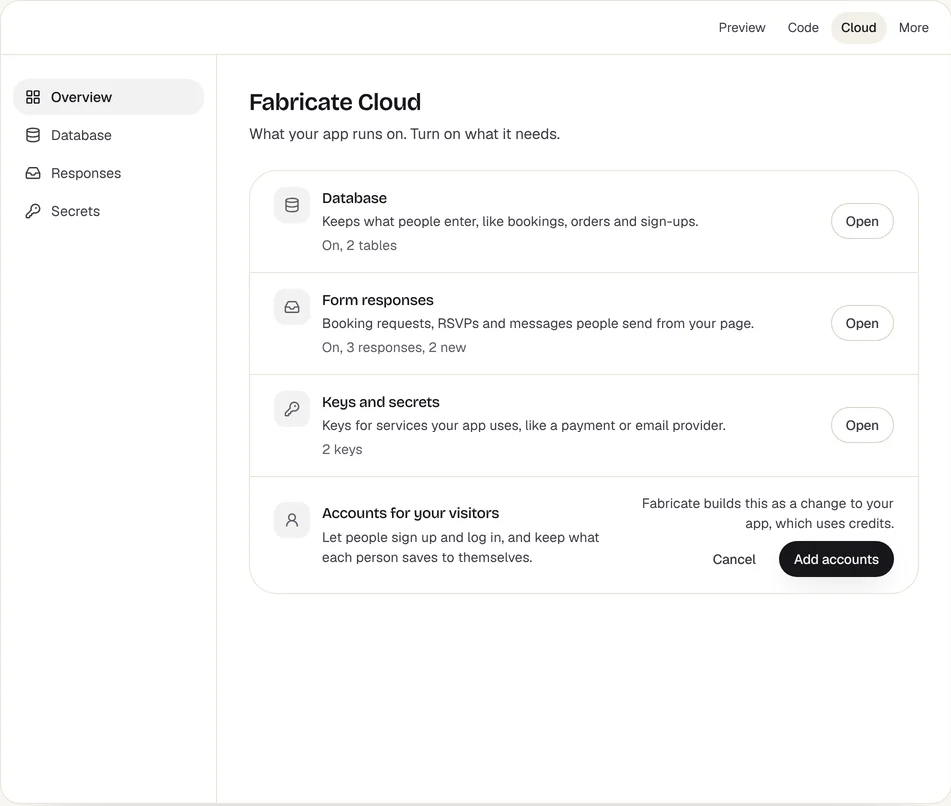
Who builds an inventory app
Shops and online sellers
Stock levels for each product and size, and a list of what to reorder.
Cafes, bars and kitchens
Ingredients and supplies counted each week, with what to order before you run out.
Warehouses and workshops
Parts, tools and materials across storerooms and vans.
Homes and collections
What you own, where it is and what it cost, for insurance or a move.
What your inventory app comes with
Products and variants
Each item with a code, a photo, a cost, a price and sizes or colours if it has them.
Stock by location
How many of each item are in each shop, storeroom or van.
A low-stock list
A reorder level for each item, and a list of everything at or below it.
Stock in, out and counts
Record deliveries, sales and stock counts, and the levels change to match.
A log of every change
Who changed which item, by how much and when.
Suppliers and orders
Suppliers for each item, and purchase orders you mark as received.
In short
- An inventory app with products, stock levels by location, a low-stock list, stock in and out and a log of every change can be built from a plain-English description
- Staff sign in with an invite code and use it in any phone's browser; a handheld barcode scanner works with a search box
- Syncing with Shopify, Square or a till, phone camera scanning and low-stock emails are not built in
What goes into an inventory app built with Fabricate
Most small businesses track stock in a spreadsheet until two people edit it at once, or a count is wrong and nobody knows who changed it. Inventory software fixes that, but often comes bundled with a till and an online shop. An inventory app built with Fabricate starts from your description of what you stock, where it is kept and who updates it.
Items and levels: each item has a code, a photo, a cost and a price, with sizes or colours if it has them, and a count for each location. Record deliveries, sales, transfers and stock counts, and the levels change to match, with a log of who changed what and when. Set a reorder level on each item and the low-stock list shows what to order.
Suppliers and value: keep the suppliers for each item, raise purchase orders and mark them received, which adds the stock. Ask for a page with the value of your stock by location, and an import from a CSV file to bring in your current list.
What is not built in: syncing with Shopify, Square, Amazon or a till system, scanning barcodes with a phone camera, and emails or notifications about low stock. A handheld scanner that types into a field works with a search box. Staff sign in with an invite code, and the app opens in any phone's browser.
Inventory apps you can start from
Choose one and the builder opens with its description filled in. Change any word before you build.
How to build an inventory app
Four steps, all in one chat.
- 1Describe what you stock
Your items, where they are kept and who updates the counts.
- 2Record a test delivery
Add a few test items, record a delivery and a sale, and check the counts.
- 3Ask for changes
Add a page, a field or a colour by asking in the same chat.
- 4Publish it
The live app starts with a fresh database, so your test entries stay behind.
Chat

Your app

- Free60 credits a monthBuild, preview and publish. No card needed.
- A new app20 to 35 creditsA small change is about 3 to 10 credits.
- Pro350 credits a monthA live link and your own domain. Prices are on the pricing page.
Questions about inventory apps
- Can I build an inventory app without coding?
- Yes. Describe what you stock, where it is kept and who updates the counts, and Fabricate builds the inventory app and shows it working in a preview. To change something, you ask in the chat. There is no code to write or read.
- Can I scan barcodes?
- With a handheld barcode scanner that types into a field, as most USB and Bluetooth scanners do: ask for a search box that finds an item by its code. Scanning with a phone's camera is not built in.
- Does it sync with Shopify, Square or my till?
- No. Syncing stock with an online shop or a till system is not built in, so sales are recorded in the app or brought in from a CSV file through an import page you ask for.
- Does it warn me when stock is low?
- In the app: the low-stock list shows every item at or below the level you set, and the home page can show how many there are. Low-stock emails and notifications are not built in.
- Can my staff use it on their phones?
- Yes. Staff sign in with an invite code you give them. It is a web app: it opens from its link in any phone or computer browser, and anyone can add it to their home screen from the browser. It is not an App Store or Google Play app. Published as a phone app on Pro and Max, it can remind each person on their own phone at a time they set; notifications about new activity, such as a new message, are not built in.
- Can I see what my stock is worth?
- Yes, if you ask for it: a page that multiplies each item's count by its cost and adds it up, by location or in total.
- Will my test products show up in the live app?
- No. Publishing gives the live app a fresh database of its own, so the test entries you made in the preview stay behind.
- What does it cost?
- You can start on Free, which includes 60 credits a month and needs no card. A whole new app usually takes about 20 to 35 credits and a small change about 3 to 10 credits. Current plans are on the pricing page.
Keep reading
Every Build page- Build an Ordering AppOrders from customers, with every order in one list.Build it
- Build an Internal ToolForms, lists and approvals behind a staff sign-in.Build it
- Admin PanelManage orders, products and customers in one place.Build it
- Build an Analytics DashboardKPI cards and charts for the numbers you watch.Feature
- Apps for Retail StoresStock, orders and customers for a shop.For you
- DatabaseHow each app stores its data in its own built-in SQLite database.Feature
- Airtable AlternativesSpreadsheet-databases, portals and apps for a base that has outgrown Airtable.Alternatives
Start your inventory app
Describe what you stock and where. Try it with test items, then invite your staff.
Build free. No card needed.
Related pages
Build a hotel website with booking requests
Describe your rooms and Fabricate builds a hotel website: rooms, prices, photos and a booking request form for each stay...
Read moreBuild your own social media app without code
Make a social media app for your community without code: profiles, posts, a feed, likes, comments and direct messages. F...
Read moreBuild a chat app without code
Describe who talks to whom and Fabricate builds a chat app: sign-in, group and one-to-one chats, and messages that appea...
Read moreBuild a project management app without code
Describe how your team works and Fabricate builds a project management app: tasks, a kanban board, due dates and sign-in...
Read moreEverything You Can Build
Explore use cases, from MVPs to marketplaces.
Read moreAI App Builder
Describe your app and get a frontend, database, logins and a live URL in minutes.
Read more