Build a fintech app without code
You can build a fintech app without writing code: describe the people it is for and the numbers they need, and Fabricate builds a working web app such as a loan or savings calculator, a budgeting tool, a dashboard of your figures or a portal where clients sign in and follow their application, with every record saved in the app's own database.
It is a product to test with real users, not a bank: connecting bank accounts, moving money and identity checks are not built in. Try it in the preview first, then ask for changes in the same chat.
- Free plan: 60 credits a month
- No card needed
- Live link included
From one message to a fintech app
Then try it yourself and ask for changes in the same chat until it fits.
You write: A loan calculator for my lending business. Visitors enter the amount, the term in months and the interest rate, and see the monthly repayment, the total interest and a table of each month. A button opens an application form with name, email, phone, the amount, the purpose and monthly income. Say clearly that the figures are an estimate. Make it easy to use on a phone.
 Fabricate
I built your loan calculator: the amount, the term and the rate give the monthly repayment, the total interest and a table of each month, marked as an estimate, with an application form behind a button. Try a calculation and a test application in the preview.
Then ask for changes, such as
- Add a savings calculator
- Add a client sign-in
- Use our brand colours
A whole new app usually takes about 20 to 35 credits.
Invoice tracker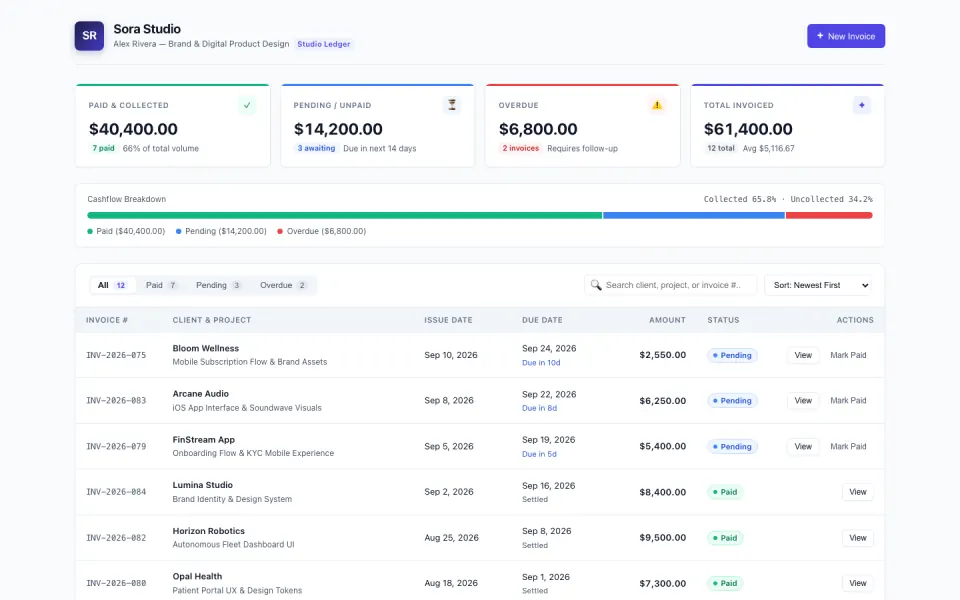
Who builds a fintech app
Fintech founders
A working calculator, tool or portal to test with real users.
Advisers and brokers
Calculators for your website and a portal for client applications.
Finance teams
Internal tools for approvals, expenses and month-end checklists.
Personal finance creators
Budgeting tools and calculators for your audience.
What your fintech app comes with
Calculators
Loan, mortgage, savings and pricing calculators that show their working.
Dashboards and charts
Totals, trends and charts from the figures in the app's database.
Client portals
Clients sign in to follow their own application and send documents.
Application forms
The questions you ask, saved in the app and sent to you under Responses.
Card payments
On Pro and Max, fees and subscriptions through Stripe Checkout, where card details reach only Stripe.
Live rates
Exchange rates and market data from a free public source, or a provider whose key you add.
In short
- A fintech app such as a calculator, a budgeting tool, a dashboard or a client portal can be built from a plain-English description
- On Pro and Max, it can take card payments through Stripe Checkout into your own Stripe account, and card details reach only Stripe
- Bank connections, moving money, payouts and identity checks are not built in
What goes into a fintech app built with Fabricate
Most fintech ideas start with a number someone needs: what a loan really costs, where the money went this month, or how far an application has got. Fintech platforms are built for banks, and a calculator or a portal does not need one. A fintech app built with Fabricate starts from your description of the people it is for and the numbers they need, and becomes a working web app you can put in front of them.
Tools: loan, mortgage, savings and pricing calculators that show their working, budgeting tools where each person signs in to their own figures, and dashboards with totals, trends and charts from the app's own database. Exchange rates and market data come from a free public source, or from a provider whose key you add under More > Secrets.
Clients and payments: a portal where each client signs in to follow their own application and send documents, which stay private for you to open in Fabricate. On Pro and Max, the app can take card payments through Stripe Checkout, paid into your own Stripe account, which you connect under More > Payments.
What is not built in: connections to bank accounts or open banking, moving money between accounts, payouts to other people, identity checks and end-to-end encryption. Fabricate does not give financial advice or check your app against the rules where you operate, so check every calculation and every word before you share it.
Fintech apps you can start from
Choose one and the builder opens with its description filled in. Change any word before you build.
- Loan calculatorRepayments, the total cost and an application form.
- Budget trackerEach person signs in to their own budget and charts.
- Client portalApplications, documents and status for each client.
- Expense approvalsExpense claims, approvals and a monthly total.
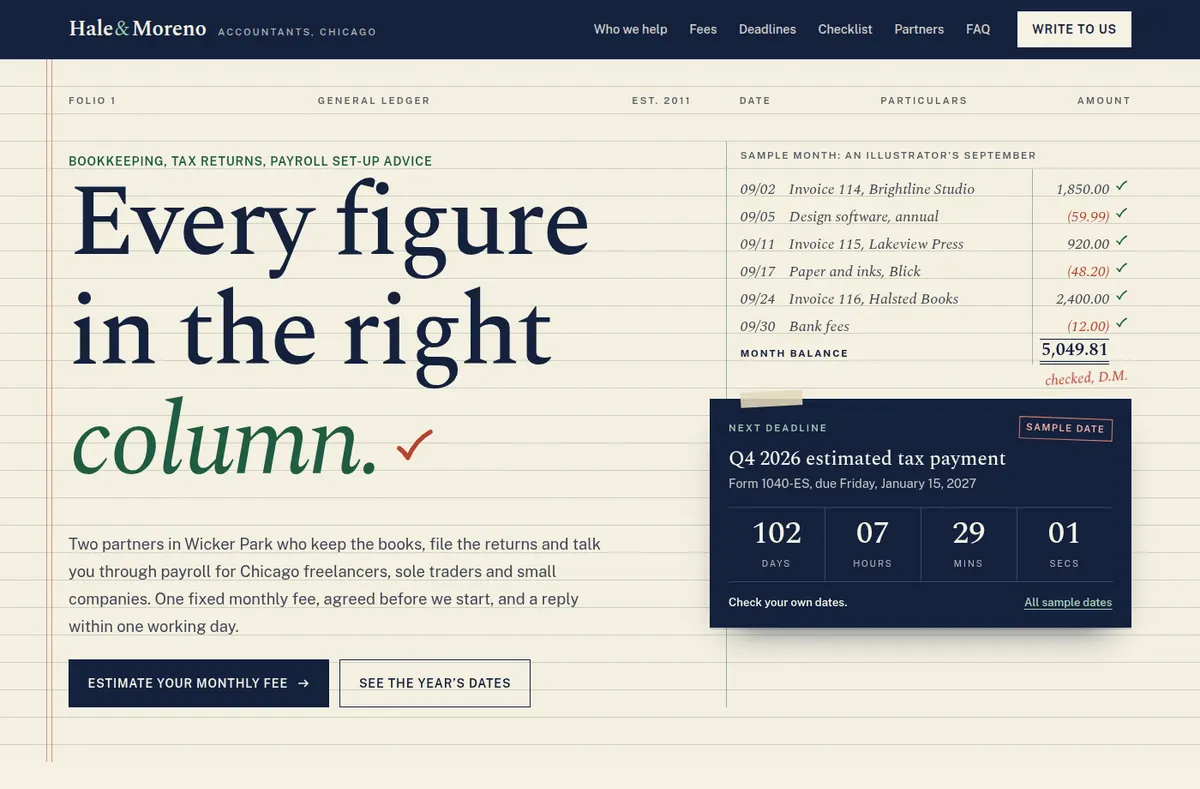
Or start from a template
Hale & Moreno
An accounting practice website with a fee estimator, a deadline calendar and a printable checklist, ready to change into your own.
How to build a fintech app
Four steps, all in one chat.
- 1Describe your product
Who it is for, the numbers they need and what happens next.
- 2Check every calculation
Try figures you already know in the preview and compare the answers.
- 3Ask for changes
Add a page, a field or a colour by asking in the same chat.
- 4Publish it
The live app starts with a fresh database, so your test entries stay behind.
Chat

Your app

Once it is live
Every application lands in one place
Once your app is published, every application the applicant sends through it is kept under Responses in Fabricate, and you get an email for each one, up to a daily limit. You can download them all as a CSV file.
On Pro and Max, you can also turn on a confirmation email to the applicant, again up to a daily limit.
Fabricate does not send text messages.
Loan application
- Name
- Daniel Osei
- Amount
- 25,000
- Purpose
- A van for the business
- d.osei@example.com
- Email to youFor each new application, up to a daily limit.
- Confirmation to the applicantOn Pro and Max, once you turn it on.
- Free60 credits a monthBuild, preview and publish. No card needed.
- A new app20 to 35 creditsA small change is about 3 to 10 credits.
- Pro350 credits a monthA live link and your own domain. Prices are on the pricing page.
Questions about fintech apps
- Can I build a fintech app without coding?
- Yes. Describe the people it is for, the numbers they need and what happens next, and Fabricate builds the fintech app and shows it working in a preview. To change something, you ask in the chat. There is no code to write or read.
- Can it connect to bank accounts?
- Not built in. Connections to bank accounts, open banking providers and card issuers are not part of what Fabricate builds, and the app does not move money between accounts. Figures can come from forms people fill in, or from a CSV file imported through a page in the app.
- Can it take payments?
- On Pro and Max, the app can take card payments through Stripe Checkout, paid into your own Stripe account, which you connect under More > Payments. Card details reach only Stripe, never the app. Holding money, payouts to other people and payments between users are not built in.
- Can it show live exchange rates or market prices?
- Yes. Ask for them and Fabricate fetches them from a free public source that needs no key, and shows when they were last updated. For a paid provider, add its key under More > Secrets: the published app reads it, and the preview shows labelled sample data.
- Can I build a budgeting app?
- Yes. Describe the categories, how people add what they spend and the charts they see, and each person signs in to their own budget. Linking a bank account to import spending is not built in; people add entries by hand or import a CSV file from their bank.
- Who can see the records?
- Only the people you choose, if you ask for that when you describe the app: say that only you can sign in, or that clients join with an invite code you give them. A sign-in that anyone can register for does not keep applications and figures private. On Free, anyone with the link can open the app itself, so keep those details behind that owner or invite-only sign-in. On Pro and Max you can make the whole app private.
- Does Fabricate check my app against financial rules?
- No. Fabricate writes from your description, does not give financial advice and does not check your app against the rules where you operate. Check every calculation and every word, and what your rules require, before real customers use it.
- What does it cost?
- You can start on Free, which includes 60 credits a month and needs no card. A whole new app usually takes about 20 to 35 credits and a small change about 3 to 10 credits. Current plans are on the pricing page.
Keep reading
Every Build page- Build an Invoice AppClients, numbered invoices and paid and overdue totals.Build it
- Build an Analytics DashboardKPIs, charts and filters from your own data.Feature
- Build a Client PortalA sign-in for clients to see their own updates, files and invoices.Build it
- Build an Internal ToolRequests, approvals and checklists for your team.Build it
- Apps for AccountantsClient documents, deadlines and enquiries for a practice.For you
- PaymentsCard payments in your app through your own Stripe account.Feature
Start your fintech app
Describe the numbers your users need. Check every figure, then share the link.
Build free. No card needed.
Related pages
Build a chat app without code
Describe who talks to whom and Fabricate builds a chat app: sign-in, group and one-to-one chats, and messages that appea...
Read moreBuild a consulting website
Describe your services and Fabricate builds a consulting website: services, case studies, insights and a call request fo...
Read moreBuild a coaching website
Describe your coaching and Fabricate builds a coaching website: programmes, session requests, payments and a client area...
Read moreBuild a self-service customer portal
Describe what customers check and Fabricate builds a customer portal: orders, invoices and support requests behind a sig...
Read moreEverything You Can Build
Explore use cases, from MVPs to marketplaces.
Read moreAI App Builder
Describe your app and get a frontend, database, logins and a live URL in minutes.
Read more