Create a job board website
You can create a job board website without writing code: describe the jobs and who posts them, and Fabricate builds a working web app with job listings, a search with filters, a page for each job, an application form, and a sign-in where employers post jobs and read the applications to their own jobs.
It works for one company's careers page or a board for a whole trade or town. Try it with a test job and a test application first, then ask for changes in the same chat.
- Free plan: 60 credits a month
- No card needed
- Live link included
From one message to a job board
Then try it yourself and ask for changes in the same chat until it fits.
You write: A job board for hospitality jobs in Brighton. Employers sign up with an email and a password and post jobs with a title, a type such as full-time or part-time, an hourly rate, a location and a description. Visitors search by title and filter by type and area, and apply with a form: name, email, phone, a short note and a link to their CV. Employers see the applications to their own jobs. Jobs close 30 days after they are posted. Make it easy to use on a phone.
 Fabricate
I built your Brighton hospitality job board: employer sign-up, job posts with a type, a rate, an area and a description, a search with filters, an application form with a link to a CV, each employer's applications to their own jobs, and jobs that close after 30 days. Post a test job and apply to it in the preview.
Then ask for changes, such as
- Add a featured job spot
- Add applicant stages
- Add a page for each area
A whole new app usually takes about 20 to 35 credits.
Fabricate CloudFabricate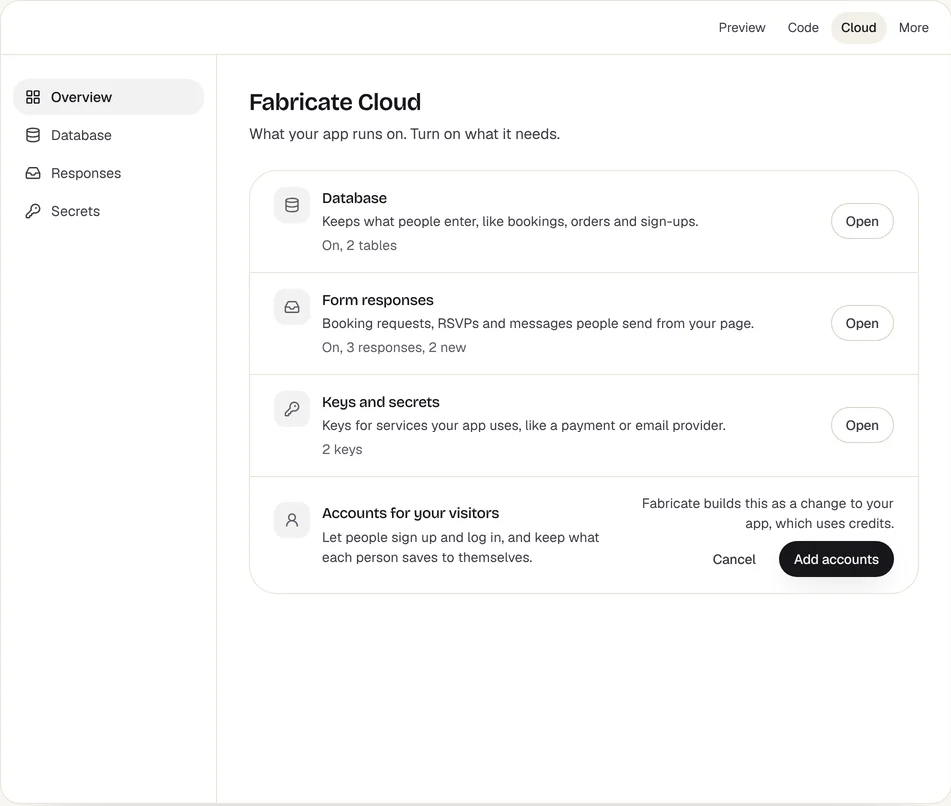
Who builds a job board
Companies hiring
A careers page with your open roles and an application form on each.
Niche and local job boards
Jobs for one trade, one town or one community.
Recruiters and agencies
Your roles, the people who apply and where each one stands.
Charities and associations
Volunteer roles, placements or job posts from members.
What your job board comes with
Job listings
Each job with a title, a location, a salary range, a type and a description.
Search and filters
Search by title and filter by location, type, salary and category.
Applications
An application form with the questions you choose, saved with the job.
Employer sign-in
Employers post and close their own jobs and read the applications to them.
Paid job posts
On Pro and Max, employers can pay to post or feature a job through Stripe Checkout into your own Stripe account.
Applicant stages
Move each applicant from new to interview to offer, with notes.
In short
- A job board with job posts, search, filters, application forms and an employer sign-in can be built from a plain-English description
- It works as one company's careers page or a board where many employers post, and applications arrive under Responses once it is live
- Job alerts, posting to other job sites and sharing CV files with other employers are not built in
What goes into a job board built with Fabricate
Job board software is sold by the month, often with a fee for every post. A job board built with Fabricate is your own web app, from a careers page for one company to a board for a whole trade or town, described in your words.
Jobs and search: each job has a title, a location, a salary range, a type and a description, and visitors search and filter by the things that matter in your field. Ask for a page per category or location, and for jobs to drop off the board after a closing date.
Applications: each job has an application form with the questions you choose. Employers sign in to post their own jobs, read the applications to them and move each applicant through stages. A CV file an applicant uploads stays private to you, the board's owner, so on a board with other employers ask for a link to the CV too.
What is not built in: job alerts and other emails to job seekers, posting to other job sites, and importing jobs from other boards. On Pro and Max, employers can pay to post or feature a job through Stripe Checkout into your own Stripe account.
Job boards you can start from
Choose one and the builder opens with its description filled in. Change any word before you build.
How to build a job board
Four steps, all in one chat.
- 1Describe your jobs
Who posts jobs, what each job shows and what applicants send.
- 2Post a test job
Post a job as a test employer, apply to it and read the application.
- 3Ask for changes
Add a page, a field or a colour by asking in the same chat.
- 4Publish it
The live app starts with a fresh database, so your test entries stay behind.
Chat

Your app

Once it is live
Every application lands in one place
Once your app is published, every application the applicant sends through it is kept under Responses in Fabricate, and you get an email for each one, up to a daily limit. You can download them all as a CSV file.
On Pro and Max, you can also turn on a confirmation email to the applicant, again up to a daily limit.
Fabricate does not send text messages.
Application
- Job
- Line cook, evenings
- Name
- Sam Okafor
- Experience
- 3 years in a bistro kitchen
- sam.okafor@example.com
- Email to youFor each new application, up to a daily limit.
- Confirmation to the applicantOn Pro and Max, once you turn it on.
- Free60 credits a monthBuild, preview and publish. No card needed.
- A new app20 to 35 creditsA small change is about 3 to 10 credits.
- Pro350 credits a monthA live link and your own domain. Prices are on the pricing page.
Questions about job boards
- Can I build a job board without coding?
- Yes. Describe the jobs, who posts them and what applicants send, and Fabricate builds the job board and shows it working in a preview. To change something, you ask in the chat. There is no code to write or read.
- Can applicants upload a CV?
- Yes, but a CV file stays private: it is kept for you, the board's owner, to open in Fabricate. On a careers page for your own company that is all you need. On a board with other employers, they see the rest of each application in the app, so ask applicants for a link to their CV as well.
- Can employers pay to post jobs?
- On Pro and Max, the app can take card payments through Stripe Checkout, paid into your own Stripe account, which you connect under More > Payments. Ask for a fee per job post or a paid featured spot.
- Does it send job alerts?
- No. Emails to job seekers, such as alerts for new jobs, are not built in. Once the board is published, you get an email for each application, up to a daily limit.
- Can I build a careers page for my company?
- Yes. Describe your open roles and what you want to ask applicants, and the careers page lists the jobs with an application form on each. Once it is published, applications also arrive under Responses in Fabricate.
- Will my test jobs show up in the live site?
- No. Publishing gives the live app a fresh database of its own, so the test entries you made in the preview stay behind.
- Can it use my own domain?
- Yes, on Pro and Max. On Free, a published app gets its own free address on fabricate.chat.
- What does it cost?
- You can start on Free, which includes 60 credits a month and needs no card. A whole new app usually takes about 20 to 35 credits and a small change about 3 to 10 credits. Current plans are on the pricing page.
Keep reading
Every Build page- Build a Directory WebsiteCategories, search, listing pages and listing requests.Build it
- Build a MarketplaceSeller sign-up, listings, search and messages between buyers and sellers.Build it
- Build a CRMContacts, companies and a deal pipeline in your own stages.Build it
- Build an Online CommunityForums, member profiles and events for your members.Build it
- Apps for Small BusinessesBooking, orders and customer apps for a small business.For you
- AuthenticationSign-up, sign-in and private data for your app's users.Feature
Start your job board
Describe your jobs and who posts them. Try it with a test job, then share the link.
Build free. No card needed.
Related pages
Build a directory website
Describe your listings and Fabricate builds a directory website: categories, search, listing pages and listing requests....
Read moreCreate a custom event website
Describe your event and Fabricate builds an event website: schedule, speakers, registration and a guest list. Free to st...
Read moreBuild a waitlist page for your launch
Describe your launch and Fabricate builds a waitlist page: what is coming, a sign-up form and every sign-up in one list....
Read moreBuild a documentation site
Describe your product and Fabricate builds a documentation site: pages by topic, a sidebar, search and an editor for you...
Read moreEverything You Can Build
Explore use cases, from MVPs to marketplaces.
Read moreAI App Builder
Describe your app and get a frontend, database, logins and a live URL in minutes.
Read more