Build a documentation site
You can build a documentation site without writing code: describe your product and how your docs are organised, and Fabricate builds a working site with a page for every topic, a sidebar, search, code samples with a copy button and a page only you can sign in to, where you write and update docs without going back to the chat.
Ask for docs behind a sign-in for your customers, or on Pro and Max make the whole site private. Try it in the preview first, then ask for changes in the same chat.
- Free plan: 60 credits a month
- No card needed
- Live link included
From one message to a documentation site
Then try it yourself and ask for changes in the same chat until it fits.
You write: A documentation site for my project management app. Docs are grouped into Getting started, Projects, Tasks, Teams and Billing in a sidebar, with a contents list on each long page and a search across every page. Only I can sign in, to a page where I write, edit and publish docs with images and choose where each sits in the sidebar. Add a "Was this helpful?" button at the end of each page. Make it easy to use on a phone.
 Fabricate
I built your documentation site: docs grouped into Getting started, Projects, Tasks, Teams and Billing in a sidebar, a contents list on long pages, search across every page, a "Was this helpful?" button and an editor only you can sign in to. Write a test page in the preview.
Then ask for changes, such as
- Add an API reference
- Add versions
- Use our product colours
A whole new app usually takes about 20 to 35 credits.
Fabricate CloudFabricate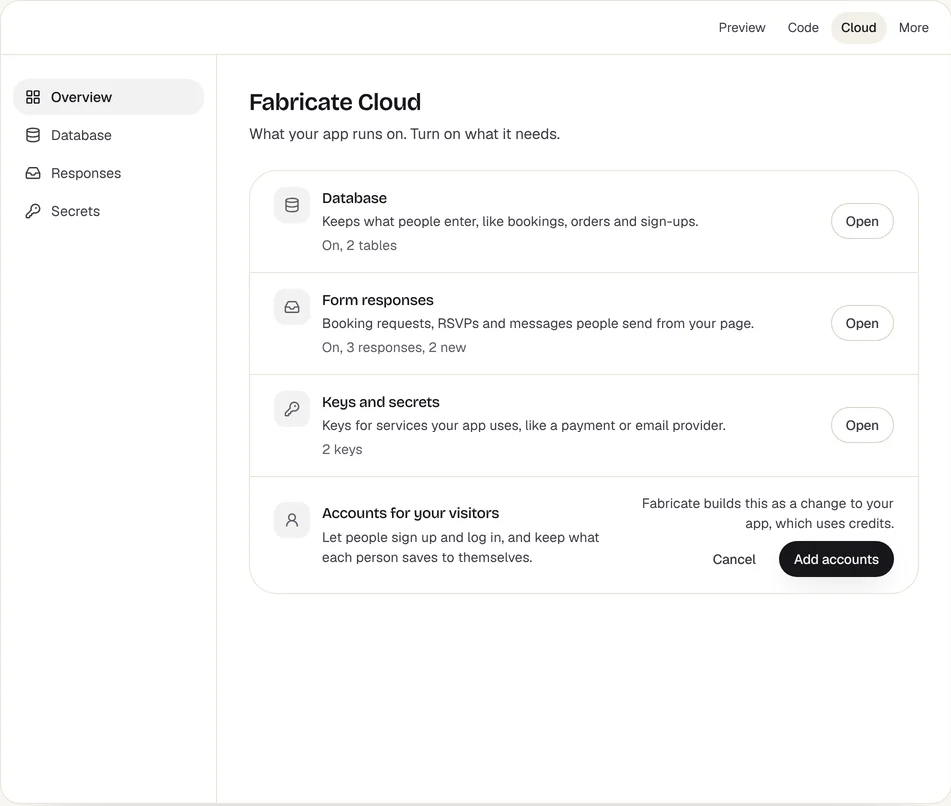
Who builds a documentation site
Software and API products
Guides, API references and code samples in one searchable site.
SaaS and app makers
Help articles that answer what users ask, with screenshots.
Teams and companies
A handbook or knowledge base for the people you work with.
Hardware and product makers
Setup guides, manuals and answers for each product.
What your documentation site comes with
Pages by topic
A page for every topic, grouped in a sidebar, with a contents list on long pages.
Search
Readers search every page by word and jump to the right section.
Code samples
Code blocks with highlighting and a copy button.
An editor for you
A page only you sign in to, where you write, edit and publish docs.
Was this helpful?
A button and a comment box at the end of each page, with every answer saved for you.
Private docs
Docs behind a sign-in for customers, or a private site for your team.
In short
- A documentation site with pages by topic, a sidebar, search and code samples can be built from a plain-English description
- You write and update docs from your own editor without going back to the chat
- Importing from another docs tool, a GitHub repository or an OpenAPI file is not built in
What goes into a documentation site built with Fabricate
Good docs answer the question a reader has right now, in the fewest clicks. Documentation tools are quick to start, but they shape the docs around their own layout and their price per editor. A documentation site built with Fabricate starts from your description of your product and how your docs are organised.
Reading: a page for every topic, grouped in a sidebar, a contents list on long pages, a search across every page, and code samples with highlighting and a copy button. Ask for versions, a page of answers to common questions, or a "Was this helpful?" button with a comment box.
Writing: a page only you can sign in to, where you write, edit and publish docs, with drafts and a place in the sidebar for each. Ask for docs behind a sign-in for your customers; on Pro and Max, the whole site can be private for you and the people you add under Team.
What is not built in: importing from another docs tool, a GitHub repository, Markdown files or an OpenAPI file, so you copy pages into your editor or describe them in the chat. Under More > SEO & AI search you can see what search engines read on your live docs and change their title and description.
Documentation sites you can start from
Choose one and the builder opens with its description filled in. Change any word before you build.
How to build a documentation site
Four steps, all in one chat.
- 1Describe your product and docs
What your product does and how your docs are organised.
- 2Write a test page
Publish a page from your editor, then search for it.
- 3Ask for changes
Add a page, a field or a colour by asking in the same chat.
- 4Publish it
The live app starts with a fresh database, so your test entries stay behind.
Chat

Your app

- Free60 credits a monthBuild, preview and publish. No card needed.
- A new app20 to 35 creditsA small change is about 3 to 10 credits.
- Pro350 credits a monthA live link and your own domain. Prices are on the pricing page.
Questions about documentation sites
- Can I build a documentation site without coding?
- Yes. Describe your product and how your docs are organised, and Fabricate builds the documentation site and shows it working in a preview. To change something, you ask in the chat. There is no code to write or read.
- Can I write and update docs myself?
- Yes, if you ask for it: a page only you can sign in to, with an editor for each doc's title, text, code samples and images and its place in the sidebar. Changes to the design are made by asking in the chat.
- Can I import the docs I already have?
- Not automatically: importing from another docs tool, a GitHub repository or Markdown files is not built in, so you copy each page into your editor.
- Can docs be private?
- Yes. Ask for docs behind a sign-in, with invite codes so only your customers can join. On Pro and Max, you can make the whole site private, so only you and the people you add under Team can open it.
- Can I build API documentation?
- Yes. Ask for a page per endpoint with the method, the path, the parameters and a sample request and response, with a copy button on each code sample. Pages are not generated from an OpenAPI file; describe or paste the endpoints in the chat.
- Will it show up on Google?
- Publishing puts it on the web, where search engines and AI assistants look. Under More > SEO & AI search you can see what they read on your live site and change its title and description. Nobody can promise a place in search results.
- Can it use my own domain?
- Yes, on Pro and Max. On Free, a published app gets its own free address on fabricate.chat.
- What does it cost?
- You can start on Free, which includes 60 credits a month and needs no card. A whole new app usually takes about 20 to 35 credits and a small change about 3 to 10 credits. Current plans are on the pricing page.
Keep reading
Every Build page- Build a Changelog PageRelease notes your users can read and search.Build it
- Build a BlogPosts, categories and a writing page only you can open.Build it
- Build a SaaS DashboardUsers, plans and the numbers that matter for your product.Build it
- Build an Internal ToolRequests, approvals and checklists for your team.Build it
- Build a Customer PortalA self-service sign-in where customers check orders and get help.Build it
- Security and SEO ChecksSee what search engines read on your live site.Feature
- Notion AlternativesNotes, wiki, docs and task tools, and when a Notion tracker should be an app.Alternatives
Start your documentation site
Describe your product and your topics. Write a test page, then share the link.
Build free. No card needed.
Related pages
Build a crypto website for your Web3 project
Describe your project and Fabricate builds a crypto website: the roadmap, the team, live prices and a sign-up form. Free...
Read moreBuild a changelog page for your product
Describe your product and Fabricate builds a changelog page: dated release notes with tags, search and an editor for you...
Read moreBuild an online course platform
Describe your course and Fabricate builds an online course platform: student sign-in, lessons, quizzes and progress trac...
Read moreBuild an online community platform
Describe your members and Fabricate builds an online community: member sign-in, forums, profiles, events and moderation....
Read moreEverything You Can Build
Explore use cases, from MVPs to marketplaces.
Read moreAI App Builder
Describe your app and get a frontend, database, logins and a live URL in minutes.
Read more