AlternativesUpdated
Best Plasmic Alternatives in 2026
Plasmic offers visual React development, with a headless CMS and hosting, but some developers want AI-powered building or a backend built in. Explore these alternatives for building React applications.
 Fabricate CloudFabricate
Key takeaways
- Plasmic is a visual page builder and CMS for React developers.
- Fabricate generates complete full-stack applications, not just UI components.
- Fabricate publishes with no CMS to configure. Building and publishing start free.
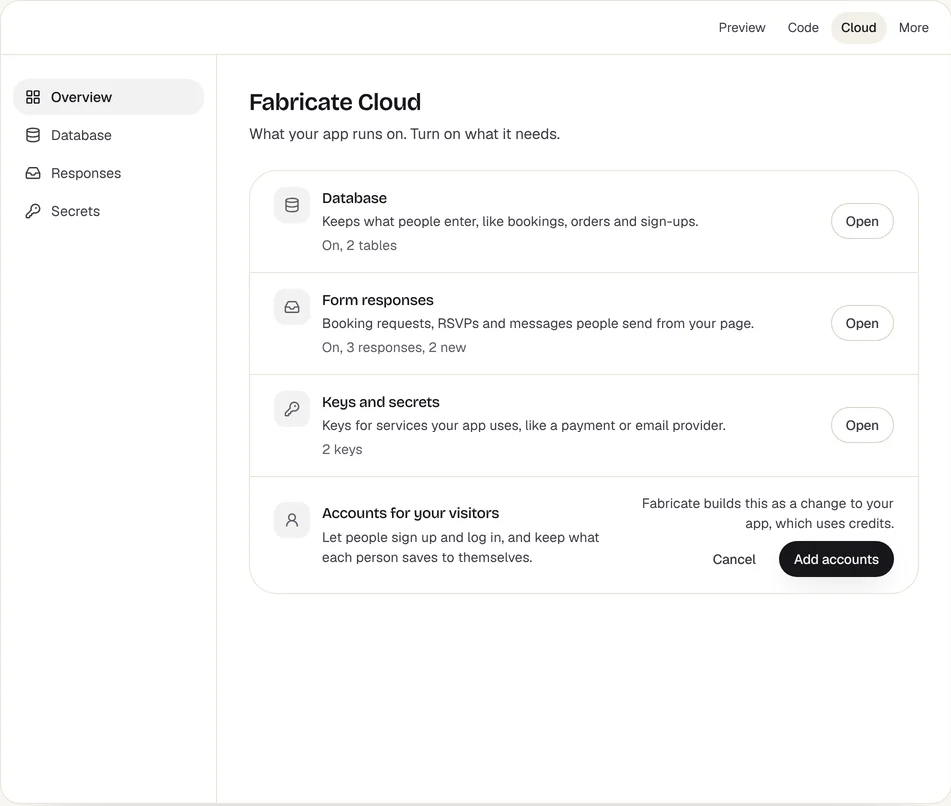
- Fabricate includes backend logic, auth, and database out of the box.
Why Seek Plasmic Alternatives?
Developer Learning Curve
Using Plasmic inside a codebase, with your own code components, takes an understanding of React.
Integration Complexity
Integrating Plasmic into existing codebases can be complex.
Limited Backend Features
Plasmic focuses on the frontend and content, with a headless CMS; the rest of the backend is yours to bring.
Priced by Collaborators
Paid plans start at $39 a month billed yearly, and more collaborators means a higher plan: Pro at $103 covers 4 to 10, Scale at $399 covers 8 to 30.
Compare at a glance
Fabricate beside Plasmic, feature by feature.
- Builds From a Description
- Fabricate
- Yes
- Plasmic
- Plasmic AI, in beta
- Visual Editor
- Fabricate
- Change it by asking
- Plasmic
- Yes
- Backend Included
- Fabricate
- Server routes, a database and sign-in
- Plasmic
- A headless CMS
- React Code
- Fabricate
- On Pro and Max
- Plasmic
- Code generation
- No React Knowledge
- Fabricate
- Yes
- Plasmic
- No
- Component Library
- Fabricate
- AI generates
- Plasmic
- Yes
- Free Plan
- Fabricate
- Build and publish; 1 app online for 30 days
- Plasmic
- 3 collaborators, on Plasmic hosting
- Paid Plans From
- Fabricate
- $25 a month
- Plasmic
- $39 a month, billed yearly
Fabricate
We make thisBest for: Complete apps fast
AI builds complete React apps with the backend included, with no visual editor to learn. Building and publishing start free.
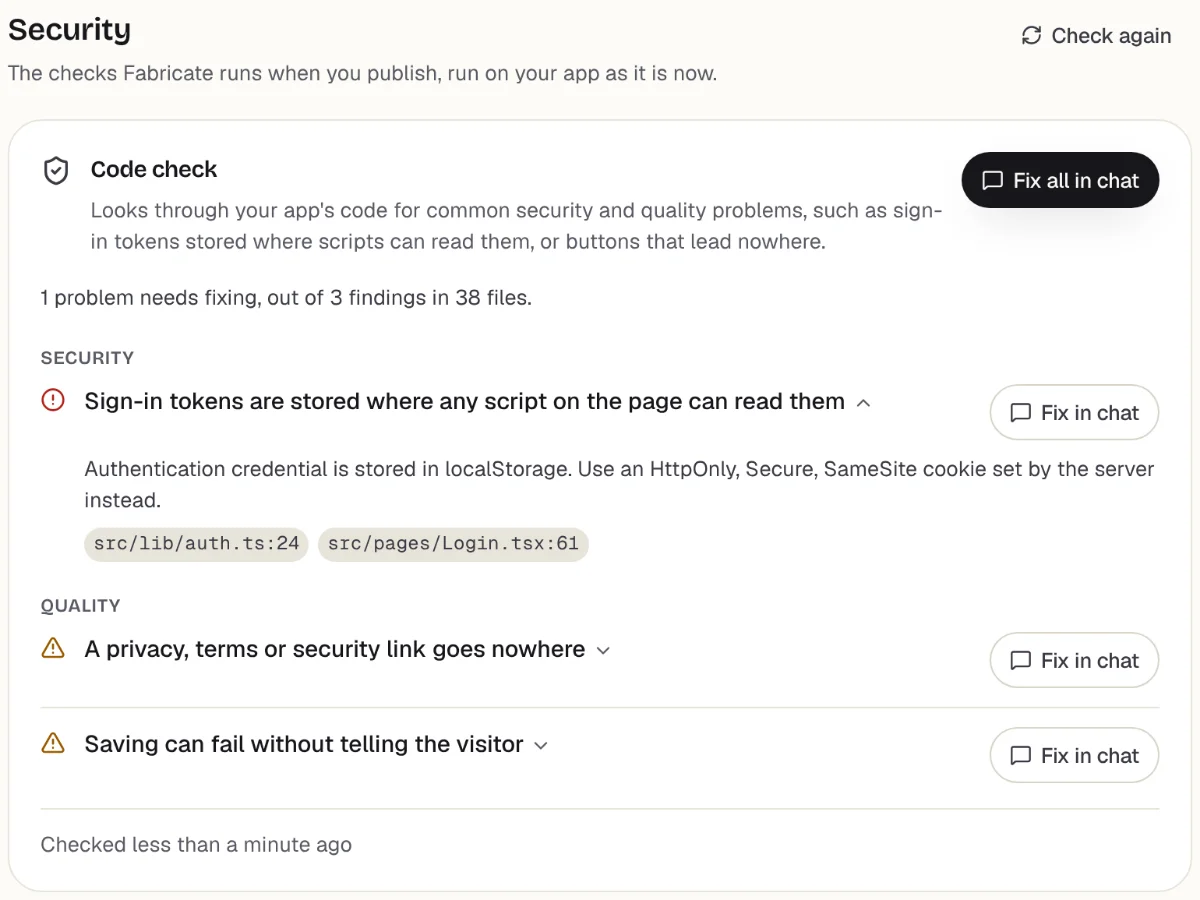
Checks before you publish
What it does well
- AI generation
- Full-stack
- Database
- Checked in a real browser before publishing
- Paid plans from
- $25 a month
- 350 credits a month on Pro
- Free plan
- 60 credits
- A month, to build and publish
- A live app
- Every plan
- Publishing is on every plan
The other Plasmic alternatives
What each one does well, and the kind of project it suits best.
- Number 2
Framer
Best for: Marketing sites
Visual site builder with animations, interactions and a CMS.
- Design
- Animations
- CMS
- Number 3
Webflow
Best for: Marketing websites
Visual web design with CMS and hosting.
- Design
- CMS
- SEO
- Number 4
Builder.io
Best for: Content and product teams
Two products: Code, whose agent generates web apps from your design system and codebase, and Content, a visual CMS. Pro is $24 per user a month.
- Visual CMS
- Figma plugin
- Works with your repository
- Number 5
TeleportHQ
Best for: Code generation
Visual website builder that exports code in several JavaScript frameworks.
- Multi-framework
- Code export
- Hosting
- Number 6
Anima
Best for: Design-to-code
Design to code for React, Vue, HTML.
- Figma plugin
- React, Vue and HTML
- Teams
- Number 7
Locofy
Best for: Design conversion
AI design to production code.
- AI
- Figma
- Production code
Plasmic vs Fabricate: UI Builder vs Full-Stack Generator
Plasmic is a powerful visual editor for React apps that lets marketers update pages without touching code. Fabricate takes a different approach: it generates the entire application from a description, including both frontend and backend.
Target user: Plasmic targets design teams at existing React companies. Fabricate targets founders and developers who want to launch a complete product without assembling the stack.
Backend: Plasmic covers the frontend and content, with a headless CMS. Fabricate generates server routes, a built-in SQLite database and authentication in a single build. Stripe Checkout on Pro and Max, with one-click test account setup or your existing keys; live payments require account verification and a live key.
Getting started: Plasmic fits into your existing stack. Fabricate starts from a description and builds the app around it, checked in a real browser before it can be published.
Frequently asked questions
- Do I need to know React to use Plasmic?
- Basic React knowledge helps with Plasmic. Fabricate requires no React knowledge: the AI writes it.
- Can Plasmic build full-stack apps?
- Plasmic focuses on frontend. You need separate backend solutions. Fabricate builds complete full-stack applications.
- Which generates better React code?
- Both generate production React code. Fabricate also generates backend code and database setup.
- Can I use my own components in Plasmic?
- Yes, Plasmic supports custom components. Fabricate generates all components from your descriptions.
- Which is better for teams?
- Plasmic's plans are priced by collaborators, from 3 on Free to 30 on Scale. On Fabricate's Pro and Max, you can invite people to edit an app or only view it.
Sources
The pages this guide quotes, each with the day it was read.
- plasmic.app/pricing (opens in a new tab), checked
- builder.io/m/pricing (opens in a new tab), checked
- framer.com/pricing (opens in a new tab), checked
- webflow.com/pricing (opens in a new tab), checked
- fabricate.build/pricing, from our live plans
About this guide
Written by the Fabricate team. Fabricate is our product, so it is first on this page and marked "We make this". Each tool, ours or not, says who it suits best.
Each tool's card lists the pages we read about it and the day we read them. We compared the tools from their own pricing pages and documentation, not by signing up for them. Spotted something out of date? Write to info@fabricate.build.
Related guides
All alternativesRelated pages
Builder.io Alternatives
Looking for Builder.io alternatives? Compare headless CMS platforms and AI app builders that create complete application...
Read moreBubble Alternatives
Looking for Bubble alternatives? Compare the top no-code platforms and AI app builders, including Fabricate, on features...
Read moreGlide Alternatives
Seven Glide alternatives compared on what each builds, where the data lives, publishing limits and price, from each tool...
Read moreAppy Pie Alternatives
Appy Pie charges per app, from $16 a month and $60 for iOS. Seven alternatives with one plan for several apps, web apps ...
Read moreAll AI App Builder Alternatives
Compare every alternative we have reviewed, side by side.
Read moreAI App Builder
Describe your app and get a frontend, database, logins and a live URL in minutes.
Read more