AlternativesUpdated
Best Tempo Labs Alternatives in 2026
Tempo Labs, now Tempo, has moved from its web editor to a desktop app for product teams: it turns customer feedback, issues and product requirements into reviewed pull requests on your own codebase, with Claude Code, Codex or OpenCode doing the work. If you want a new app built and hosted from a description instead, these alternatives fit.
 Fabricate CloudFabricate
Key takeaways
- Tempo Labs is now Tempo, a desktop app that turns feedback, issues and requirements into reviewed pull requests.
- Fabricate generates complete full-stack applications, including backend and APIs, from a description.
- Fabricate publishes each app to Cloudflare Workers with no DevOps required. Building and publishing start free.
- Fabricate suits non-developers and developers alike.
Why Are Developers Seeking Tempo Labs Alternatives?
Now a Desktop App
Tempo replaced its web editor with a desktop app that runs your code on your machine, and it needs Node.js and Git installed.
Built for a Codebase
Tempo works on your team's repository: documents, designs, issues and agents share the codebase as context, and the output is a pull request to review.
Bring Your Own AI Account
Tempo's agents run on Claude Code, Codex or OpenCode, using a paid Claude or ChatGPT plan, an API key, or Tempo's own inference billed at API prices.
A Canvas on Real Code
Its Figma-style canvas shows live routes and React components from your codebase, so it suits teams that already have an app.
Compare at a glance
Fabricate beside Tempo Labs, feature by feature.
- Starts From
- Fabricate
- A description of the app
- Tempo Labs
- Feedback, issues and product requirements
- Output
- Fabricate
- A running app, with its backend
- Tempo Labs
- Reviewed pull requests
- Works On
- Fabricate
- A new app
- Tempo Labs
- Your team's codebase
- Where It Runs
- Fabricate
- In the browser
- Tempo Labs
- A desktop app, with your code on your machine
- AI Account
- Fabricate
- Included in the plan
- Tempo Labs
- Claude, ChatGPT, an API key or Tempo Inference
- Hosting
- Fabricate
- Included
- Tempo Labs
- Yours to set up
Fabricate
We make thisBest for: Complete production applications
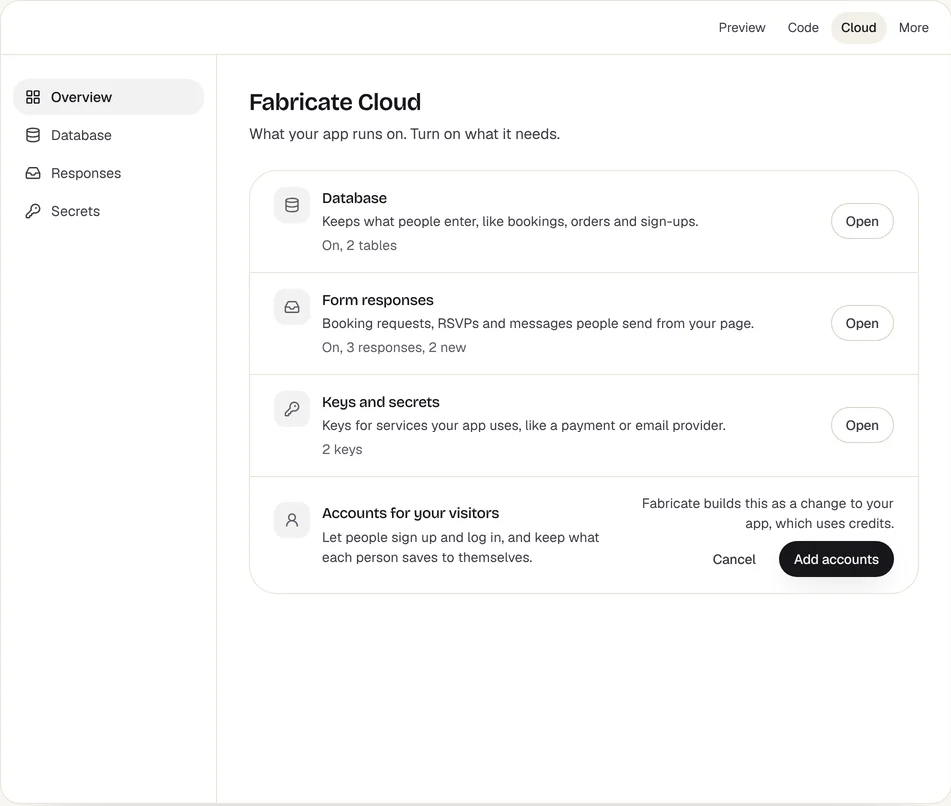
Full-stack AI platform that generates complete applications with a database and sign-in from a description, and publishes them to Cloudflare. Building and publishing start free.
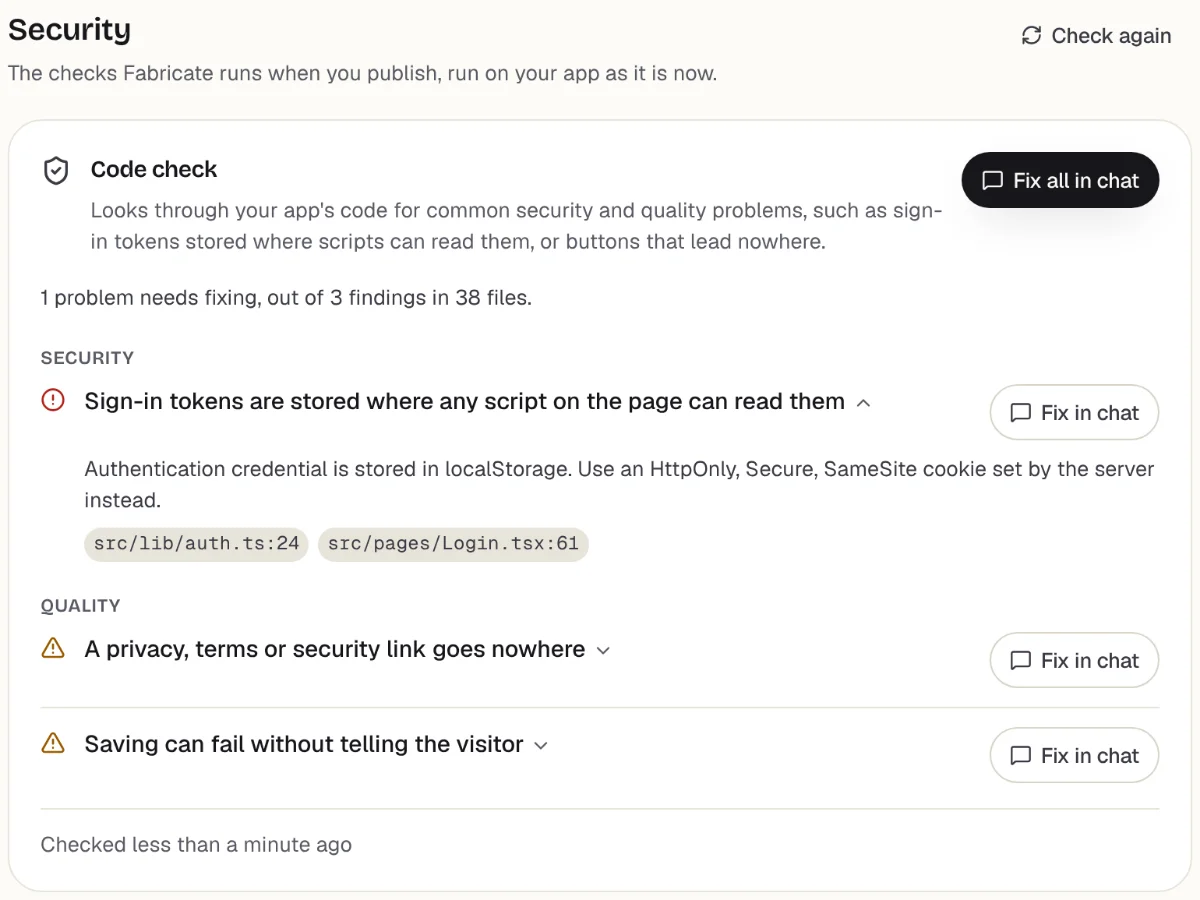
Checks before you publish
What it does well
- Full-stack generation
- Database included
- No codebase needed
- Checked in a real browser before publishing
- Paid plans from
- $25 a month
- 350 credits a month on Pro
- Free plan
- 60 credits
- A month, to build and publish
- A live app
- Every plan
- Publishing is on every plan
The other Tempo Labs alternatives
What each one does well, and the kind of project it suits best.
- Number 2
Bolt.new
Best for: Quick full-stack builds
Builds full-stack apps in the browser on Bolt Cloud, with a database, sign-in, storage and Stripe.
- Bolt Cloud backend
- Publishes on the free plan
- GitHub sync
- Number 3
Lovable
Best for: Design-led projects
Creates polished, responsive apps from natural language, with Lovable Cloud for data and auth.
- Design-led first draft
- Managed backend
- Two-way GitHub sync
- Number 4
v0 by Vercel
Best for: React apps on Vercel
Builds React and Next.js apps from a prompt and deploys them to Vercel, with data from services such as Neon or Supabase.
- React and Next.js
- Deploys to Vercel
- GitHub sync
- Number 5
Cursor
Best for: Professional developers
An AI code editor for people who write code, with an agent that works across the codebase.
- An agent in your editor
- Tab completion
- Any codebase
- Number 6
Framer
Best for: Interactive websites
Design-focused website builder with animations and interactive prototyping capabilities.
- Animations
- Design tools
- Publishing
- Number 7
Plasmic
Best for: React teams needing visual editing
Visual builder for React with headless CMS features and component-level control.
- React visual builder
- CMS
- Component library
Tempo vs Fabricate: Pull Requests for Your Codebase vs a Whole App
Tempo, formerly Tempo Labs, runs Claude Code, Codex or OpenCode in a desktop app built for product teams: agents pick up Slack messages, issue changes and GitHub events, and hand back pull requests for people to approve. Fabricate takes a higher-level approach, generating the full application from a description and publishing it.
Scope of output: Tempo produces reviewed changes to your codebase. Fabricate creates the product itself: the UI, the API, the database and sign-in, delivered as a working app. Stripe Checkout on Pro and Max, with one-click test account setup or your existing keys; live payments require account verification and a live key.
Developer requirement: Tempo needs Node.js, Git and a codebase on your machine. Fabricate works in the browser, with no coding required to get started.
Publishing: Each published app deploys as its own Cloudflare Worker. Before an app can be published it is opened in a real browser, and one that crashes, never mounts or renders a blank page is blocked from publishing. Custom domains are on the paid plans.
Frequently asked questions
- What is Tempo Labs?
- Tempo Labs, now Tempo, describes itself as the AI software factory for product teams: a desktop app that turns customer feedback, issues and product requirements into reviewed pull requests on your codebase, with agents doing the work and your team approving the decisions that matter.
- Can Tempo build a new app from a description?
- Tempo is built around a codebase: you add a project from a git repository or a local folder, and its agents open pull requests against it. Fabricate builds a new app from a description, with the backend and hosting included. Building and publishing start free.
- Is Fabricate better than Tempo Labs?
- For a new app built and hosted for you, yes: Fabricate generates the full-stack app and publishes it. For a product team that wants agents turning issues into pull requests on its own codebase, Tempo is built for that.
- Do I need Figma to use Tempo Labs?
- No. Tempo has its own Figma-style canvas, where each frame is a live route or React component from your codebase. Fabricate accepts plain-text descriptions or screenshots, with no design tool required.
- Which tool is better for startups?
- A startup without a codebase can describe its MVP to Fabricate and get the app, its database and hosting in one place. A startup with a codebase and a team can use Tempo to turn issues into pull requests.
Sources
The pages this guide quotes, each with the day it was read.
- Tempo docs: introduction (opens in a new tab), checked
- Tempo docs: migrating from web to desktop (opens in a new tab), checked
- Tempo docs: quick start (opens in a new tab), checked
- Tempo docs: your Tempo web prompt credits (opens in a new tab), checked
- Tempo docs: canvas (opens in a new tab), checked
- bolt.new/pricing (opens in a new tab), checked
- Bolt help: Bolt Cloud (opens in a new tab), checked
- Lovable docs: Lovable Cloud (opens in a new tab), checked
- v0 docs: deployments (opens in a new tab), checked
- v0 docs: databases (opens in a new tab), checked
- Cursor docs: Agent (opens in a new tab), checked
- framer.com/pricing (opens in a new tab), checked
- plasmic.app/pricing (opens in a new tab), checked
- fabricate.build/pricing, from our live plans
About this guide
Written by the Fabricate team. Fabricate is our product, so it is first on this page and marked "We make this". Each tool, ours or not, says who it suits best.
Each tool's card lists the pages we read about it and the day we read them. We compared the tools from their own pricing pages and documentation, not by signing up for them. Spotted something out of date? Write to info@fabricate.build.
Related guides
All alternativesRelated pages
Emergent Alternatives
Six Emergent alternatives for when the per-app publishing fee or the free plan is the problem, from Lovable to Cursor. P...
Read moreHeyBoss Alternatives
HeyBoss builds business sites and apps with hosting, a CRM and payments in one plan. Compare 7 alternatives on the backe...
Read moreDyad Alternatives
Dyad is a free, open-source AI app builder for your desktop. Compare 7 alternatives that build in the browser, on the ba...
Read moreFigma Make Alternatives
Explore top Figma Make alternatives for AI app building. Compare features, pricing, and full-stack capabilities across l...
Read moreAll AI App Builder Alternatives
Compare every alternative we have reviewed, side by side.
Read moreAI App Builder
Describe your app and get a frontend, database, logins and a live URL in minutes.
Read more