AlternativesUpdated
Best Appsmith Alternatives in 2026
Appsmith is an open-source internal tool builder: you place widgets, write queries and bind them with JavaScript, on your own servers or in Appsmith's cloud, where Business is $15 a month per user. Here is how seven alternatives compare for someone leaving it.
 Fabricate CloudFabricate
Key takeaways
- Appsmith is an open-source internal tool builder: you place widgets, write queries and bind them with JavaScript, in its cloud or on your own servers.
- In Appsmith's cloud, Free covers 5 users and Business is $15 a month per user, up to 99; every workspace member counts.
- Fabricate writes the whole app from a description, with its own database and sign-in, for staff or customers. Building and publishing start free.
- Budibase and ToolJet are the open-source alternatives, Retool the nearest commercial one, and Superblocks builds internal apps with an AI agent.
Why Seek Appsmith Alternatives?
Appsmith is open source and priced per user, so the reasons people look elsewhere are mostly about how much wiring an app takes, who it is for and what each person costs. Some name the alternative that fits them.
You Wire Up Every Widget
In Appsmith you drag widgets onto a canvas, write the queries and bind them together with JavaScript. A builder that starts from a description writes those parts itself.
Fits: FabricateEvery Workspace Member Is Billed
Business is $15 a month for each user, up to 99, and anyone added to a workspace during a billing cycle is billed for the full month. The cloud Free plan stops at 5 users.
Fits: SuperblocksAn Internal Tool Builder
Appsmith calls itself an open-source internal tool builder, and its examples are admin panels, back-office apps, dashboards and trackers. An app your customers sign up to is a different kind of project.
Private Embeds Are Enterprise
Free and Business embed public apps only. Embedding a private app, with sign-in shared with your own product, comes with Enterprise, at $2,500 a month for 100 users.
Compare at a glance
Fabricate beside Appsmith, feature by feature.
- Building an App
- Fabricate
- A description, written into code
- Appsmith
- Widgets, queries and JavaScript
- Who Uses the App
- Fabricate
- Staff or customers
- Appsmith
- People inside a company
- Running It Yourself
- Fabricate
- Exported to your Cloudflare account, on Pro and Max
- Appsmith
- Community edition, free and open source
- Where Its Data Sits
- Fabricate
- The app's own SQLite database
- Appsmith
- Databases and APIs you connect
- Signing In
- Fabricate
- Built into each app
- Appsmith
- Google or GitHub; SAML on Enterprise
- How Users Are Billed
- Fabricate
- App users are not counted
- Appsmith
- $15 a month each on Business
- Open-Source Code
- Fabricate
- No
- Appsmith
- Yes
- A Paid Plan
- Fabricate
- Pro: $25 a month, 350 credits
- Appsmith
- Business: $15 per user a month
Fabricate
We make thisBest for: Apps without wiring, for staff or customers
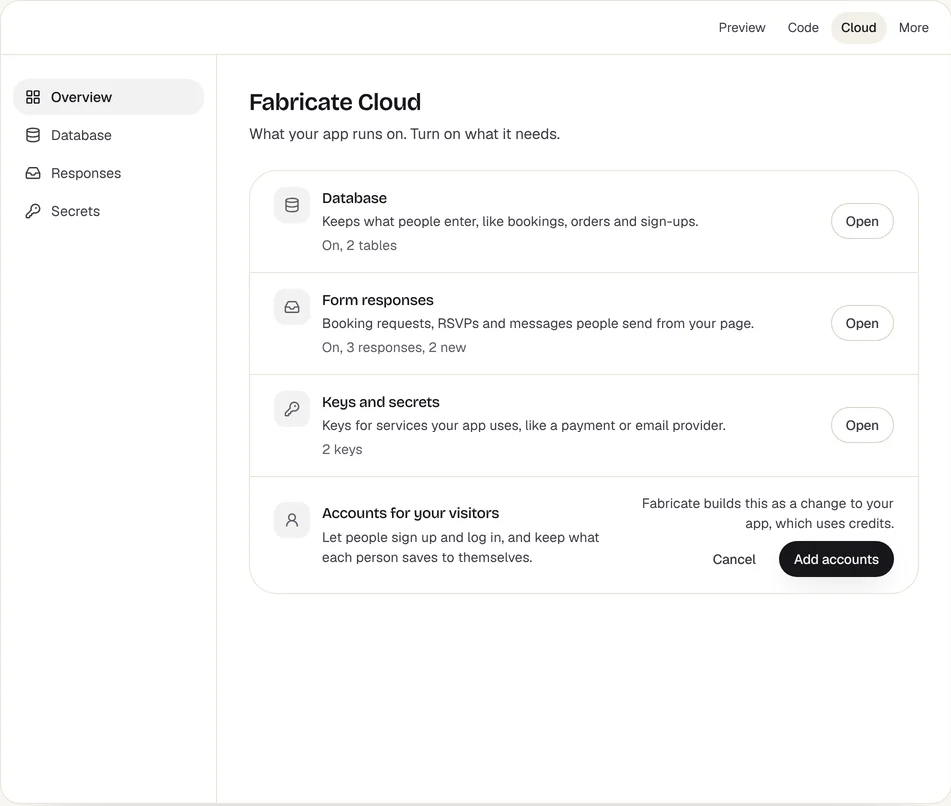
In Appsmith you place widgets, write queries and connect data sources. Fabricate writes the app from a description instead: the screens, its own SQLite database, sign-in with roles, and the server routes. The people who sign in to a published app are not counted as seats, so an app for customers costs the same as one for staff. Building and publishing start free.
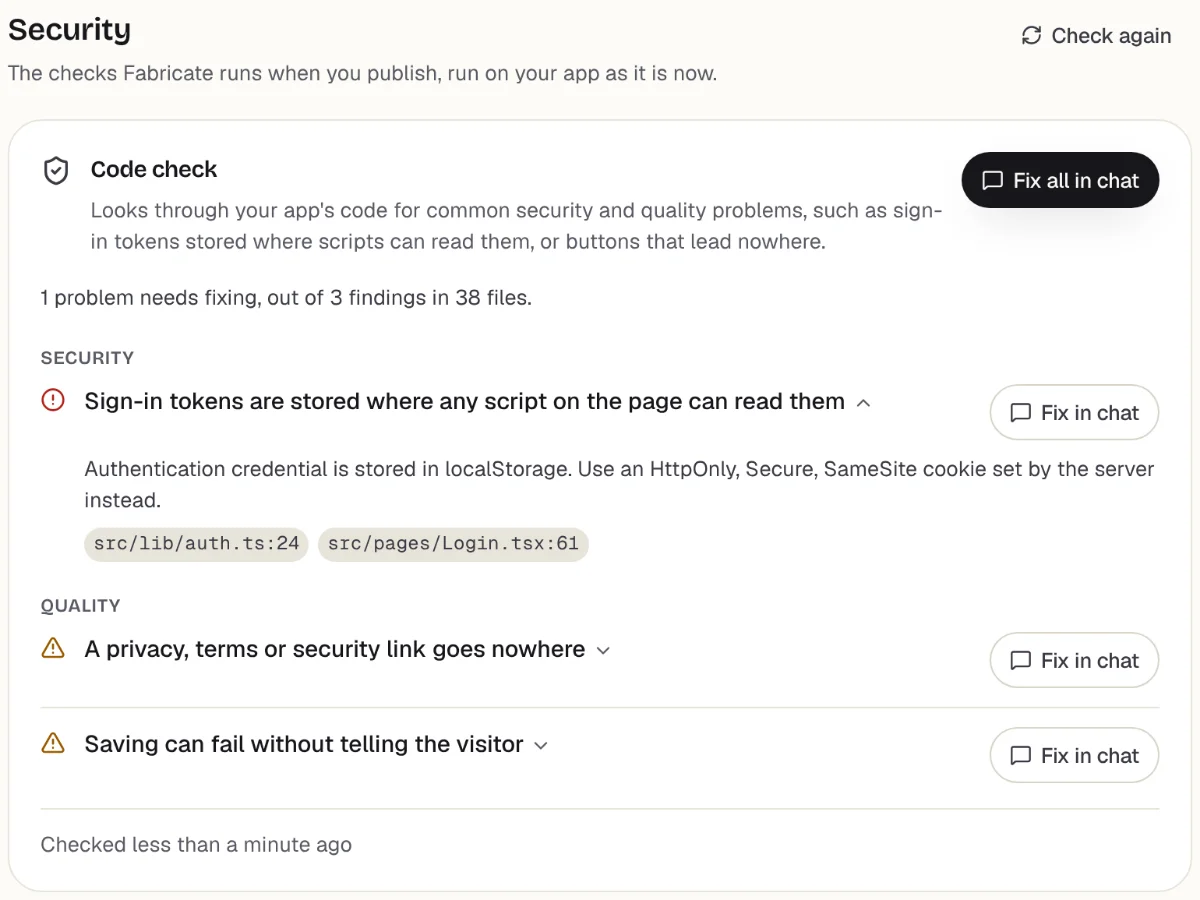
Checks before you publish
What it does well
- Described, not wired up
- A database and sign-in of its own
- App users are not seats
- Internal or for customers
- Paid plans from
- $25 a month
- 350 credits a month on Pro
- Free plan
- 60 credits
- A month, to build and publish
- A live app
- Every plan
- Publishing is on every plan
How to Move an Appsmith Tool to Fabricate
- 1
List the pages and queries
Note each page of the Appsmith app, the queries behind it and who may see what. That list becomes the description.
- 2
Describe the tool
Say what it is for, what it stores and which roles exist. Fabricate writes the screens, its own database and sign-in from that, with no widgets to place.
- 3
Publish it for your team
After the browser check, press Publish. The people who sign in are not counted as seats on any plan.
Chat

Your app

The other Appsmith alternatives
What each one does well, and the kind of project it suits best.
- Number 2
Retool
Best for: Internal tools with many users and few builders
Retool is the nearest commercial tool to Appsmith: internal tools over the databases and APIs you already run, and its builder now makes an app from a description too. It prices builders and users apart, $12 a month per builder and $7 per internal user on Team, billed monthly, where Appsmith's Business charges $15 for everyone.
- The nearest tool to Appsmith
- Lower prices for app users
- Builds from a description too
When to pick Retool
If most of your people use the apps rather than build them, Retool's lower price per internal user can cost less than Appsmith's flat price per user.
From $12 per builder a monthRetool alternativesSource: retool.com/pricing (opens in a new tab), checked
- Number 3
Budibase
Best for: Self-hosted tools with no user count
Budibase is open source too, and its self-managed Community plan costs nothing for unlimited users, apps, automations and AI agents on servers you run. Budibase Cloud, which it hosts for you, starts at $299 a month for 2 creators, 20 end users and 250K actions a month.
- Open source, like Appsmith
- Unlimited users when self-hosted
- Automations and agents included
When to pick Budibase
If you will run it on your own servers anyway and want no per-user price at all, Budibase's Community plan has no user limit.
From $299 a month, hostedSource: budibase.com/pricing (opens in a new tab), checked
- Number 4
ToolJet
Best for: Small teams of builders
ToolJet is another open-source internal tool builder, priced per builder rather than per user: its free plan, in ToolJet's cloud or on your servers, has 2 builders, 50 end users and 10 apps, and Basic is $29 a month per builder. AI app generation is on every plan, Free included.
- Priced per builder, not per user
- Free plan, hosted or self-hosted
- AI app generation on every plan
When to pick ToolJet
If a couple of people build the tools and up to 50 use them, ToolJet's free plan covers that, hosted or on your own servers.
From $29 per builder a monthSource: tooljet.com/pricing (opens in a new tab), checked
- Number 5
Superblocks
Best for: Governed internal apps on company data
Superblocks builds internal apps with Clark, an AI agent that writes the app from plain language on your company's data, and says you own the code it generates. Teams starts at $125 a month, or $100 billed yearly; it has unlimited end users, grows to 15 builders, and includes 1 hosted app, with $10 a month for each one after.
- Clark builds from plain language
- Unlimited end users on Teams
- You own the code it writes
When to pick Superblocks
If many people use a few internal apps, Superblocks charges for the team and each app, with no limit on end users, where Appsmith's Business plan charges for every user.
From $125 a monthSource: superblocks.com/pricing (opens in a new tab), checked
- Number 6
Glide
Best for: Team apps with no developer
Glide is for teams with no developer at all: its AI agent builds the app from a prompt, a spreadsheet, a document or an image, with no queries or JavaScript to write. The free plan builds but publishes nothing; Basic, at $25 a month, publishes 2 apps.
- No queries or JavaScript
- Starts from a spreadsheet or a document
- Basic publishes 2 apps
When to pick Glide
If nobody on the team writes queries or JavaScript, Glide builds the whole app from a spreadsheet or a prompt.
From $25 a monthGlide alternativesSources: glideapps.com/pricing (opens in a new tab), checked ; Glide docs: what is GlideOS? (opens in a new tab), checked ; Glide docs: data (opens in a new tab), checked
- Number 7
Lovable
Best for: Customer-facing apps built by chat
Lovable builds web apps from a conversation, with Lovable Cloud for the database, sign-in and storage, so it suits an app for customers as well as one for staff. Pro is $25 a month, shared by unlimited users.
- Apps for customers as well as staff
- Data and sign-in on Lovable Cloud
- Pro shared by unlimited users
When to pick Lovable
If the app is for customers who sign up themselves, Lovable builds it from a chat with sign-in and a database, and one Pro plan covers the whole team.
From $25 a monthLovable alternativesSources: lovable.dev/pricing (opens in a new tab), checked ; Lovable docs: Lovable Cloud (opens in a new tab), checked ; Lovable docs: publishing (opens in a new tab), checked
Appsmith vs Fabricate: Internal Tools vs Full Product Development
Appsmith excels at connecting SQL databases and REST APIs into admin dashboards. Fabricate builds something different: customer-facing products, SaaS platforms and marketplaces as well as internal tools, as AI-generated code. On Pro and Max, see, edit and download the code, or send it to GitHub.
Open source or managed: Appsmith's Community edition is open source and runs on your own servers, and Appsmith's cloud hosts it for you, free for up to 5 users. Fabricate is fully managed on Cloudflare, with no servers to run.
Scope of output: Appsmith creates internal tools and admin panels. Fabricate creates complete web applications: landing pages, sign-in, dashboards, server routes and their databases.
Code ownership: Appsmith is open source and keeps app versions in Git. Fabricate generates the app's full source code. On Pro and Max, see, edit and download the code, or send it to GitHub, and deploy it to your own Cloudflare account.
Frequently asked questions
- Is Appsmith free?
- The Community edition is free and open source, and you run it on your own servers. In Appsmith's cloud, Free covers up to 5 users, Business is $15 a month per user for up to 99, and Enterprise is $2,500 a month for 100 users. Fabricate's Free plan builds and publishes, with nothing to host.
- How does Appsmith count users?
- Every member added to a workspace in your Appsmith instance is a user, and anyone who is a member at any point in a billing cycle is billed for the full month. Developers cost the same as everyone else, $15 a month each on Business. Fabricate does not count the people who sign in to a published app.
- Can Appsmith build apps for customers?
- It calls itself an internal tool builder, and its examples are admin panels, back-office apps, dashboards and portals. Embedding an app with private sign-in in your own product needs Enterprise. Fabricate builds apps for customers and for staff alike, with sign-in written into each one.
- Can I self-host Fabricate apps?
- Code download and GitHub export are available on the paid plans. The exported project targets Cloudflare: you can deploy it to your own Cloudflare account after adding a Worker entry, the Durable Object binding and a client bundling step. Appsmith is designed for self-hosting from the start.
- Which alternative is closest to Appsmith?
- Retool is the nearest commercial tool, and Budibase and ToolJet are open source like Appsmith and can run on your own servers. Superblocks builds internal apps with an AI agent. Fabricate, Glide and Lovable build the app from a description instead.
Sources
The pages this guide quotes, each with the day it was read.
- appsmith.com/pricing (opens in a new tab), checked
- retool.com/pricing (opens in a new tab), checked
- budibase.com/pricing (opens in a new tab), checked
- tooljet.com/pricing (opens in a new tab), checked
- superblocks.com/pricing (opens in a new tab), checked
- glideapps.com/pricing (opens in a new tab), checked
- Glide docs: what is GlideOS? (opens in a new tab), checked
- Glide docs: data (opens in a new tab), checked
- lovable.dev/pricing (opens in a new tab), checked
- Lovable docs: Lovable Cloud (opens in a new tab), checked
- Lovable docs: publishing (opens in a new tab), checked
- fabricate.build/pricing, from our live plans
About this guide
Written by the Fabricate team. Fabricate is our product, so it is first on this page and marked "We make this". Where a reason to switch fits another tool better, the reason says which.
Each tool's card lists the pages we read about it and the day we read them. We compared the tools from their own pricing pages and documentation, not by signing up for them. Spotted something out of date? Write to info@fabricate.build.
Related guides
All alternatives- What Retool CostsRetool's prices per builder and per internal user, worked through for a team.Pricing guide
- Build an Internal Tool with AIThe kind of tool Appsmith is used for, built from a description with sign-in and roles.Build it
- AI Dashboard BuilderTables, charts and metrics on the app's own data, with no queries to write.Feature
- Airtable AlternativesFor a team whose tool started as a shared base rather than a database you query.Alternatives
Related pages
AppSheet Alternatives
Six AppSheet alternatives compared on price per user, public apps, where the data lives and how you build, from each too...
Read morePlasmic Alternatives
Looking for Plasmic alternatives? Compare visual React builders and AI app builders that create production-ready applica...
Read moreBuilder.io Alternatives
Looking for Builder.io alternatives? Compare headless CMS platforms and AI app builders that create complete application...
Read moreBubble Alternatives
Looking for Bubble alternatives? Compare the top no-code platforms and AI app builders, including Fabricate, on features...
Read moreAll AI App Builder Alternatives
Compare every alternative we have reviewed, side by side.
Read moreAI App Builder
Describe your app and get a frontend, database, logins and a live URL in minutes.
Read more